On this page
You asked ChatGPT for a promo graphic and got a beautiful picture. Then you spotted a wrong date, and there was no headline to click. A friend says just use Canva. Another says ChatGPT image generation is now good enough that you don't need a design tool at all. So Canva vs ChatGPT looks like a simple pick. It isn't. They do different jobs. ChatGPT paints a flat image. Canva starts you on a template. The useful question is which of those problems you can live with, and whether you actually need a finished marketing graphic.
Below, you'll see what each one does well, where the editing problem shows up, what each costs, and when a third path fits.
Canva vs ChatGPT: the short answer
ChatGPT is the better place to explore a visual: a hero image, a mood, a few directions you can react to in chat. Canva is the better place to finish a marketing graphic: editable text, a brand kit, resizing and a file you can hand off. If you want to describe a post and get a layered design back, neither default route does that on its own.
And if your real complaint is that ChatGPT's text is stuck in the picture, and Canva's layouts look like everyone else's, you need a different kind of tool. More on that below.
What the two tools share
Both help you make a visual without hiring a designer. Both now include AI image generation. Both work in a browser. In 2026 you can even open Canva from inside ChatGPT, so the two overlap more than they did a year ago.
They still hand you different files. In Fairlinked's ChatGPT vs Canva AI test, the text on ChatGPT images was part of the picture, so a change meant generating again. In Canva, text and other elements could be edited one by one. The testers landed on a common workflow: explore ideas in ChatGPT, then finish the graphic in Canva.
That workflow works. It also explains the Friday-afternoon frustration. You do the thinking in one place and rebuild the deliverable in another.
Where ChatGPT wins
A picture from a sentence. You describe the scene, the mood and any words you want, and ChatGPT Images 2.5 paints a result in the same chat. There is no blank canvas and no template library to browse first.
Better edits than older image models. Images 2.5 launched on September 8, 2026. PCMag's write-up and TechRadar's hands-on both cover the release. The headline improvement is targeted editing: you can ask it to change one thing and leave the rest alone, instead of reshuffling the whole picture. You can also attach a reference and keep talking.
Concepting. For mood boards, campaign directions and hero imagery with little or no text, ChatGPT is fast. You can ask for three directions, pick one, and refine it in plain language. That is a better first step than scrolling templates when you do not yet know what the graphic should feel like.
It is already in the chat you use. Images 2.5 is available on every ChatGPT plan, including free, with usage limits. A TechRadar column puts ChatGPT Plus at $20 a month. If you already pay for Plus to write captions and emails, image generation comes with that same chat.
The text and editing problem
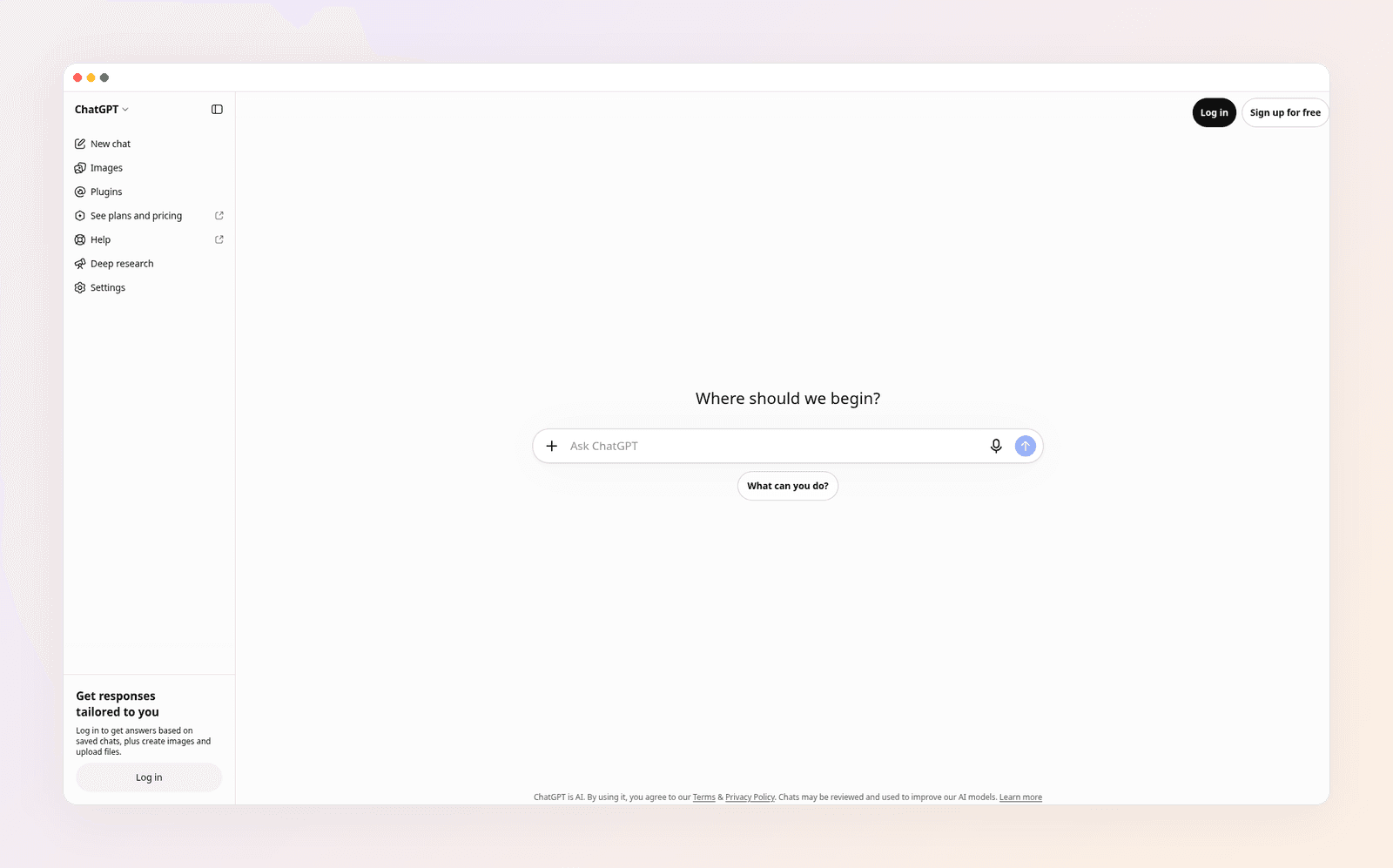
The file ChatGPT hands you is a flat picture. There are no text boxes, no layers and no way to nudge a logo two millimeters to the left. A typo means another generation. Even with Images 2.5's cleaner edits, a long back-and-forth can still drift: colors shift, a name spelled right in version three comes out wrong in version four.
Resolution is web resolution, not print resolution. That is fine for a social post or a Slack mock. It is a problem for a flyer you will take to a print shop. Our ChatGPT flyer maker guide walks through that limit in detail.
ChatGPT also has no brand memory. It does not store your fonts or hex codes. Every new chat starts from zero, and even in the same chat the palette can wander. If you need the same look every week, you will keep re-explaining the brand, or you will finish the graphic somewhere else.
When the words matter as much as the picture, baked-in type is the wrong format. Here's how to add readable text to AI images if you already have a generated picture you want to keep.
Where Canva wins
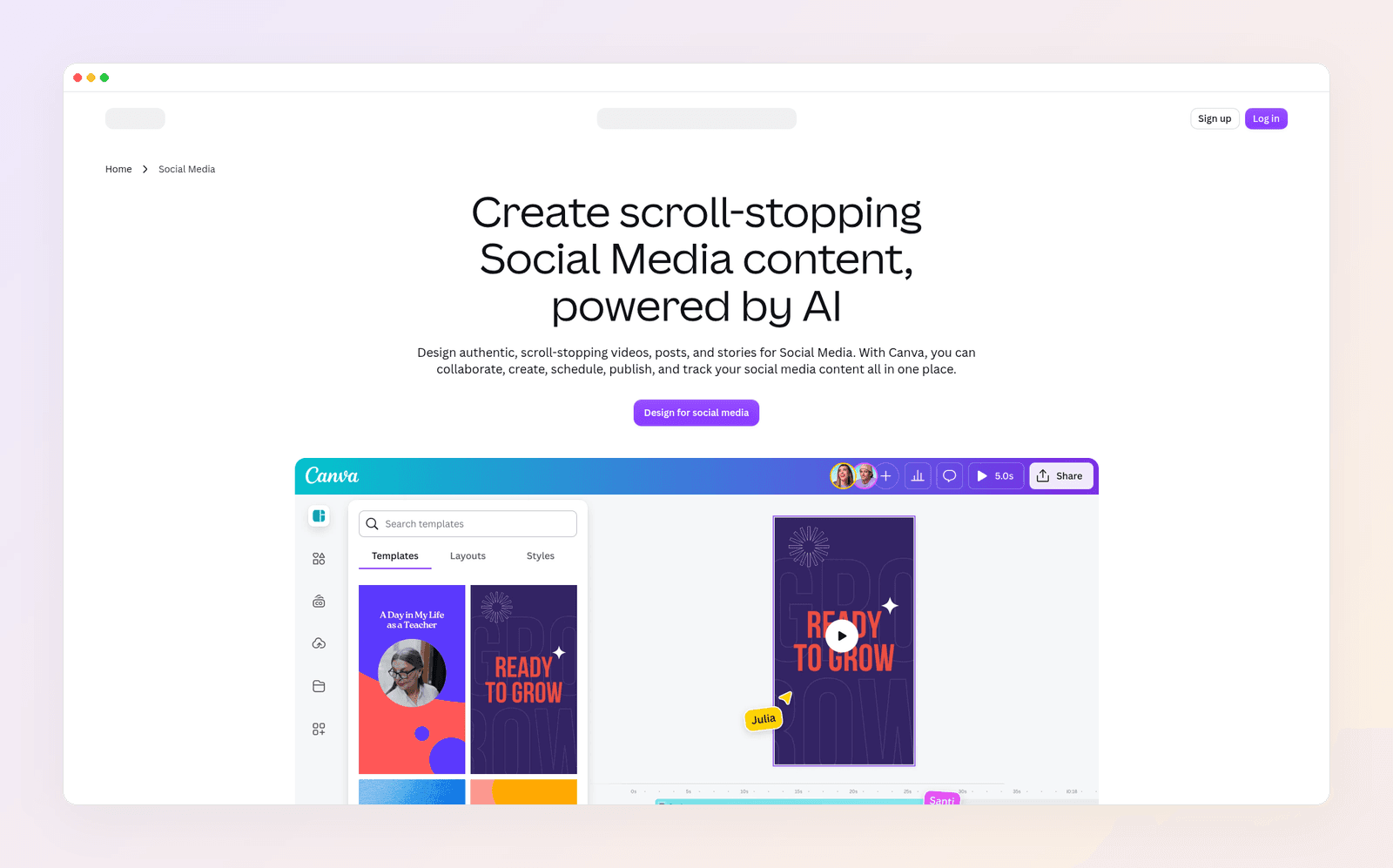
A design you can edit. In Canva, headlines live in text boxes. Change Saturday to Sunday without painting a new image. That single fact is why Canva wins for most marketing graphics.
Templates, brand kits and handoff. Canva's free plan includes 1.6 million templates. Pro and Business raise that to 3.6 million. Free includes one Brand Kit with three colors. Pro holds 5 kits. Business holds 100. Magic Resize turns one design into the next format. You can comment, approve and, on paid plans, schedule posts. ChatGPT hands you a PNG and leaves the rest to you.
The Canva app inside ChatGPT. Since June 3, 2026, you can ask Canva for a design from the chat. You get a real Canva layout with editable text, not a flat picture. The catches, which we cover in how to design in ChatGPT, are practical: exporting and applying brand settings happen after you open the file in Canva, and the app is not available in China or the EU.
It is still a template tool. Canva's AI can generate images and even split a generated picture into pieces you then move. The editor underneath is still built around starting layouts other people designed. If your feed already looks borrowed, a different Canva template will not fix that. We break this down in AI vs template design tools.
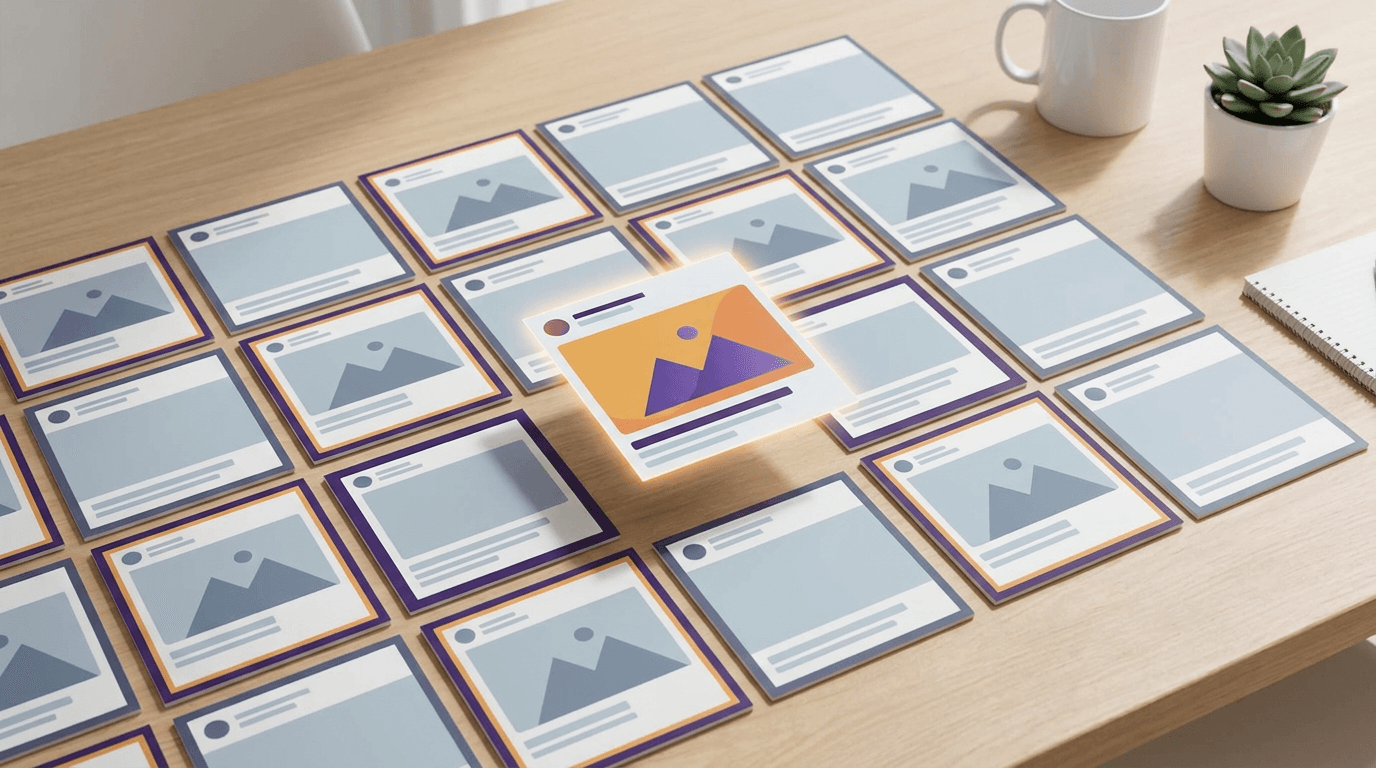
Canva vs ChatGPT pricing in 2026
| Canva | ChatGPT | |
|---|---|---|
| Free | $0 | $0, with image limits |
| One person | Pro: $18 a month, or $144 a year | Plus: $20 a month |
| Teams | Business: $25 a month per person, or $250 a year | Team and higher plans sit above Plus |
| What you get | Editor, templates, brand kit, resize | Chat, Images 2.5, apps and connectors |
| Default output | A design you can edit | A flat image |
Prices as of November 2026.
They cost about the same for one person if you pay monthly: Canva Pro at $18, ChatGPT Plus at $20. Paying Canva yearly drops that to $144, or $12 a month. The prices are not the decision. The file you get is. Canva's free plan is enough to test the editor. ChatGPT's free plan is enough to test Images 2.5.
If you sign up for Canva, note where you're billed. When you want out, here's how to cancel your Canva subscription.
Three buyers, three picks
Here's how the choice plays out for three made-up but typical people.
Luis runs a neighborhood cafe. He wants to see three visual directions for a weekend special before he writes the offer. ChatGPT is his pick for that hour. He is exploring a feeling, not shipping a finished poster.
Nora is a fitness coach. She posts three times a week, always with the same fonts, and the class date changes every Thursday. Canva is her pick. She needs text she can retype, a brand kit and a size for the grid and the story.
Amira writes captions in ChatGPT, then rebuilds the graphic in Canva because the picture spelled the offer wrong. Neither default route is saving her time. She needs the chat to return a design she can edit, in her brand, without starting from a template.
Most readers are Luis or Nora. If you're Amira, read on.
When neither tool is the answer
ChatGPT gives you a picture whose text you cannot click. Canva gives you a template you then customize. Using both, generate in ChatGPT and finish in Canva, is a solid split if you already live in those two tools. It still leaves a gap: the graphic was not designed around your brief, and it was not designed in your brand from the first pass.
That is the job Krumzi is built for. You describe the post in one sentence, and the AI designs the layout, type, colors and imagery from scratch, with no template underneath. Your first design usually arrives in under 60 seconds. Every element stays editable, so a wrong date is a retype, not a reroll.
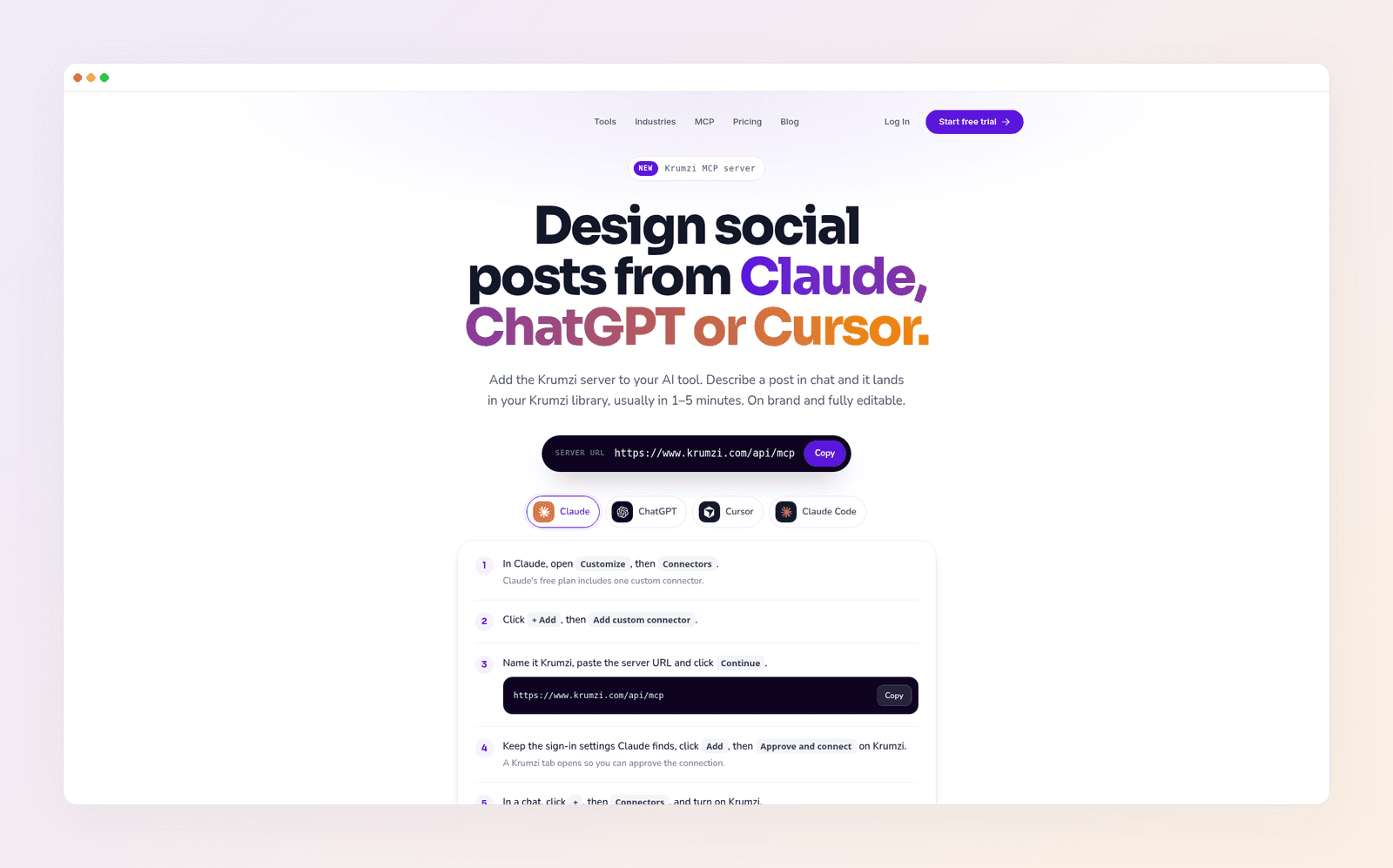
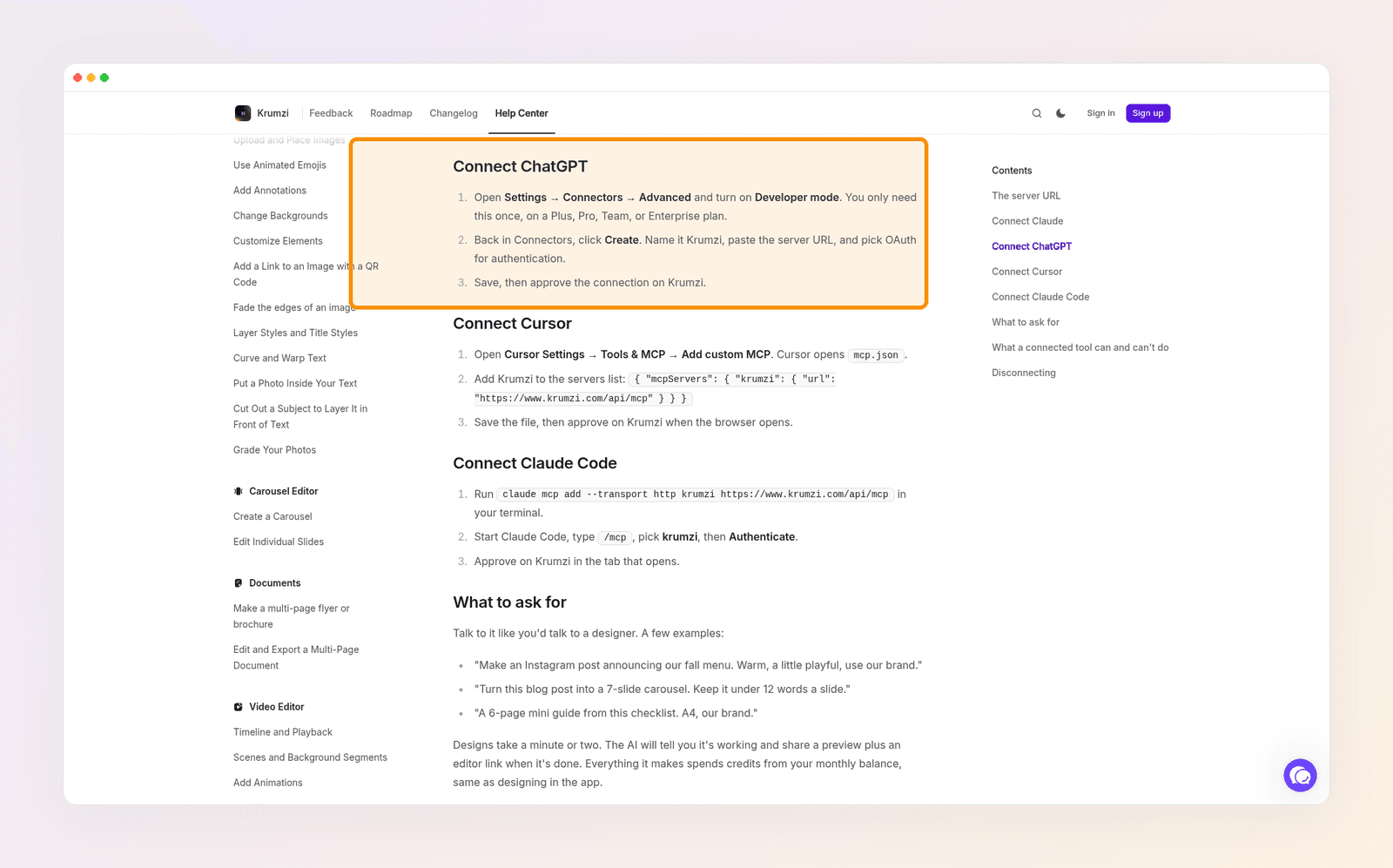
You can do that from the chat you already have open. Krumzi connects to ChatGPT, Claude and Cursor through an MCP server. You add the server, describe the post, and it lands in your Krumzi library in about 1 to 5 minutes, on brand and fully editable. Krumzi's MCP page and the help article on connecting Krumzi to Claude, ChatGPT or Cursor cover the setup. On ChatGPT, that path uses Developer mode under Settings, then Connectors, then Advanced. Krumzi lists it for Plus, Pro, Team and Enterprise plans.
Any Krumzi account can start there: five designs a month without the Krumzi badge, and you don't add a card. With a paid plan, those designs spend credits the same way they do in the app. The connection can make still posts, carousels and multi-page documents. Video stays in the Krumzi app, and the connection cannot publish to your social accounts.
Starter costs $19 a month. Pro, which adds video and Brand Kit, costs $39. For the longer walkthrough of Images 2.5, the Canva app and MCP connectors, read how to design in ChatGPT. To compare Krumzi with Canva directly, see Krumzi vs Canva. If MCP itself is new, start with what an MCP server is.
Krumzi isn't a chatbot and it isn't a docs or website tool. Keep ChatGPT for writing and visual exploration. Keep Canva if you still want templates, docs or a whiteboard. Use Krumzi when the job is an on-brand marketing graphic you can actually edit.
The verdict
Canva vs ChatGPT is a category mismatch if you treat them as the same product. ChatGPT wins when you need a picture you can iterate in conversation: concepts, hero visuals and anything with little text. Canva wins when you need a finished marketing graphic with editable type, a brand kit and a file someone else can tweak. Using both is reasonable. Generating the image in ChatGPT and finishing it in Canva is the workflow most people land on.
If that handoff is the part you want to skip, describe the post once and get a layered design back. Want posts designed from scratch in your brand? Start free trial and describe your first post.
3-day free trial, card needed. No charge until day 4. Cancel online anytime.
Frequently Asked Questions
Can ChatGPT replace Canva for marketing graphics?
No, not if you need a finished graphic you can edit. ChatGPT Images 2.5 paints a flat picture. Canva gives you text boxes, a brand kit and resizing. Use ChatGPT to explore the visual, then finish the deliverable in a design tool.
Does ChatGPT generate editable designs?
Not with its built-in image model. Images 2.5 returns a single raster picture. The Canva app inside ChatGPT returns a Canva design you finish in Canva. A custom MCP connector, such as Krumzi, returns a layered design in that tool's library.
Is Canva better than ChatGPT for images?
For a finished marketing graphic, yes. For exploring a look or generating a hero image with little text, ChatGPT is often faster. The better question is which file you need at the end of the session, a picture or a design.
Can I use Canva inside ChatGPT?
Yes. Since June 3, 2026, the Canva app can build a design from the chat on Canva Free, Plus and Pro. You still open the file in Canva to export it or apply brand settings, and the app is not available in China or the EU. Steps are in our design in ChatGPT guide.
How do I get editable layers from a ChatGPT conversation?
Use the Canva app and finish the file in Canva, or connect a design tool through MCP so the chat builds a layered file in that tool. Krumzi's setup lives on the MCP page. The graphic arrives as real text, shapes and images you can change without generating everything again.
How much do Canva and ChatGPT cost?
Canva Pro costs $18 a month, or $144 a year. ChatGPT Plus costs $20 a month. Both have free plans you can use to test the difference: a Canva design you can edit, against a ChatGPT image you cannot.
A month of posts, designed before your coffee cools
Describe the post. Krumzi designs it from scratch, on your brand, fully editable.
Start free trial3-day free trial, card needed. No charge until day 4. Cancel online anytime.