Free Microsoft Publisher Alternative
Drop in a Microsoft Publisher file and Krumzi opens it in your browser, with every page back as an editable design at the same size: text boxes, pictures, shapes and newsletter columns that still flow. Opening one file a week is free with no signup, and you can move, resize and retype anything, then download it with a watermark. Start the 3-day free trial (card needed, no charge until day 4) to make next week's version by typing what changed and open the full editor. Downloads are clean once your plan starts.
Drop your .pub file here
Works with .pub files up to 60 MB. Nothing to install. Krumzi isn't affiliated with Microsoft.
Next, your pages open on their own screen. It takes a few seconds.
What can replace Microsoft Publisher? Microsoft retired Publisher in October 2026 and suggests Word or PowerPoint, but they don't open .pub files with the layout intact. Krumzi opens your .pub files in the browser and rebuilds every page as an editable design, with text boxes, pictures and newsletter columns where you left them. Opening one file a week is free with no signup. Making next week's version and changing it in plain words come with the 3-day free trial (card needed, no charge until day 4), and downloads are clean once your plan starts.
Next week's bulletin, without starting over
Open last week's file once. After that, tell Krumzi what changed, the way you'd tell a helper, and it updates the layout for you.
Changes in plain words come with the 3-day free trial (card needed, no charge until day 4).
Rather do it yourself? Double-click any text and retype it, or drag a picture where you want it, free.
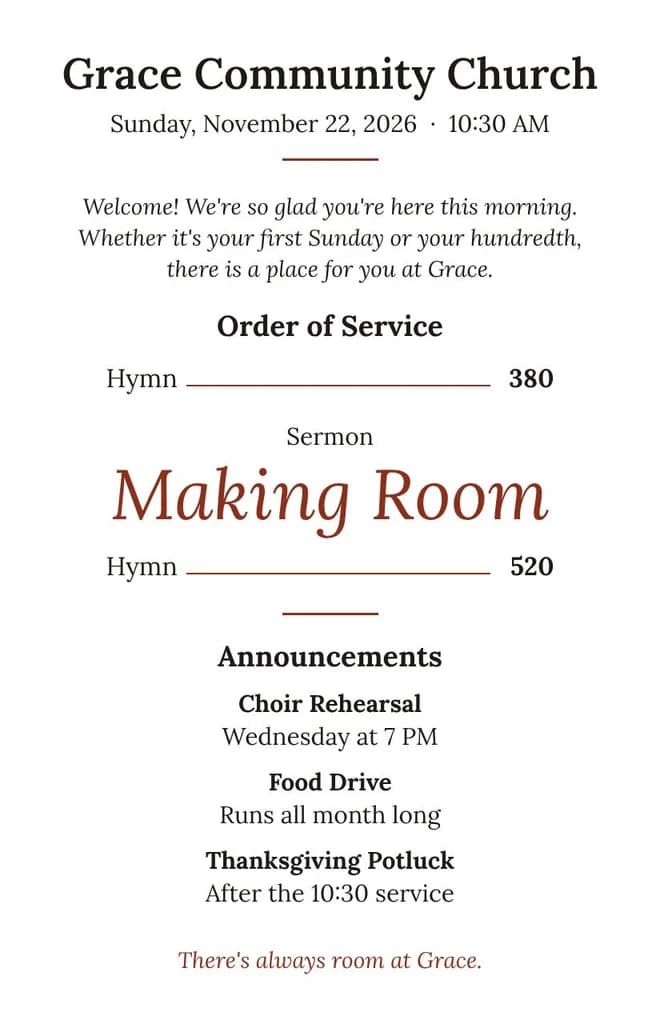
How to open a Publisher file without Publisher
- 01
Drop in your .pub file.
Any page size, any number of pages up to 12. It opens in a few seconds.
- 02
Check every page.
Your text boxes, pictures and shapes are where you left them. Fonts Krumzi can't use are swapped for the closest match.
- 03
Fix it by hand, free.
Move, resize or retype anything, then download it with a watermark, no signup.
- 04
Keep going with the trial.
Tell Krumzi what changed for next week, ask for a fresh look and add the matching Facebook post. It's the 3-day free trial: card needed, no charge until day 4. Downloads are clean once your plan starts.
Free, no signup. Open one Publisher file a week and see every page: move, resize and retype anything, then download it with a watermark.
What comes through from your Publisher file
Microsoft says use Word. Word isn't a layout tool.
Microsoft's advice is to save each file as a PDF and open it in Word, which Microsoft says gives you a document "optimized for text editing." Your words come with it. Your layout often doesn't: pictures move, text boxes disappear and folded bulletins come out flat.
If you've tried that already, drop the same .pub file in above. Krumzi opens the file itself, not a PDF of it, so you're editing your bulletin, not rebuilding it.
It prints like your Publisher file did
Once your plan starts, download a clean, print-ready PDF at the real page size, at 300 dpi, with bleed for a print shop. Print it on the office copier, your home printer, or send it to the print shop.
| Your Publisher page | In Krumzi |
|---|---|
| US Letter, 8.5 x 11 in | Same size |
| Half letter, 5.5 x 8.5 in (folded bulletin page) | Same size |
| A4 and A5 | Same size |
Years of Publisher files? Start with the ones you still use.
Start with the files you reopen every week: the bulletin, the newsletter, the monthly calendar. Each one you keep becomes a design you can make again every week, without opening Publisher.
Made for the people who kept Publisher running
Church and parish offices
Weekly bulletins, service sheets, funeral and wedding programs.
Senior living activity teams
The monthly activity calendar in large print, and the resident newsletter.
Clubs, societies and village magazines
The member newsletter, the folded booklet, the event flyer, handed from one editor to the next.
Leagues, choirs and events
Programs, schedules and the sponsor ads inside them.
Small businesses
Menus, price lists, brochures and the flyer you update a few times a year.
Microsoft Publisher alternatives, compared
What each option does with the files you already have, and with next week's.
Updated October 2026| Opens your .pub, editable | Next week's version | Price model | Good for | |
|---|---|---|---|---|
| Krumzi | Yes, in the browser | Tell it what changed, or edit by hand | Monthly or yearly plan, 3-day free trial (card needed, no charge until day 4) | The bulletin or newsletter you make every week |
| Word or PowerPoint (Microsoft's advice) | No: text through a PDF, layout often lost | By hand | Microsoft 365 | Text-heavy documents |
| Canva | No (no .pub import; a paid add-on can convert) | By hand, from templates | Free plan; paid plans; free for eligible nonprofits and schools | New designs from templates |
| Affinity | Reports conflict; test your file | By hand | Free app | Designers who want full control |
| Desktop .pub apps | Yes, by their own claims | By hand, like Publisher | One-time price | Opening and editing old files like Publisher |
If you only need to open an old file now and then, a one-time app may suit you better. Krumzi is for the thing you make every week.
Krumzi's plans are monthly or yearly. Starter, Pro and Studio start with a 3-day free trial. You add a card, pay nothing today, and your plan starts on day 4 unless you cancel. See plans.
Word and PowerPoint: Microsoft's support page. Canva, Affinity and desktop .pub apps: their own pages. Read in October 2026; their .pub claims aren't tested by us. Plans change, so check before you rely on it.
Microsoft Publisher retirement: the facts
- Microsoft 365
- Publisher left Microsoft 365 on October 1, 2026. Microsoft 365 subscribers can no longer open it.
- Boxed versions
- Support for the last boxed version ended on October 13, 2026. Publisher 2016 and 2019 lost support in October 2025. If you bought one of these outright, it still runs, but gets no fixes.
- Removal
- Microsoft is removing Publisher from Microsoft 365 computers through updates, starting mid-November 2026.
- Office 2024
- Office 2024 doesn't include Publisher.
- Your files
- Your .pub files aren't deleted. Krumzi opens them without Publisher.
- Source
- Microsoft's support page and Message Center notices MC716267 and MC1469564, read October 2026.
Microsoft Publisher alternative FAQ

Yes, for one file a week. Drop in a .pub with no signup and see every page, move, resize and retype anything, and download it with a watermark. To open more files, make next week's version in plain words and use the full editor, start the 3-day free trial: card needed, no charge until day 4. Downloads are clean once your plan starts.
Yes. Krumzi opens .pub files in your browser without Publisher, on Windows, Mac or a Chromebook, and rebuilds each page as an editable design.
Krumzi works as an online Publisher viewer and editor: drop in the .pub and every page opens in your browser, free, with nothing to install.
If you bought Publisher 2016, 2019 or 2021 outright, it still runs, but Microsoft no longer fixes it. Microsoft 365 subscribers lost it on October 1, 2026, and Microsoft is removing it from their computers with updates starting mid-November 2026.
Canva doesn't open .pub files on its own. You can save each file as a PDF and rebuild it, or pay for a converter add-on. Krumzi opens the .pub itself and keeps it editable.
For new designs from templates, many people like it. For the files you already have, it can't open them, and people who print folded bulletins say it takes more steps to print.
Very close. Every page keeps its size, and text boxes, pictures, shapes and columns come back where they were. Publisher's Windows fonts are swapped for the closest free fonts, so a long line can break a little differently. WordArt and mail merge don't come through.
Yes, one at a time. One file a week is free on this page; in the 3-day free trial (card needed, no charge until day 4) you open the rest inside Krumzi, where opening a file uses no credits and rebuilding it uses credits like any design. Start with the ones you still use every week or month, because each one becomes a design you can reuse.
Yes, Krumzi is a monthly or yearly plan, and the yearly plan costs ten months. Starter, Pro and Studio start with a 3-day free trial: card needed, no charge until day 4, cancel online anytime. Opening one Publisher file a week is free without a plan.
No. Krumzi doesn't do mail merge and doesn't save .pub files. You download your work as a print-ready PDF or an image.
No install. Krumzi runs in your browser on Windows, Mac and Chromebook.
It depends on what you make. For the files you already have, you need something that opens .pub files. For a bulletin or newsletter you make every week, you want next week's version to be quick. Krumzi does both in the browser; desktop .pub apps open and edit old files like Publisher did; Canva and Affinity are for starting new designs.


Your Publisher files still open here
Drop one in and see it come back, page by page.
Drop your .pub file here
Choose a Publisher file