Free safe zone checker for Reels, TikTok and Shorts
Drop in a design or video and see what Instagram Reels, TikTok, YouTube Shorts and Stories cover. Switch between organic posts and ads, then download a transparent 1080 × 1920 template for CapCut, Canva or Premiere Pro. Free, no signup, and your file never leaves your device.
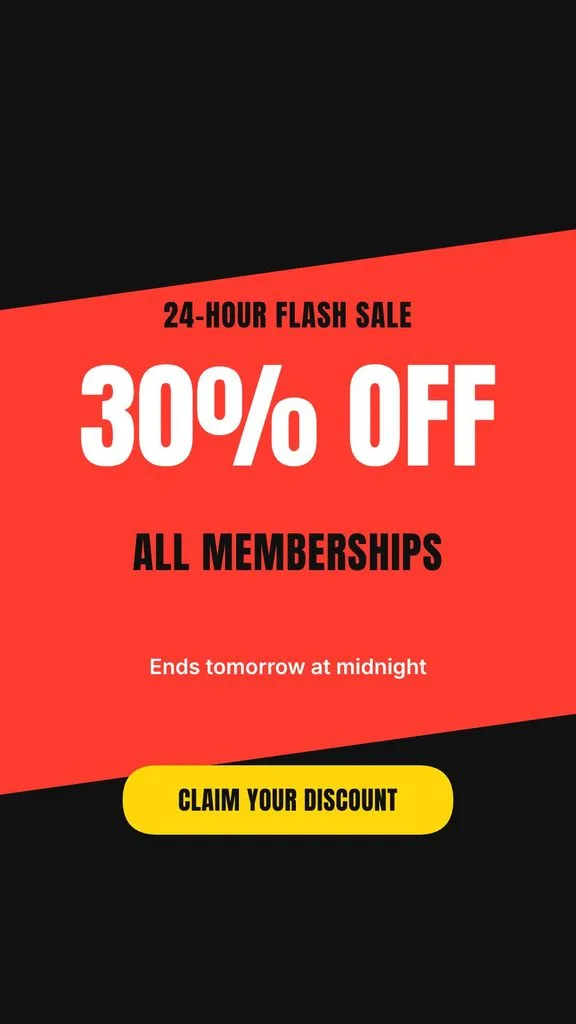
Showing a sample. Drop your own image or video on the phone.
Instagram Reels · Organic post
950 × 1380 px
Safe area on a 1080 × 1920 frame. Keep this much clear at each edge:
- Top
- 220 px
- 11%
- Bottom
- 320 px
- 17%
- Left
- 65 px
- 6%
- Right
- 65 px
- 6%
Beside the buttons, keep 200 px clear on the right from 1040 px down.
Instagram publishes no numbers for regular Reels, so we measured the current Reels screen in Meta's own product images and left room for a second caption line.
App elements
PNG at 1080 × 1920, with the layers you have on.
The sample is a real story from our Instagram story maker. Switch to Ad and watch its button fall outside the safe area: ads need far more room at the bottom.
Updated
Safe zone dimensions for every app (2026)
Every number is on a 1080 × 1920 frame. Organic numbers come from each app's current screen; ad numbers come from Meta, TikTok and Google's ad guidance.
| App | Post type | Safe area | Top | Bottom | Left | Right | Right, beside the buttons |
|---|---|---|---|---|---|---|---|
| Instagram Reels | Organic post | 950 × 1380 px | 220 px (11%) | 320 px (17%) | 65 px (6%) | 65 px (6%) | 200 px from 1040 px down |
| Instagram Reels | Ad | 950 × 979 px | 269 px (14%) | 672 px (35%) | 65 px (6%) | 65 px (6%) | 227 px from 1040 px down |
| TikTok | Organic post | 950 × 1300 px | 240 px (13%) | 380 px (20%) | 65 px (6%) | 65 px (6%) | 200 px from 780 px down |
| TikTok | Ad | 840 × 1020 px | 240 px (13%) | 660 px (34%) | 120 px (11%) | 120 px (11%) | 300 px from 840 px down |
| YouTube Shorts | Organic post | 940 × 1360 px | 240 px (13%) | 320 px (17%) | 70 px (6%) | 70 px (6%) | 230 px from 1130 px down |
| YouTube Shorts | Ad | 840 × 960 px | 288 px (15%) | 672 px (35%) | 48 px (4%) | 192 px (18%) | No extra gap |
| Instagram Stories | Organic post | 950 × 1420 px | 250 px (13%) | 250 px (13%) | 65 px (6%) | 65 px (6%) | No extra gap |
| Instagram Stories | Ad | 950 × 979 px | 269 px (14%) | 672 px (35%) | 65 px (6%) | 65 px (6%) | No extra gap |
Why other sites give different numbers
Meta, TikTok and Google only publish safe zones for ads. Everything else is someone's measurement, and some of it is copied between apps or from an older version of the app. Here's the spread we found on the first page of Google, next to ours.
| App | Top, other sites | Bottom, other sites | Ours, organic / ad | Why they differ |
|---|---|---|---|---|
| Instagram Reels | 108 to 269 px | 250 to 672 px | Top 220 / 269 px Bottom 320 / 672 px | The big numbers are Meta's ad guidance. The smallest are often TikTok's numbers reused for Reels, from before Instagram added the Repost button in August 2025. |
| TikTok | 108 to 240 px | 250 to 660 px | Top 240 / 240 px Bottom 380 / 660 px | TikTok only publishes its In-Feed ad template. Guides for regular posts guess, and a longer caption or a music row pushes the bottom up. |
| YouTube Shorts | 120 to 380 px | 260 to 672 px | Top 240 / 288 px Bottom 320 / 672 px | Google publishes ad numbers only, and YouTube redesigned the Shorts screen in June 2026: no dislike button, and a new row of links under the title. |
| Instagram Stories | 100 to 250 px | 200 to 350 px | Top 250 / 269 px Bottom 250 / 672 px | Meta's Stories ad guidance changed to match Reels (35% at the bottom). Older guides still quote 14% at the top and bottom. |
Our sources, checked November 2, 2026
- Meta Newsroom, Aug 2025: the current Reels screen (reposts, Friends tab)
- Meta Ads Guide: Instagram Reels video ads
- TikTok Newsroom, Jul 2025: the current For You screen (Footnotes)
- TikTok Ads Help: In-Feed ads and their safe zone template (updated June 2026)
- YouTube Blog, Jun 2026: the updated Shorts screen
- Google Ads Help: vertical video safe zone
- Meta Ads Guide: Instagram Stories video ads
How to check your video
- 1
Pick the app and post type
Choose the app, then Organic post or Ad. Ads keep more space clear at the bottom for the Sponsored label and the button.
- 2
Drop in your video
Use a 1080 × 1920 image, a video or a cover. It plays on the phone under the app's buttons and caption. Nothing is uploaded.
- 3
Move what lands in red
Anything under a red area or outside the dashed outline gets covered. Move it into the safe area, then download the preview or the template.
Use the safe zone template in CapCut, Canva or Premiere Pro
Download the template above. It's a 1080 × 1920 PNG with a transparent background, so it sits on top of your video like a guide.
CapCut
- Open your 9:16 project and add the PNG with Overlay.
- Stretch it to fill the frame and keep it on the top layer.
- Place your text inside the dashed outline, then delete the overlay before you export.
Canva
- Upload the PNG and drop it on your 1080 × 1920 design.
- Stretch it to the edges and lock it.
- Design inside the outline, then delete the template before you download.
Premiere Pro
- Import the PNG into your 1080 × 1920 sequence.
- Put it on the top video track, across the whole clip.
- Keep titles inside the outline, then hide the track before you export.
Making a 9:16 post every week?
Describe the post and our Instagram story maker designs it at 1080 × 1920 from scratch, in your colors, with the text kept clear of the top and bottom. Use it as a Story, a Reel cover or a TikTok photo post.
Design a 9:16 storyOne story a week is free with no signup: change it by hand and download it with a watermark. Changes in plain words and the full editor come with the 3-day free trial (card needed, no charge until day 4).
Check another app
Need the exact sizes too? See the Instagram Reel size guide, or crop any file with the 9:16 aspect ratio calculator.
Common questions
Safe zone questions
What are the safe zones for vertical videos?
On a 1080 × 1920 video, the apps cover the top 220 to 250 px and the bottom 250 to 380 px on regular posts, plus a strip on the right where the buttons sit. Ads need more room at the bottom: 660 to 672 px. The table above has every app's numbers.
What safe area works on every app at once?
To post one video everywhere, keep text inside 940 × 1,290 px: 250 px at the top, 380 px at the bottom and 70 px at each side, widening to 230 px on the right from 780 px down, beside the buttons. That's where the organic safe areas of Reels, TikTok, Shorts and Stories overlap.
Do ads need a bigger safe zone than organic posts?
Yes. Ads add a Sponsored label, a button and sometimes a longer caption. Meta (Reels and Stories) and Google (Shorts) ask for 35% at the bottom, 672 px, and TikTok's template keeps 660 px. Switch the checker to Ad to see the difference on your own design.
Is the Instagram Stories safe zone the same as Reels?
Not for regular posts. Stories have no side buttons, only the account at the top and a reply bar at the bottom, so keep 250 px clear at the top and 250 px at the bottom. Reels need 320 px at the bottom plus room for the buttons on the right. For ads, Meta now uses the same numbers for both.
What changed on the YouTube Shorts screen in 2026?
In June 2026 YouTube swapped the thumbs up for a heart, removed the dislike button and added a row of links under the title. The button column got one button shorter and the bottom block a little taller, so keep 320 px clear at the bottom.
Why do safe zone numbers differ between sites?
Meta, TikTok and Google only publish numbers for ads. Guides for regular posts measure the apps themselves, some reuse one app's numbers for another, and some predate the apps' latest redesigns. Our numbers say what they rest on, with links to the first-party pages.
Is this safe zone checker free? Is my video uploaded?
It's free. Check as many images and videos as you like and download the preview or the template with no signup and no watermark. Your file stays in your browser and is never uploaded to Krumzi.
More free tools you'll like
Built by Krumzi. Each AI generator gives you one design a week, free with no signup: change it by hand and download it with a watermark. Changes in plain words and the full editor come with the 3-day free trial (card needed, no charge until day 4).
A 9:16 story for your event or offer.
Calculate any ratio, resize without distortion, or drop an image and download social-ready sizes for every platform.
Resize one image for every social feed. Crop or fit, save PNG or JPG, and download several sizes in a ZIP.
Style your Instagram bio or caption with 33 Unicode styles. Preview, copy, and paste. Free, no signup.
Celebrate milestones and grab attention on social media with animated counter videos. Export as MP4 or GIF.
Turn screenshots into stunning videos with animated gradient backgrounds. Perfect for product showcases.
Related reading
Still picking a design tool? These two settle the Canva question.
- Canva alternatives15 tools tested, free and paid, ranked by what they are actually good at.
- Krumzi vs CanvaSide by side on process, editing, brand and price.