Free Instagram Reels safe zone checker
Drop in your Reel or its cover and see what Instagram's caption, buttons and profile grid hide. Regular Reels need 220 px clear at the top and 320 px at the bottom; ads need 269 px and 672 px. Download the overlay as a transparent PNG, free and with no signup.
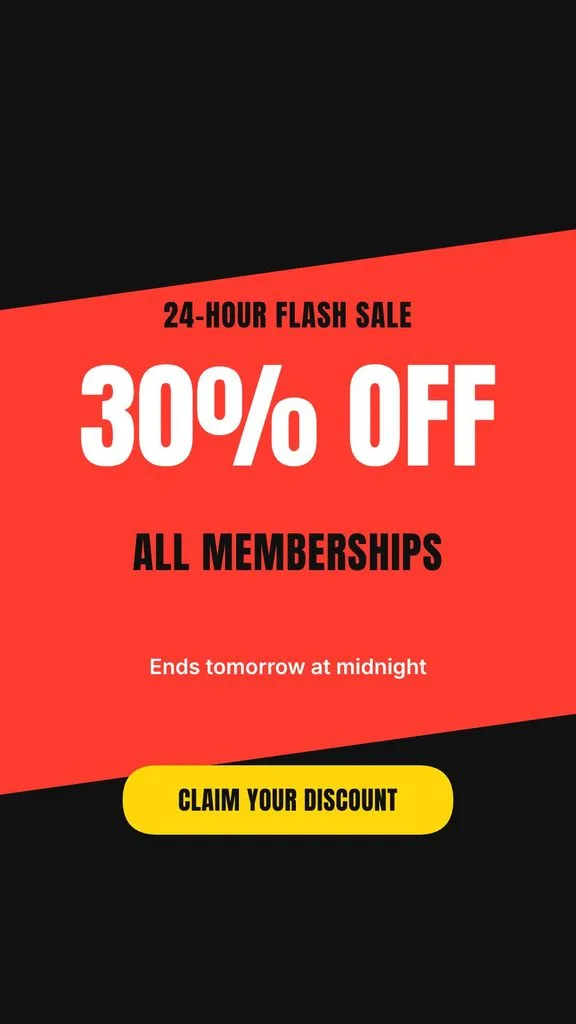
Showing a sample. Drop your own image or video on the phone.
Instagram Reels · Organic post
950 × 1380 px
Safe area on a 1080 × 1920 frame. Keep this much clear at each edge:
- Top
- 220 px
- 11%
- Bottom
- 320 px
- 17%
- Left
- 65 px
- 6%
- Right
- 65 px
- 6%
Beside the buttons, keep 200 px clear on the right from 1040 px down.
Instagram publishes no numbers for regular Reels, so we measured the current Reels screen in Meta's own product images and left room for a second caption line.
App elements
PNG at 1080 × 1920, with the layers you have on.
The sample is a real story from our Instagram story maker. Switch to Ad and watch its button fall outside the safe area: ads need far more room at the bottom.
Updated
Instagram Reels safe zone dimensions (2026)
Every number is on a 1080 × 1920 Reel. Organic numbers come from Instagram's current Reels screen; ad numbers come from Meta's Ads Guide.
| App | Post type | Safe area | Top | Bottom | Left | Right | Right, beside the buttons |
|---|---|---|---|---|---|---|---|
| Instagram Reels | Organic post | 950 × 1380 px | 220 px (11%) | 320 px (17%) | 65 px (6%) | 65 px (6%) | 200 px from 1040 px down |
| Instagram Reels | Ad | 950 × 979 px | 269 px (14%) | 672 px (35%) | 65 px (6%) | 65 px (6%) | 227 px from 1040 px down |
Why other sites give different numbers
Meta, TikTok and Google only publish safe zones for ads. Everything else is someone's measurement, and some of it is copied between apps or from an older version of the app. Here's the spread we found on the first page of Google, next to ours.
| App | Top, other sites | Bottom, other sites | Ours, organic / ad | Why they differ |
|---|---|---|---|---|
| Instagram Reels | 108 to 269 px | 250 to 672 px | Top 220 / 269 px Bottom 320 / 672 px | The big numbers are Meta's ad guidance. The smallest are often TikTok's numbers reused for Reels, from before Instagram added the Repost button in August 2025. |
Our sources, checked November 2, 2026
How to check your Reel
- 1
Pick the app and post type
Choose Reels, then Organic post or Ad. Ads keep more space clear at the bottom for the Sponsored label and the button.
- 2
Drop in your Reel
Use a 1080 × 1920 image, a video or a cover. It plays on the phone under the app's buttons and caption. Nothing is uploaded.
- 3
Move what lands in red
Anything under a red area or outside the dashed outline gets covered. Move it into the safe area, then download the preview or the template.
Use the safe zone template in CapCut, Canva or Premiere Pro
Download the template above. It's a 1080 × 1920 PNG with a transparent background, so it sits on top of your video like a guide.
CapCut
- Open your 9:16 project and add the PNG with Overlay.
- Stretch it to fill the frame and keep it on the top layer.
- Place your text inside the dashed outline, then delete the overlay before you export.
Canva
- Upload the PNG and drop it on your 1080 × 1920 design.
- Stretch it to the edges and lock it.
- Design inside the outline, then delete the template before you download.
Premiere Pro
- Import the PNG into your 1080 × 1920 sequence.
- Put it on the top video track, across the whole clip.
- Keep titles inside the outline, then hide the track before you export.
Making a 9:16 post every week?
Describe the post and our Instagram story maker designs it at 1080 × 1920 from scratch, in your colors, with the text kept clear of the top and bottom. Use it as a Story, a Reel cover or a TikTok photo post.
Design a 9:16 storyOne story a week is free with no signup: change it by hand and download it with a watermark. Changes in plain words and the full editor come with the 3-day free trial (card needed, no charge until day 4).
Check another app
Need the exact sizes too? See the Instagram Reel size guide, or crop any file with the 9:16 aspect ratio calculator.
Common questions
Instagram Reels safe zone questions
What are the safe zones in Instagram Reels in 2026?
On a 1080 × 1920 Reel, keep text, faces and logos 220 px at the top, 320 px at the bottom and 65 px at each side, widening to 200 px on the right from 1,040 px down, beside the buttons. That leaves a 950 × 1,380 px safe area. Instagram doesn't publish numbers for regular Reels, so we measured the current Reels screen, including the Repost button added in August 2025.
What are the safe zones for Meta Ads in 2026?
Meta's Ads Guide asks you to leave 14% at the top, 35% at the bottom and 6% at each side of Reels and Stories ads. On 1080 × 1920 that's 269 px, 672 px and 65 px. The like and share buttons still reach into that area, so keep 227 px clear on the right from 1040 px down. Meta recommends uploading at 1440 × 2560; the percentages stay the same.
What is the safe area for an Instagram Reel cover or thumbnail?
Make the cover 1080 × 1920. Your profile grid shows the middle 1080 × 1440 as a 3:4 tile, so 240 px is trimmed from the top and the bottom. Keep the title inside that band. Turn on Profile grid crop in the checker to see it on your own cover.
What is the 4x5 safe zone for Instagram posts?
A 4:5 feed post (1080 × 1350) has no buttons on top of it in the feed, so nothing gets covered there. Your profile grid shows it as a 3:4 tile, which trims about 34 px from the left and the right. Keep text a little further than that from the side edges.
Does a long caption cover more of my Reel?
Instagram shows one caption line with a more link. When someone taps it, the caption opens upward over the video on a dark background, so anything low in the frame is hidden while they read. The organic safe area leaves room for one extra caption line.
Why does my Reel get cut off at the sides on some phones?
Most phones are taller than 9:16, so Instagram fills the screen's height and trims a little from each side, about 48 px on the iPhone in Meta's own product images. That's why the safe area keeps 65 px clear on the left and right.
Is this safe zone checker free? Is my video uploaded?
It's free. Check as many images and videos as you like and download the preview or the template with no signup and no watermark. Your file stays in your browser and is never uploaded to Krumzi.
More free tools you'll like
Built by Krumzi. Each AI generator gives you one design a week, free with no signup: change it by hand and download it with a watermark. Changes in plain words and the full editor come with the 3-day free trial (card needed, no charge until day 4).
A 9:16 story for your event or offer.
Calculate any ratio, resize without distortion, or drop an image and download social-ready sizes for every platform.
Resize one image for every social feed. Crop or fit, save PNG or JPG, and download several sizes in a ZIP.
Style your Instagram bio or caption with 33 Unicode styles. Preview, copy, and paste. Free, no signup.
Celebrate milestones and grab attention on social media with animated counter videos. Export as MP4 or GIF.
Turn screenshots into stunning videos with animated gradient backgrounds. Perfect for product showcases.
Related reading
Still picking a design tool? These two settle the Canva question.
- Canva alternatives15 tools tested, free and paid, ranked by what they are actually good at.
- Krumzi vs CanvaSide by side on process, editing, brand and price.