On this page
- Quick answer: the best AI design tool for social media managers
- The 5 tests that matter for client work
- How we checked these AI design tools
- The 8 best AI design tools for social media managers in 2026
- AI image generators vs AI design tools: a picture isn't a post
- Which AI design tool should you pick? (by situation)
- Free plan or free trial? What to know before you sign up
- Make your first client's week of posts with Krumzi
- Frequently Asked Questions
It's Monday. You have four clients, four weeks of posts to make, and a design tool that somehow makes the bakery and the law firm look like cousins. That's the real test for the best AI design tool for social media managers: can it make a week of posts per client, each in its own brand, without you rebuilding every one by hand?
Most "AI tools for social media" lists test one brand and mix design tools in with schedulers. This one judges eight design tools on client work: five tests, one comparison table, each tool's limits, and a pick for your situation.
One thing up front: we make Krumzi. It's on this list, held to the same tests, with its limits spelled out.
Quick answer: the best AI design tool for social media managers
The best AI design tool for social media managers is the one that keeps a separate brand for every client and gives you output you can edit instead of regenerating. Which tool fits depends on how many clients you run and what they already use, so start with the table, then jump to the pick-by-situation section below.
| Tool | Best for | Separate client brands | Editable output | Image / carousel / video |
|---|---|---|---|---|
| Canva | Clients who already live in Canva | Brand Kits; more kits on higher plans | Yes, full editor | Yes / yes / yes |
| Adobe Express | Teams already paying for Adobe | Multiple brands on Premium | Yes, full editor | Yes / yes / yes |
| Krumzi | Every client post designed from scratch | Starter 1, Pro 3, Studio 10, Agency 25 active brands | Yes, every element, in chat or by hand | Yes / yes / video on Pro and up |
| Predis | Auto-generated posts tied to publishing | Core 1, Rise up to 4, Enterprise+ unlimited | Yes, in its editor | Yes / yes / yes |
| VistaCreate | Many brand kits on a budget | Free 1 Brand Kit; Pro unlimited | Yes, template editor | Yes / yes / animated |
| Kittl | Type-heavy, illustrated looks | Brand Studio | Yes, full editor | Graphics first; social formats not its focus |
| Microsoft Designer | A personal project, not paid client work | One brand kit saved at a time | Yes, in its editor | Images and social posts |
| Google Pomelli | Trying on-brand ideas for a client with a good website | Business DNA built from a website; several per account not stated | Text and images, in tool | Campaign images |
Features checked on each tool's own site, November 2026. Prices and credit amounts change often, so they're left out on purpose.
The 5 tests that matter for client work
Generic lists test one brand. Your job is several brands at once, every week. These five tests decide whether a tool saves you time or costs you an evening.
1. A separate brand for every client
Each client needs its own logo, colors, fonts and voice, and the tool needs to keep them apart. A pass means all your active clients fit on one plan and client A's orange never creeps into client B's post. Check the brand limit per plan first.
2. Output you can edit, not just regenerate
Clients ask for small changes. The date moved, the logo is too small, the offer is now 20% off, not 15%. A pass means you can change any single element yourself in seconds. A fail means you type a new prompt and hope the rest of the post survives.
3. Variations of one post
Most client calendars repeat: a weekly tip, a monthly offer, an event series. A pass means you can turn one approved post into next week's version without starting over, while it still looks like the same series.
4. The formats you actually post
Instagram and Facebook want square and portrait posts, carousels and Reels. LinkedIn clients want document-style carousels. A pass means one tool covers image, carousel and short video, so you keep one brand setup per client.
5. Handoff: getting it to the client and onto the calendar
Finished designs still need approval and a slot on the calendar. A pass means a clean export, a share link or direct scheduling. Few design tools handle approvals, so most social media managers pair their design tool with a scheduler.
How we checked these AI design tools
No invented scores, no made-up clients. For each tool, we read its own pricing, plan and help pages in November 2026 and checked them against the five tests above: brand limits per plan, how editable the output is, whether it does variations, which formats it makes, and how designs leave the tool. For Krumzi, we also used our own product and checked every claim against our current feature list and pricing page. Where we couldn't confirm a number on a tool's own site, we left it out.
The 8 best AI design tools for social media managers in 2026
Each heading says who the tool is best for. Under it: client brands and editing, where it stops, and free plan or trial.
Canva: best if your clients already live in Canva
Canva is the tool everyone knows, and that's its strength for client work: many clients already keep their logos and colors in a Canva Brand Kit. Its AI features, grouped as Magic Studio, help you draft, write and resize designs.
The number of Brand Kits you can keep grows with the plan. We couldn't confirm the exact counts on Canva's site this month, so check its plan page against your client roster.
Where it stops:
- The template trap. Most Canva designs start from its template library, and so do millions of other accounts. Run ten clients through popular templates and their feeds start to look alike.
- AI drafts still lean on templates and layouts you then adjust by hand.
Free plan or trial: a free plan exists, with more Brand Kits on paid plans (Canva's plan pages, checked November 2026).
Adobe Express: best for teams already paying for Adobe
Adobe Express pairs a template-based editor with Adobe Firefly for generating images and effects. Its pricing page says "you can set up multiple brands or looks in Adobe Express for any type of project," and Premium includes brand kits. Full brand setup is on the web version.
The Content Scheduler is a real plus for handoff: Adobe's pricing page lists scheduling to 1 account per social network on the free plan and 3 accounts per network on Premium.
Where it stops:
- Three accounts per network fills up fast if you run more than three clients on the same platform.
- Like Canva, it's template-first, so the template trap applies.
Free plan or trial: free plan with no credit card; Premium has a 30-day free trial (Adobe Express pricing page, checked November 2026).
Krumzi: best if you want every client post designed from scratch instead of filled into a template
We make Krumzi, so read this entry with that in mind.
You describe the post in plain words ("Friday brunch special for the bakery, warm and playful, carousel of 4"), and Krumzi designs it from scratch for that brief. There's no template library to start from: every design is built from your description, so ten clients don't end up sharing a layout. Every element stays editable. Change it in chat ("make the logo bigger") or by hand in the editor, and every AI change is saved as a version you can go back to.
Client brands stay separate. Each brand has its own Brand Kit (logos, colors, fonts) on Pro and up, and its own Brand Mind on every plan, which learns how that client looks and sounds from what you export, change and tell it. Active brands per plan: Starter 1, Pro 3, Studio 10, Agency 25. Archive a finished client and the slot comes back, with their designs kept.
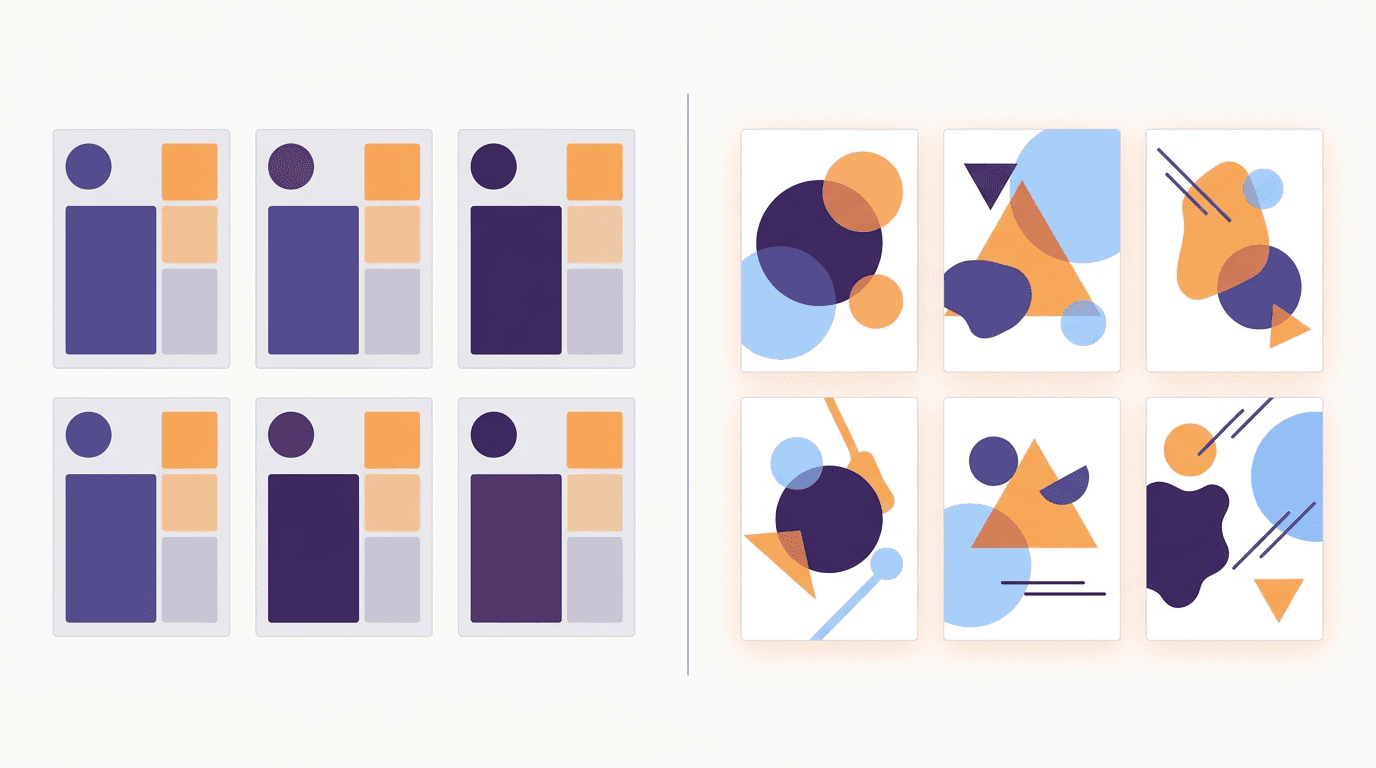
For recurring posts, Make variations turns one finished post into new versions with new text. The layout and look stay the same and only the words change, which suits one client's weekly series. For different clients, describe each post from scratch so layouts don't repeat. Post Ideas gives you batches of on-brand ideas by content pillar when the calendar is empty.
Images, carousels and multi-page documents are on every plan; the video editor is on Pro and up. On paid plans, you can schedule posts straight from a design to one Instagram Professional account and one Facebook Page per brand.
Where it stops:
- Scheduling covers Instagram and Facebook only.
- No client approval step, no shared inbox, no post performance analytics. Pair it with a scheduler from our guide to social media manager tools.
- No template library to browse, if you like starting from one.
Free plan or trial: no free plan. Starter, Pro and Studio start with a 3-day free trial: card needed, nothing charged for 3 days, charged on day 4 unless you cancel, with watermarked exports until then. Agency starts paid. See Krumzi for social media managers (checked November 2026).
Predis: best for auto-generated posts tied to publishing
Predis generates images, carousels and videos, writes captions and can publish to your social channels. Every plan includes unlimited team members, which is rare and handy for a small agency.
Brand limits are clear on its pricing page: Core holds 1 brand, Rise up to 4, and Enterprise+ unlimited, with extra brands sold as an add-on on the lower plans.
Where it stops:
- Auto posting isn't on the entry plan (Core), so publishing for several clients means a higher tier.
- Four brands on Rise is a tight fit for a growing roster.
Free plan or trial: no free plan listed; every plan has a 3-day free trial with a card, charged when the trial ends unless you cancel (Predis pricing page, checked November 2026).
VistaCreate: best budget pick for many brand kits
VistaCreate is a template-based editor with a big library of static and animated designs. Its strength for client work is volume: VistaCreate's own Pro feature page says the free plan holds one Brand Kit while Pro lets you "create, store, and use as many Brand Kits as you need," with team accounts of up to 10 people.
Where it stops:
- Template-first, with lighter AI than the tools above. The template trap applies.
Free plan or trial: free plan with 1 Brand Kit (VistaCreate's Pro feature page, checked November 2026).
Kittl: best for type-heavy, illustrated looks
Kittl is a design-led editor with strong type tools and AI generation. Its Brand Studio promises "build your brand once" and then generate ads, posts and campaigns on brand.
Where it stops:
- The free plan is "for personal use only (no commercial rights)," so client work needs a paid plan.
- It's built for graphics broadly, not for running a social calendar.
Free plan or trial: free plan for personal use only; Kittl's pricing page doesn't mention a free trial (Kittl pricing page, checked November 2026).
Microsoft Designer: best for a personal project, not paid client work
Microsoft Designer can generate images and social posts from a prompt and build a brand kit from a short description. Two lines in Microsoft's own FAQ matter for social media managers. First: "Currently, only one brand kit can be saved at a time," which fails test 1 for anyone with more than one client. Second, Microsoft's FAQ describes Designer as licensed for personal, non-commercial use with your Microsoft account, so check the terms before using it for clients.
Where it stops:
- One saved brand kit at a time.
- Licensed for personal, non-commercial use, per its FAQ.
Free plan or trial: you sign in with a Microsoft account; the licence note above is the part that matters for client work (Microsoft Designer FAQ, checked November 2026).
Google Pomelli: best for trying on-brand ideas for a client with a good website
Pomelli is a Google Labs experiment. You enter a website, and it builds a "Business DNA" profile from it: tone, fonts, images and colors. Then it suggests campaign ideas, or takes your own prompt, and you can edit the text and images inside the tool before downloading.
Where it stops:
- It's an experiment, so features and availability can change.
- Google's help page lists it for users 18+ in supported countries, in English only.
- Google's pages don't say whether one account can hold several Business DNA profiles, so don't count on it for a full roster.
Free plan or trial: Google's launch post and Labs help page don't list a price; check the Labs page before you plan around it (checked November 2026).
AI image generators vs AI design tools: a picture isn't a post
ChatGPT images, Nano Banana and Midjourney are great at pictures, but a picture isn't a post. Their output is one flat image: the text is baked in, the logo can't move, and swapping Friday's date for next Friday means regenerating the whole thing and hoping it looks the same.
An AI design tool gives you layers. The headline is real text, the logo is its own element, the photo sits in its own frame. For client work, that's the difference between fixing a typo in 10 seconds and redoing the post from zero.
Originality matters too. Instagram said in April 2024 that it would favor original content over reposts in recommendations, noting that "those who create it should get credit and distribution." A post designed for one client's brief helps there. The tenth reuse of a popular template doesn't.
If you want the wider view, including tools for general graphics, see our 12 best AI design tools comparison.
Which AI design tool should you pick? (by situation)
You're solo with 3 clients
You need three separate brands, fast edits and variations for weekly series. Krumzi Pro covers exactly 3 active brands with a Brand Kit each, and designs each post from scratch. If your clients already hand you Canva Brand Kits, staying in Canva saves you the setup.
You run 10 or more client brands
Brand limits decide this. On Krumzi, try it on Studio (10 active brands, trial available) and move to Agency (25 brands) if you outgrow it; see Krumzi for marketing agencies. VistaCreate Pro's unlimited Brand Kits and Predis Enterprise+ are the other options with room to grow.
You're a small team that needs approvals
Be honest about where approvals live. Most design tools, Krumzi included, don't have a client approval step. Approval workflows usually live in a scheduler or a collaboration tool. Pick your design tool on the five tests, then add an approval tool from our social media manager tools guide.
Your clients want video and Reels as well
Look for one tool that makes images, carousels and short video in the same brand, so you keep one brand setup per client instead of three. Canva, Adobe Express, Predis and Krumzi (video on Pro and up) all do.
You need something free this week
Canva Free and Adobe Express Free let you start without paying, and Pomelli is a Labs experiment you can try where it's available. Microsoft Designer is another easy start, but its FAQ describes it as licensed for personal, non-commercial use. Free usually means one brand or no commercial rights, so test with one client before you move your roster.
Free plan or free trial? What to know before you sign up
Here's what each tool's own pages said in November 2026:
- Free plans usually mean one brand or no commercial rights: VistaCreate Free holds 1 Brand Kit, Kittl Free is personal use only, and Microsoft's FAQ describes Designer as licensed for personal, non-commercial use, with one brand kit at a time.
- Free trials: Adobe Express Premium has a 30-day trial. Predis has a 3-day trial with a card on every plan. Krumzi has no free plan: Starter, Pro and Studio start with a 3-day trial, card needed, charged on day 4 unless you cancel; Agency starts paid.
One tip: test any tool with your two most different clients, not your easiest one. A tool that makes the bakery look great and the law firm look like the bakery fails test 1.
Burnout is the real cost here. In Adobe Express's June 2025 survey of 433 business owners, about 7 in 10 said they'd felt burnout from content creation. Sprout Social's 2025 Index, which surveyed 900 social media practitioners, frames AI as a way to fight creative burnout. Pick the tool that gives those hours back across your whole roster.
Make your first client's week of posts with Krumzi
Pick your two most different clients. Set up a brand for each, describe Monday's post in one sentence, and edit anything that isn't quite right. Then turn it into the rest of the week's versions with Make variations. Once your plan is active, schedule them to Instagram and Facebook from the same place.
Start free trial on Starter, Pro or Studio: card needed, nothing charged for 3 days, charged on day 4 unless you cancel. Prefer to try one post first? Use the social media post maker.
Frequently Asked Questions
What is the best AI design tool for social media managers?
The best AI design tool for social media managers is one that keeps a separate brand for each client and gives you fully editable output. Canva suits clients already on Canva, Adobe Express suits Adobe teams, and Krumzi suits managers who want each post designed from scratch. Check the brand limit per plan against your client roster first.
Is there a free AI design tool for social media managers?
Yes, but free plans rarely fit client work. Canva Free and Adobe Express Free let you start, but most free plans cap you at one brand or personal use. Krumzi has no free plan; it's a 3-day card-first trial on Starter, Pro or Studio.
Can one AI design tool handle multiple client brands?
Yes. Several of the AI tools for social media managers on this list keep separate brands, with limits by plan. Krumzi holds 1, 3, 10 or 25 active brands depending on the plan, Predis holds 1, up to 4 or unlimited, and VistaCreate Pro offers unlimited Brand Kits. Microsoft Designer saves only one brand kit at a time.
Will AI-made posts look generic or "like AI"?
They can, especially when a tool starts from the same popular templates for everyone or bakes in AI text you can't edit. Posts look less generic when the tool learns each client's brand and designs from the brief instead of a shared template. Always edit the details yourself, from the headline to the photo, before a post goes out.
Do I still need a scheduler if my design tool can post?
Usually, yes. Design tools that can post tend to cover a few networks and skip approvals, inboxes and reports. Krumzi schedules to Instagram and Facebook on paid plans and Adobe Express has a Content Scheduler, but agencies running approvals or TikTok and LinkedIn still pair them with a dedicated scheduler.
A month of posts, designed before your coffee cools
Describe the post. Krumzi designs it from scratch, on your brand, fully editable.
Start free trial3-day free trial, card needed. No charge until day 4. Cancel online anytime.