

On this page
- Best church graphics software: the short version
- What a church actually needs every week
- What to look for in church graphics software
- The best church graphics software in 2026
- How the tools compare
- Church Canvas vs Canva
- How to make a church bulletin, step by step
- What to use now that Publisher is retired
- Frequently Asked Questions
Sunday is four days away. You still need this week's bulletin, a graphic for week 3 of the sermon series, a flyer for Friday's youth night, and a Facebook post that does not look like it came from a different church. If you used to do that work in Microsoft Publisher, the app is gone. Microsoft 365 subscribers lost it on October 1, 2026.
Search for church graphics and you will mostly find downloadable template packs. Those libraries have a place. They also give every church the same sermon art, and none of them know your service time. This guide is about the software you use to make the work yourself: Church Canvas vs Canva, plus five more options for church bulletins, flyers, sermon series graphics, slides and social posts.
Best church graphics software: the short version
For most church communications volunteers who need a new bulletin, sermon graphic, flyer and social post every week, start with a tool that builds the design from what you write and keeps the text editable. That is Krumzi. If you want ministry-specific generators for verses, slides and sermon art, Church Canvas is the specialist. If your church is a registered charity, Canva Pro can be free and is still the easiest template tool.
- Best if you describe the week and then edit the result: Krumzi
- Best church-specific AI generator: Church Canvas
- Best free template tool for eligible churches: Canva, through Canva Nonprofits
- Best precise multi-page print layout, now free: Affinity
- Best free desktop Publisher-style apps: Scribus and LibreOffice Draw
Adobe Express is a close Canva-style option with its own nonprofit path. Marq is for teams that want locked brand templates. The template libraries that rank for "church graphics" are not in this list, because they sell packs you download, not software you design in.
What a church actually needs every week
A church does not have one graphic. It has a week of pieces that have to look like they came from the same place, with every time and date still correct when someone reprints them on Thursday.
The church bulletin. Often a half-letter fold (5.5 x 8.5 inches) or a letter-size sheet. Hymns change. The sermon title changes. The potluck moves. You should be able to open last week's file and fix those lines without rebuilding the layout.
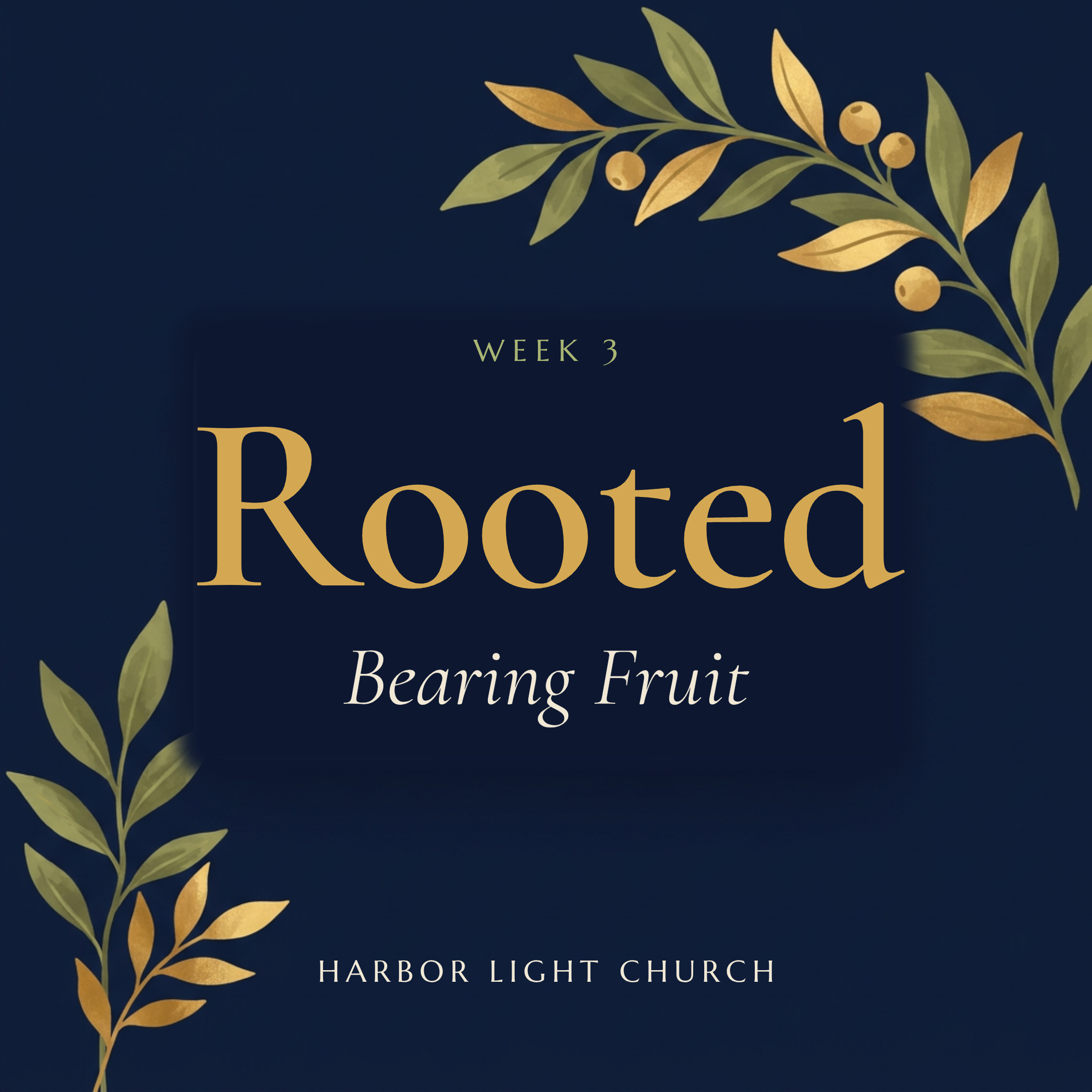
Sermon series graphics. Week 3 has to look like week 1, in every size you need: the screen, the feed, a YouTube thumbnail.
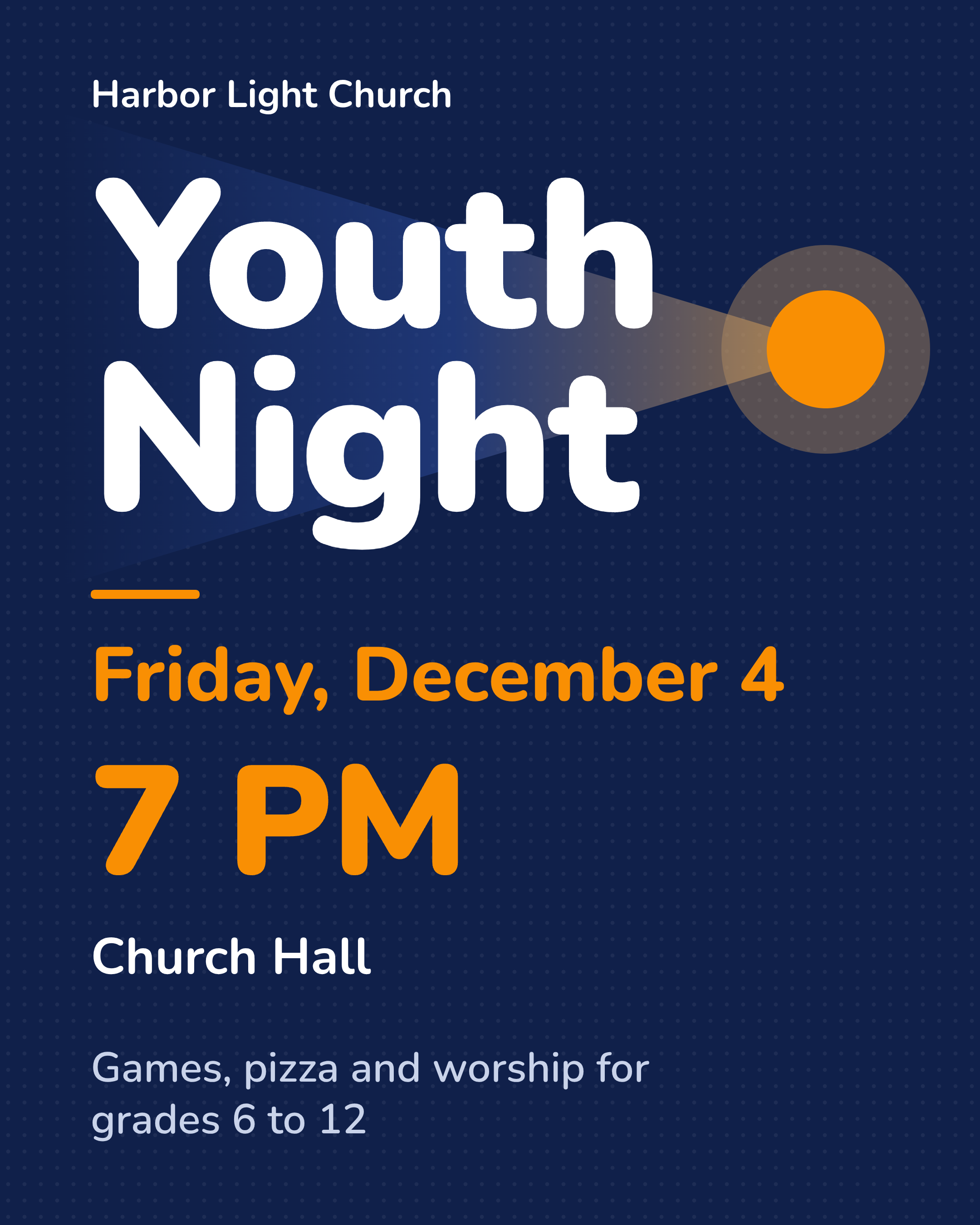
The event flyer. Youth night, the worship night, the Christmas concert. You need a printable church flyer for the noticeboard and a matching post and story.
Announcement slides. The same details often have to appear on the sanctuary screen before the service.
Social posts. A Sunday service post, a midweek reminder, a story. If these do not use the same colors and type as the bulletin, people do not immediately know it is you.
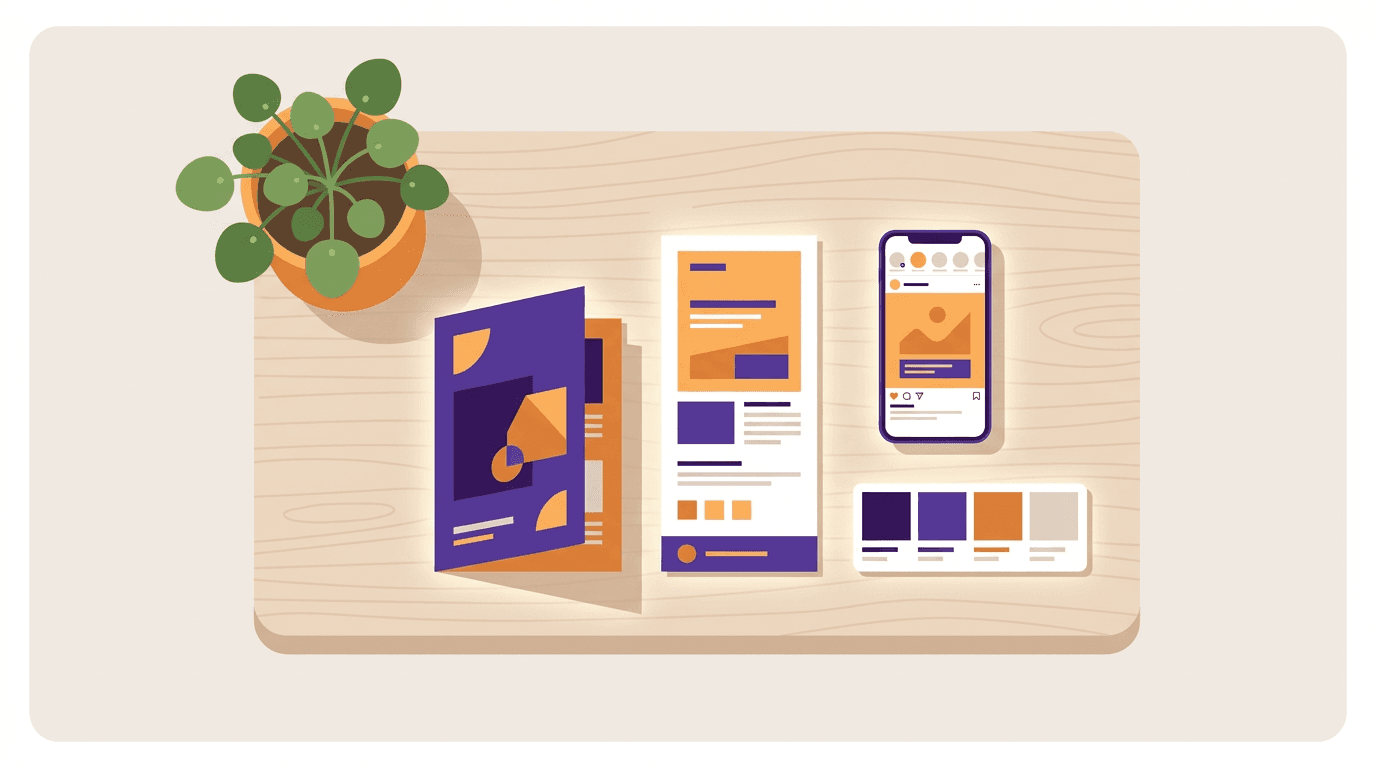
Template packs can get you a starting point for a series. They cannot put "Worship at 10:30 AM in the Sanctuary, Sunday, November 22" on the bulletin and keep it editable when the time changes. That is why the tool matters more than the pack.
What to look for in church graphics software
Editable text, not a painted picture. You should be able to click the sermon title or the service time and retype it. If the only fix is "generate again," you will fight the tool every Thursday.
Your church's look, used automatically. A logo, two or three colors, and the same fonts on the bulletin, the flyer and the post. One ministry can keep a second look if youth or women's ministry has its own identity.
Print and screen from the same week. A print-ready PDF at the real page size for the bulletin, plus the social sizes you actually post.
A way to keep last week's work. The job is not "make one nice graphic." It is "change Sunday's hymns and reprint."
Honesty about Publisher files. If your archive is a folder of .pub files, you need a tool that opens them, or a plan to rebuild. Microsoft's own path is to convert to PDF or Word, which keeps the words and often loses the layout. We walk through the options in our Microsoft Publisher alternatives guide.
A price a volunteer team can defend. Free plans, charity programs and low monthly tools exist. Pay for the job you actually have, not for a motion-graphics library you will not use.
The best church graphics software in 2026
1. Krumzi
Krumzi is the one to open if you would rather describe the week than hunt for a template. You write what is happening: the service time, the series title, the youth night details. It designs the bulletin, the sermon graphic or the flyer from scratch, in your church's colors, and keeps every date and time as you wrote it. Then you click any line and fix it, or drag a photo, the way you would in a normal editor.
That is the difference from a church graphics library and from most AI image tools. A library graphic is someone else's layout with your title dropped in. A flat AI image looks finished until the hymn number is wrong. Krumzi returns live text and layers, so week 3 of the series can keep the look of week 1 while the title changes. If last week's bulletin is still a Publisher file, you can open the .pub file in the browser and keep working on it. Opening uses no credits.
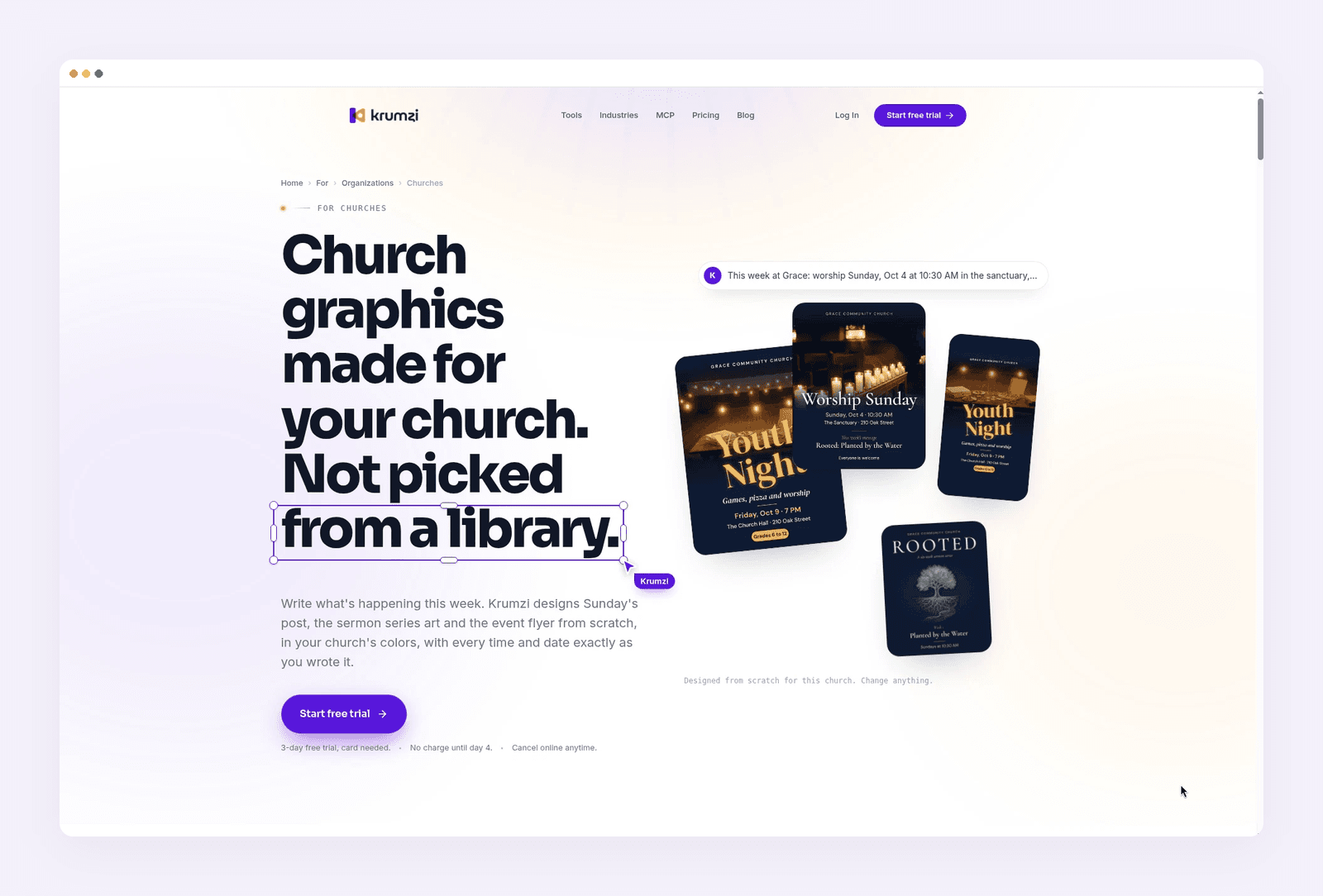
Best for: Church offices and volunteers who need a new bulletin, sermon series graphic, flyer and social post every week, and want the text to stay editable.
Key features: Text-to-design from a plain brief. Full layer editor. Brand Mind on every plan, and a Brand Kit (logo, colors, fonts) on Pro and up, including a separate look for a ministry. Print-ready PDF. Instagram and Facebook scheduling. Opens Microsoft Publisher .pub files (up to 60 MB and 12 pages).
Pricing: Starter is $19 a month (1,000 credits, 1 brand). Pro is $39 a month (2,500 credits, 3 brands, Brand Kit, video). Studio is $89 a month (6,000 credits, 10 brands). Agency is custom. Starter, Pro and Studio include a 3-day free trial with 500 credits. A card is required, trial exports are watermarked, and you are charged on day 4 unless you cancel. See current plans.
2. Church Canvas
Church Canvas is an AI design tool built specifically for churches. You describe a sermon graphic, a social post, an event banner or a slide in plain language, and it generates a ministry-styled result. Plus adds generators for verses, sermon slides, coloring pages, logos and stock-style photos, plus "Edit with AI," style presets and AI resize. The site says it is used by more than 12,000 churches.
This is the right specialist if your main job is new sermon and social art, and you want prompts that already speak in ministry terms. It is less of a match if you need a precise, multi-page bulletin you will reopen every week. The pricing page lists Editor Mode as upcoming, and there is no permanent free plan for new accounts.
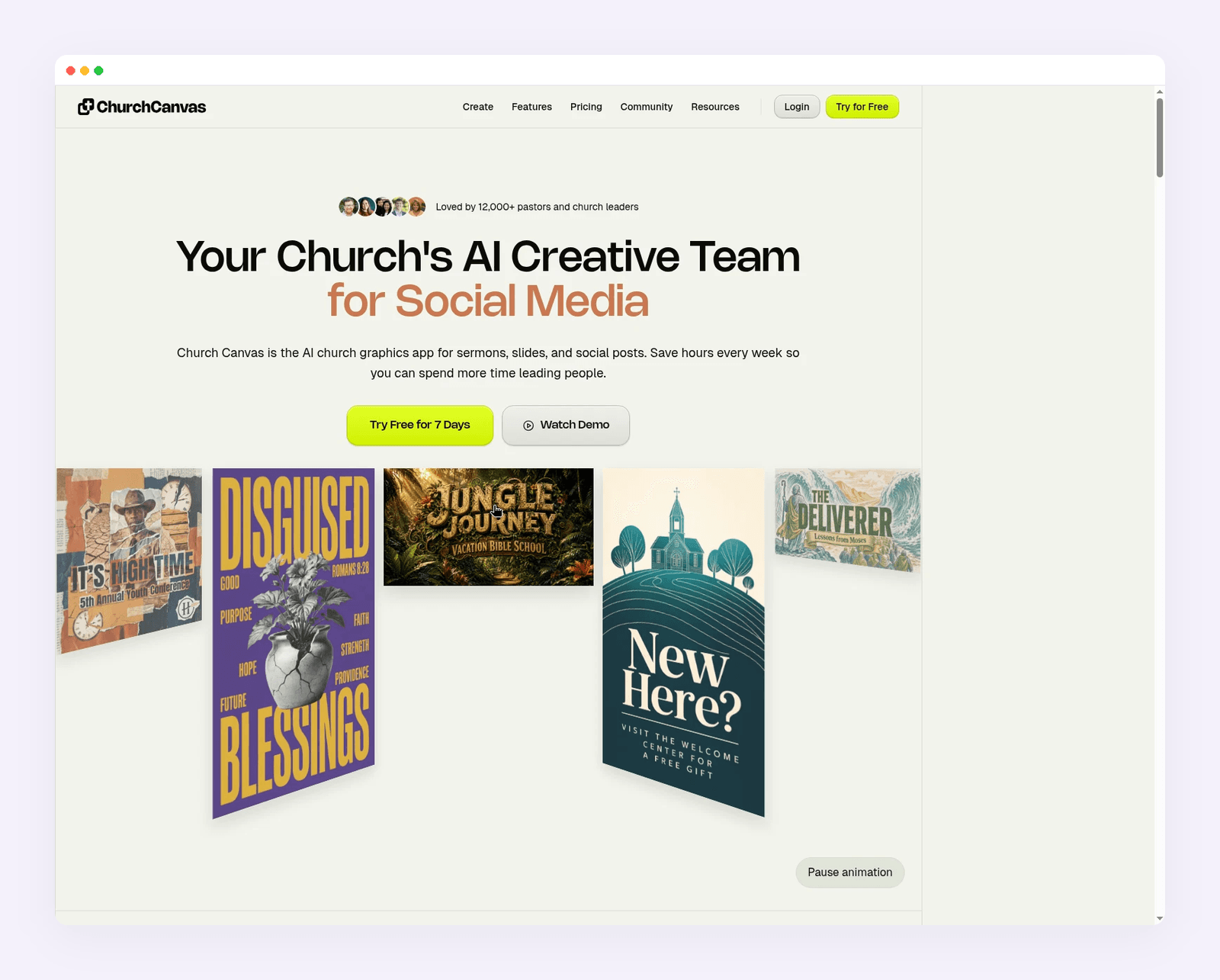
Best for: Pastors and media volunteers who want church-specific AI for sermon graphics, slides, verse images and social posts.
Key features: Plain-language generation for sermons, events and social posts. Plus tools for verses, slides, logos, coloring pages and reference images. Style presets and color palettes. Community feed and an archive of your graphics. Works in a browser on desktop and phone.
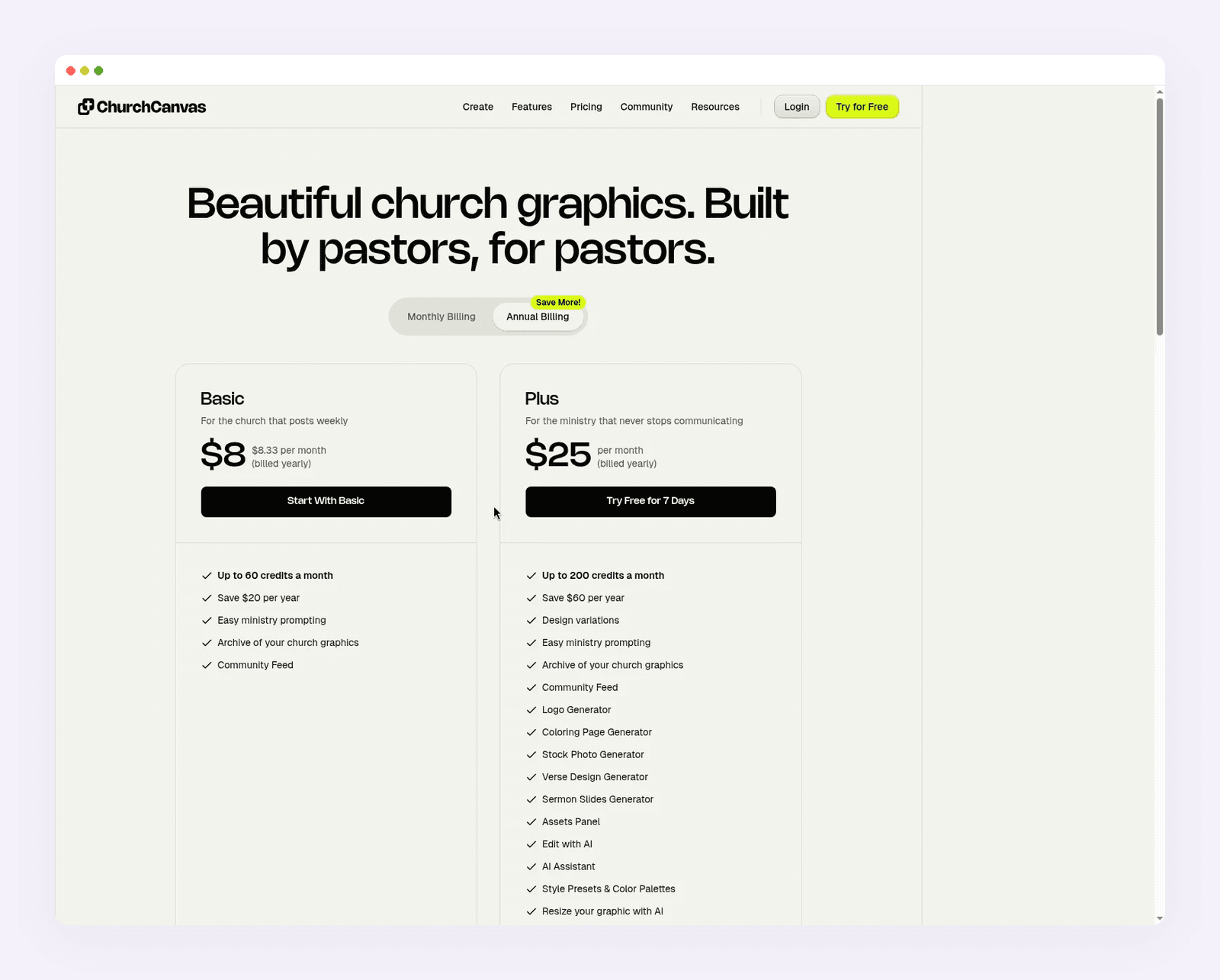
Pricing: Basic is $10 a month, or $100 a year ($8.33 a month billed yearly), with up to 60 credits a month. Plus is $30 a month, or $300 a year ($25 a month billed yearly), with up to 200 credits a month. New users can start a 7-day Plus trial. A card is required, the trial includes 25 credits, and you pay $0 today. After 7 days you are charged $30 a month for Plus unless you cancel. Basic is charged when you subscribe.
3. Canva
Canva is still the template tool most church volunteers already know. You pick a bulletin, flyer or social template, drop in your logo and this week's details, and export a PDF or an image. The editor is easy, several people can work in the same file, and the template library is huge. It is not church-specific, and the same layouts are available to every other church on the platform.
The important detail for churches is the charity path. The Church of England explains how parishes can apply for Canva Pro features at no cost. In the US, registered 501(c)(3) churches that meet Canva Nonprofits rules can get Pro features plus collaboration for up to 50 users, free. Educational institutions are not eligible for that program, but a church that is a registered charity often is. Canva does not open Publisher .pub files on its own.
Best for: Churches that want templates, easy collaboration, and free Pro through a verified nonprofit account.
Key features: Drag-and-drop editor. Large template and stock library. Brand Kit on Pro. Shared folders and up to 50 seats on the nonprofit plan.
Pricing: There is a free plan. Canva Pro is $120 a year for one person. Eligible registered charities can get Pro features free through Canva Nonprofits, for one team of up to 50 users.
4. Adobe Express
Adobe Express sits in the same "quick template graphic" category as Canva. You start from a template or a prompt, add your logo, and export a flyer, a social post or a short video. It is a solid option if your team already lives in Adobe, or if Canva's nonprofit application is still pending and you need something this week.
Eligible US 501(c)(3) organizations can get Adobe Express Premium free for one year, for up to 50 people. That is a one-year subscription, not an open-ended program like Canva Nonprofits, so put a reminder on the calendar. Express is fine for flyers and posts. It is not a multi-page desktop publisher, and it will not open your old .pub bulletin.
Best for: Churches that want a Canva-like editor, short video, and a one-year Premium nonprofit offer.
Key features: Templates for flyers, posts and videos. Brand tools. Adobe Stock and Adobe Fonts on Premium. Web and mobile apps.
Pricing: Free plan available. Premium is from around $9.99 a month. Qualified 501(c)(3) organizations can get Premium free for one year, for up to 50 people.
5. Marq
Marq (formerly Lucidpress) is a browser design tool built around brand-locked templates. An admin sets the logo, colors and the parts of a bulletin or flyer that volunteers may not move. Then each person fills in this week's details without drifting off brand. That is useful if several ministries publish under one church name and the bulletin has started to look different every month.
It is more of a template and brand-control system than an AI designer. The free plan is limited to 3 projects, so a weekly bulletin plus flyers will push you onto a paid plan quickly. There is no separate church or nonprofit price on the public pricing page.
Best for: Church communications teams that want locked templates so volunteers cannot wander off brand.
Key features: Brand-locked template regions. Shared brand assets. Print and social export. Team roles and locking on the Team plan.
Pricing: Free plan with a 3-project limit. Pro is from around $15 a month for one user, billed monthly. Team is from around $12 a month, billed monthly, and includes a second license. Enterprise is custom.
6. Affinity
Affinity is the closest like-for-like replacement for Publisher if your main job is precise, multi-page print: orders of service, a longer newsletter, a program with tight margins and a print-shop PDF. It is a professional desktop layout app, now combined into one Affinity app with photo and vector tools, and it is free for everyone with a Canva account, on Mac and Windows.
That price change matters. Older church guides still quote a one-off fee or a charity licence. The current product is free. You get master pages, real typographic control and print-minded export. You also get a desktop learning curve. If you only need a Sunday Instagram post, this is more tool than you want. If you need a four-page bulletin that has to land on the copier correctly, it is the serious option.
Best for: Churches producing multi-page bulletins, booklets or programs that need real layout control, at no software cost.
Key features: Combined photo, vector and page-layout tools. Master pages and text styles. Print-ready export. Desktop app on Mac and Windows. Canva AI tools inside Affinity require a Canva premium account.
Pricing: Free, with a Canva account.
7. Scribus and LibreOffice Draw
If the budget is zero and you do not want a Canva account, two free desktop apps still do Publisher-shaped work. Scribus is an open-source desktop publishing program for multi-page layouts, frames and print PDFs. LibreOffice Draw is part of the free LibreOffice suite and includes a Microsoft Publisher import filter, which helps when you are trying to get text and pictures out of an old .pub file.
Both are capable, and both feel like software from a church office that learned on Publisher rather than on a phone. Expect a learning curve, and check every imported page. They will not design a sermon series from a sentence. They will let you build or recover a bulletin without a subscription.
Best for: Churches that want a free, installable Publisher-style app and are willing to learn it.
Key features: Scribus: frames, multi-page layout, professional PDF export. LibreOffice Draw: free suite, Publisher import filter, familiar office-software feel.
Pricing: Both are free.
How the tools compare
| Tool | Best for | Opens .pub files | Starts from | Paid price (from) |
|---|---|---|---|---|
| Krumzi | Weekly bulletin, series, flyer and posts, from a written brief | Yes | Your description, editable layers | $19/mo (3-day trial) |
| Church Canvas | Church-specific sermon, slide and social AI | Not advertised | A ministry prompt, plus generators | $10/mo or $30/mo (7-day Plus trial) |
| Canva | Templates and team editing, free Pro for eligible churches | No | Templates | $120/year, or free via Canva Nonprofits |
| Adobe Express | Canva-like flyers, posts and short video | No | Templates or a prompt | Around $9.99/mo, or 1-year nonprofit Premium |
| Marq | Brand-locked templates for several volunteers | No | Locked templates | Around $15/mo (Free plan: 3 projects) |
| Affinity | Precise multi-page print layout | Test your file | A desktop layout | Free with a Canva account |
| Scribus / LibreOffice | Free desktop publishing and file recovery | LibreOffice can import many .pub files | A blank or imported document | Free |
Prices as of November 2026.
Church Canvas vs Canva
This is the comparison church teams actually type. They are not rivals in the same category, which is why a straight "winner" without a job attached is unhelpful.
Church Canvas is a church-specific AI generator. You talk to it the way you would brief a media volunteer: the sermon title, the verse, the event. Plus is built around ministry tools (verses, slides, coloring pages, logos) and a credit allowance of up to 200 a month. You pay $10 or $30 a month if you are not on the yearly plan, and new accounts do not get a permanent free plan. The 7-day trial is for Plus, with a card, and Basic is charged at signup.
Canva is a general template editor. It is stronger at collaboration, at "pick a bulletin template and swap the text," and at keeping a Brand Kit across many volunteer editors. The free plan is real, and eligible churches can get Pro at no cost. It is not trained on church workflows, and your bulletin starts as a layout other churches can also use.
When Church Canvas wins. Your week is mostly new sermon art, slides and social posts, and you want an AI that already thinks in ministry terms. You are fine working in credits and do not need a 12-page print layout with linked columns.
When Canva wins. You want templates, a shared team account, and a $0 path through Canva Nonprofits. Several people will edit the same flyer. You are willing to start from a library layout rather than from a sentence.
When neither is enough. You have a folded bulletin in Publisher that has to be updated this week, or you want a design built from your brief with every line still editable by hand. Affinity still wins for careful print work. If the deeper question is templates versus from-scratch AI, see our guide to AI design tools with no templates.
How to make a church bulletin, step by step
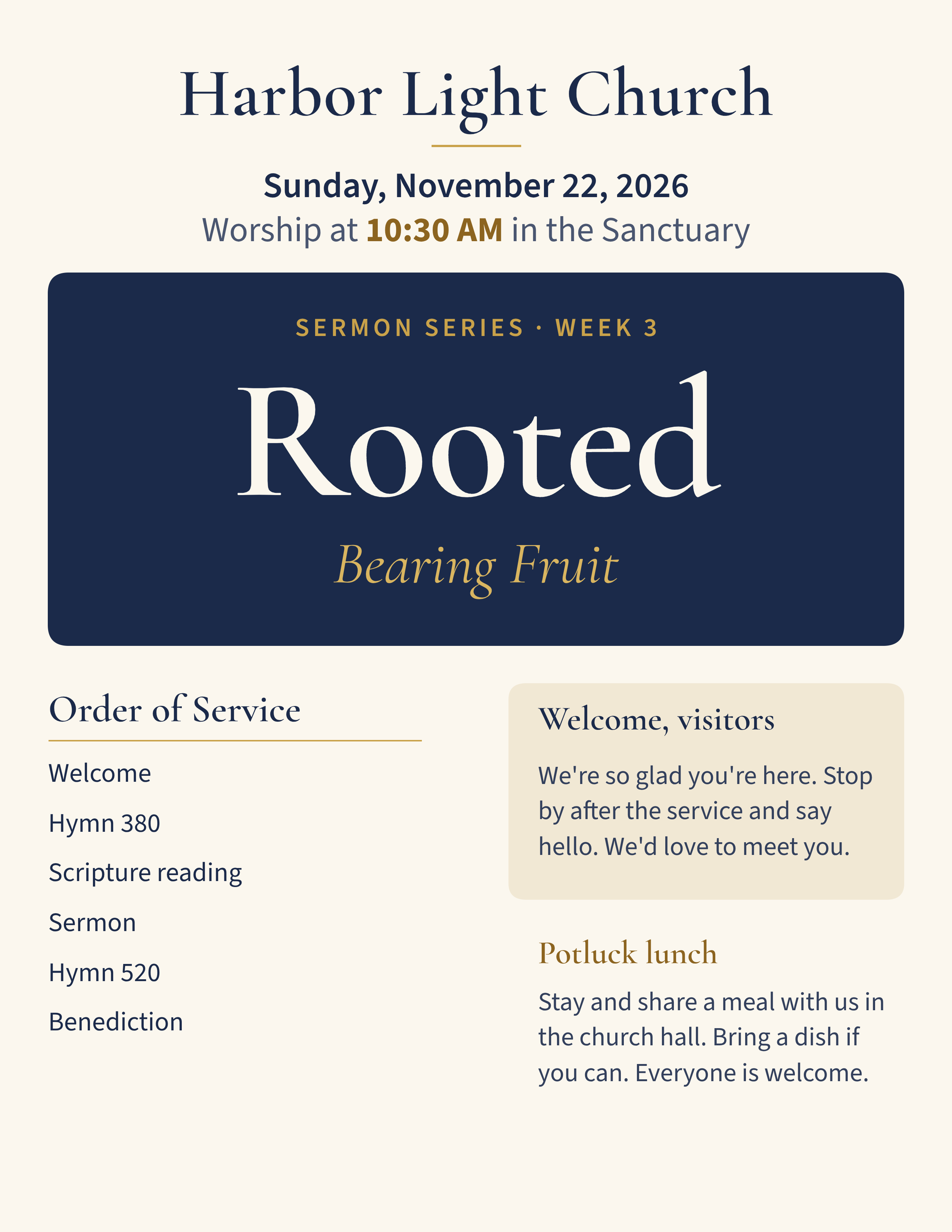
The walkthrough below uses Harbor Light Church, a made-up congregation of about 200, and one Sunday: November 22, 2026. Worship is at 10:30 AM in the Sanctuary. The series is Rooted, week 3, "Bearing Fruit." There is a potluck after the service, and Youth Night is Friday, December 4 at 7 PM in the church hall.
The same steps work in any tool that keeps real text layers. The brief is what you would say to a volunteer.
1. Write the week in one place
List the service time, the series title, the week number, the sermon title, the hymns, and any events. Put the words exactly as they should appear. "10:30 AM" and "Sanctuary" should be in the brief, not left for the tool to invent.
2. Start from last week if you have it
If last week's bulletin is a .pub file, open it and change the lines that moved. If you are starting fresh, describe the bulletin: half-letter or letter size, navy and gold, series name at the top, order of service, a visitor welcome, and the potluck note at the bottom.
The bulletin below is the fresh version for Harbor Light Church, designed from that brief.
3. Check the words before you check the decoration
Read every time, date, hymn number and room name. These are the lines people use to show up. Fix them first. Then adjust spacing, the logo and the photo.
4. Make the matching pieces from the same brief
From the same week, make a sermon series graphic for the feed and the screen, the youth night flyer, and a Sunday service post. Keep the series look consistent. These two pieces use the same Harbor Light brief.
5. Export for print and for the feed
Download a print-ready PDF at the real bulletin size for the office copier or the print shop. Export the post and the story at the sizes you actually use. If you also need a one-off event poster, our roundup of AI flyer makers covers that job in more detail.
The bulletin and the flyer should look like the same church. If they do not, lock the colors and fonts in a Brand Kit (or the equivalent in your tool) before you make next week's set.
What to use now that Publisher is retired
For Microsoft 365 subscribers, Publisher was removed on or shortly after October 1, 2026. You can no longer open or edit .pub files in Publisher. If you bought a perpetual copy (for example, Publisher 2021), the app can still run, but support ended on October 13, 2026. The University of Washington's IT notice restates those dates and the practical advice: inventory your .pub files, save PDFs for archives, and pick a replacement for anything you still edit.
Microsoft points people to Word and PowerPoint. Those apps are fine for a text-heavy sheet or a simple one-page flyer. They do not open a Publisher file with the layout intact, and Microsoft Designer is not a print replacement for a folded bulletin.
The Methodist Church's guidance for churches leaving Publisher is a useful denominational view of the same problem: use a layout app for orders of service and newsletters, and a simpler tool for social posts and single-page flyers. We agree with the split. The tool names have moved on (Affinity is now free for everyone, not only charities), but the job split has not.
For the files you still update every week, open them in a tool that reads .pub and keeps the pages editable. Krumzi does that in the browser, one file a week for free with a watermark, or in the 3-day trial if you have a stack to get through. For the long list of replacements by job, use the Publisher alternatives guide. This article will not repeat that list.

Frequently Asked Questions
What is the best church graphics software in 2026?
It depends on the job you have this week. For a weekly set of bulletin, sermon, flyer and social graphics that stay editable, start with Krumzi. For church-specific AI sermon and slide art, use Church Canvas. For templates and a free Pro seat through a verified charity account, use Canva. For careful multi-page print, use Affinity, which is now free.
Is Church Canvas better than Canva for church graphics?
Not across the board. Church Canvas is better when you want ministry-specific AI and generators for verses, slides and sermon art. Canva is better when you want templates, team collaboration, and a free Pro plan for an eligible church. Pick by the work, not by which name sounds more "church."
Can churches get Canva Pro for free?
Yes, if the church is a registered charitable nonprofit and meets the program rules. In the US that usually means 501(c)(3) status. The Church of England has a walkthrough for parishes applying with charity documentation. Approval is not automatic, and educational institutions are not eligible for Canva Nonprofits, so a church school office may need a different path than the church itself.
What should I use now that Microsoft Publisher is retired?
Save PDFs of anything you only need to read later. For files you still edit, use a tool that opens .pub files, or rebuild the living templates in Affinity, Scribus, LibreOffice, Krumzi or Word, depending on how complex the layout is. Word and PowerPoint, Microsoft's suggested starting points, do not bring the layout through cleanly.
Does Church Canvas have a free plan?
No, not for new accounts. Church Canvas offers a 7-day Plus trial (card required, 25 credits, $0 today) that becomes $30 a month unless you cancel. Basic is $10 a month and is charged when you subscribe.
How do I make a church bulletin quickly?
Write the service time, series title, hymns and events in one brief. Open last week's file if you have it, or generate a new layout from that brief in a tool with real text layers. Fix every date and time first, then export a PDF at the size your copier or print shop expects. The matching sermon graphic and event flyer should use the same colors and type.
Want the design part done for you? Start a free trial and describe this week's bulletin or sermon graphic.
3-day free trial, card needed. No charge until day 4. Cancel online anytime.
A month of posts, designed before your coffee cools
Describe the post. Krumzi designs it from scratch, on your brand, fully editable.
Start free trial3-day free trial, card needed. No charge until day 4. Cancel online anytime.


