On this page
- Microsoft Designer vs Publisher: the short answer
- What ended in October 2026
- What the two tools were built for
- Where Microsoft Designer wins
- Where Publisher still "wins" (and why that matters)
- Access and cost, without the marketing fog
- Three buyers, three picks
- When neither Designer nor Publisher is enough
- The verdict
- Frequently Asked Questions
Publisher is gone for most Microsoft 365 users. The search that follows is Microsoft Designer vs Publisher, as if Designer were the built-in successor. It isn't. Designer is a prompt-first graphic tool for quick social posts, cards and one-page layouts. Publisher was a desktop page-layout app for multi-page print: bulletins, newsletters, programs and flyers with linked text boxes. Different jobs. Treating Designer as a drop-in replacement is how offices lose months of layout work.
Microsoft's own retirement notice points people to Word and PowerPoint for many Publisher scenarios, and it does not claim Designer is a full Publisher successor. Below, you'll see what each tool was for, what ended in October 2026, who should pick what, and how to open the .pub files still sitting on your drive.
Microsoft Designer vs Publisher: the short answer
Designer wins for fast digital graphics inside a Microsoft account: social posts, simple flyers and AI-assisted one-pagers. Publisher won for multi-page print layouts with precise text frames, linked columns and desktop publishing habits churches, schools and small offices used for years.
Designer is not a Publisher replacement for multi-page print. If you need next week's bulletin from last week's .pub file, you need a tool that opens .pub with the layout intact, not a fresh Designer prompt.

What ended in October 2026
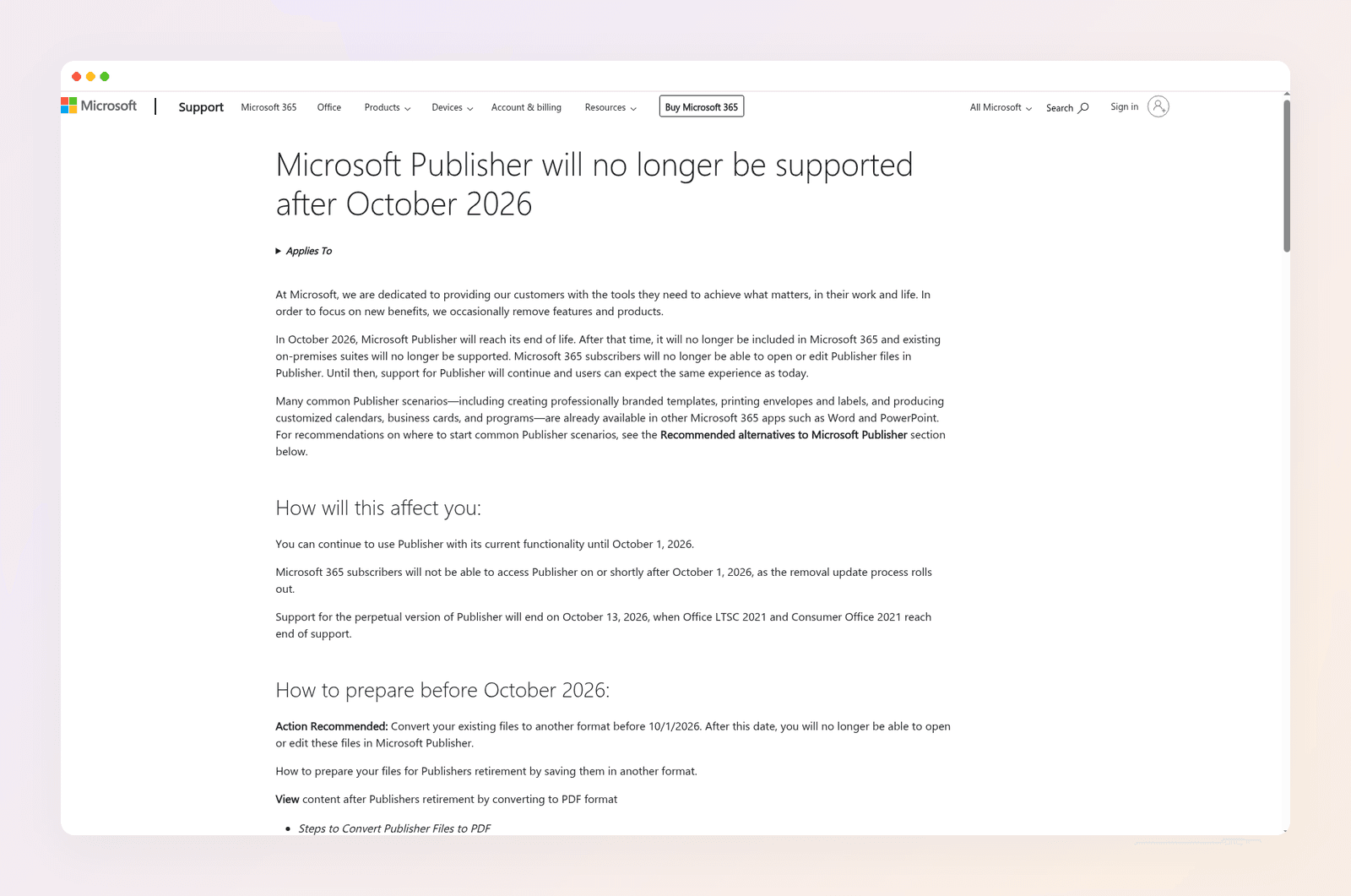
Microsoft retired Publisher in October 2026. Microsoft's own support notice set the dates; independent outlets reported the same cutoff. The Register, Windows Central, and PCMag all cover the October 2026 end of support:
- Microsoft 365 subscribers lost access on or shortly after October 1, 2026, and can no longer open or edit Publisher files in Publisher.
- Support for the perpetual Publisher that shipped with Office 2021 ended October 13, 2026.
- Microsoft recommends converting files to PDF or Word before relying on them, and points common jobs to Word or PowerPoint.
Your .pub files are not deleted. The app that opened them is. That is the real problem Designer never solves: it does not import your old Publisher files as editable multi-page layouts.
What the two tools were built for
Publisher was desktop publishing for non-designers. You placed text boxes, linked columns across pages, set exact page sizes (US Letter, half-letter folded bulletins, A4), and printed. It was the weekly tool for church offices, PTAs, senior living calendars, club newsletters and small business flyers. The file format, .pub, held that layout. When the app left Microsoft 365, the format did not magically become editable elsewhere.
Designer is a browser (and mobile) AI design tool. You prompt or pick a template, generate a graphic, and tweak it. It sits closer to Canva or Adobe Express than to a page-layout desk. Independent roundups after the retirement, including PCMag's Publisher alternatives guide, treat Designer as a quick-graphic option, not a print DTP successor.
They share a Microsoft logo and a desire for "nice looking pages." That is about where the sameness ends. If your search is really "how do I open this .pub," Designer is the wrong results page.
Where Microsoft Designer wins
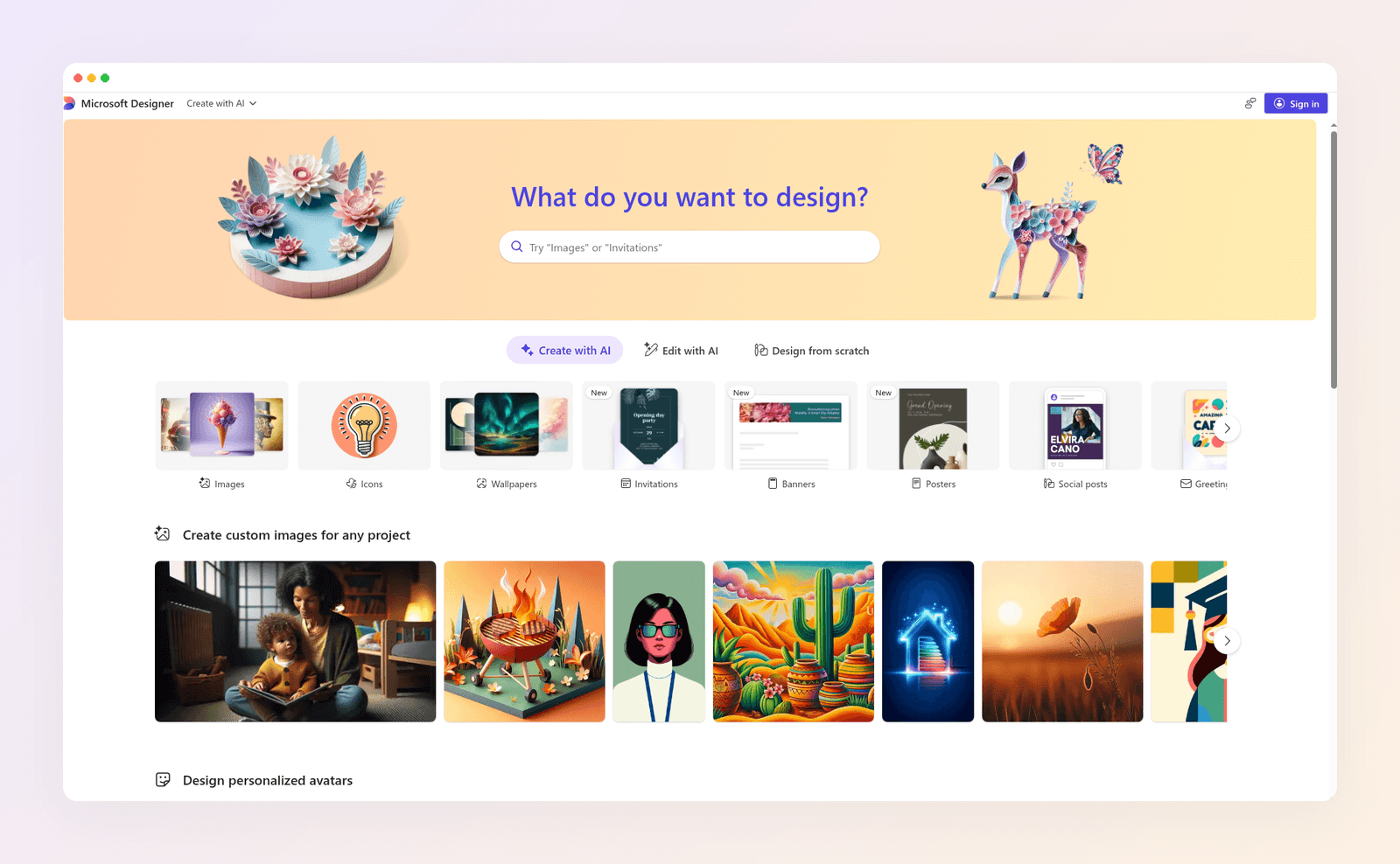
Speed for one-page digital work. Social graphics, simple cards and single-page flyers come together fast from a prompt or template. If your old Publisher use was occasional one-pagers, Designer covers that lane.
Microsoft account convenience. Many people already have a Microsoft login and AI credits. No second design subscription for light work. For a team that lives in Outlook and Teams, staying inside Microsoft is a real benefit.
AI-assisted first drafts. For a social post or a simple poster, typing a brief beats rebuilding frames by hand. That is Designer's home turf.
Templates and Create. Microsoft points common Publisher scenarios at Word, PowerPoint and template galleries. Designer fits the same "quick graphic" bucket. It does not fit the "rebuild my four-page bulletin" bucket.
Not a print shop workflow. That is also the limit. If you need CMYK-minded print control, master pages, or a six-page newsletter with linked stories, Designer is the wrong desk. Prompt polish does not replace page geometry.
Where Publisher still "wins" (and why that matters)
Publisher no longer ships for Microsoft 365. The job it won still exists.
Multi-page print layout. Folded bulletins, programs and newsletters with columns that continue across boxes and pages. That linked-text habit is what offices miss first.
Exact page sizes people already print. Half-letter, US Letter, A4, custom folds. The printer tray and the fold marks mattered more than AI polish. A social canvas size does not help a copier that expects 5.5 x 8.5 inch panels.
Files offices reopen every week. The value was not "make something once." It was "change Sunday's hymns and reprint." A static PDF archive freezes last week. It does not ship next week.
Desktop publishing without a design degree. Publisher sat between Word and InDesign. People who never learned a design suite still shipped readable print. Designer assumes a graphic, not a publication.
Designer does not inherit that weekly print loop. Word can hold the words. PowerPoint can fake a flyer page. Neither opens a .pub with the layout intact the way Publisher did.
Access and cost, without the marketing fog
Publisher was bundled with many Microsoft 365 and Office suites for years. After retirement, Microsoft 365 subscribers cannot open it. Perpetual Office 2021 Publisher may still launch on machines that keep the install, but it gets no support after October 13, 2026.
Designer is available with a Microsoft account, with AI use limited by credits on free tiers and higher allowances on Microsoft 365. Exact credit caps move, so treat "free" as capped generative use, not unlimited print production.
Neither price tag answers the .pub question. Paying for Designer credits does not unlock Publisher files. Keeping an old Publisher install only helps if that machine still runs and you accept a dead support path.
Three buyers, three picks
Maya runs the church bulletin. She has two years of .pub files and a half-letter fold the printer expects. Designer will not open those files as editable pages. She needs a .pub-capable path, not a new social template.
Omar makes occasional event flyers for a Microsoft 365 shop. He never used linked columns. Designer (or Word/PowerPoint) is enough for one-page digital and simple print.
Priya updates a four-page member newsletter every month. She tried Microsoft's PDF-to-Word path. Words came through. Text boxes and picture placement did not. She needs layout recovery, not another AI graphic maker.
Most panicked searches after October 2026 are Maya or Priya. Designer helps Omar.
When neither Designer nor Publisher is enough
Publisher is retired for most subscribers. Designer is the wrong category for multi-page print files. Word and PowerPoint, Microsoft's stated starting points, handle many new one-page jobs, and they still do not open .pub layouts cleanly.
That leaves the files. If your complaint is "I can't open last week's bulletin," the fix is a tool that reads .pub and rebuilds editable pages.
That is why we built a Microsoft Publisher alternative in Krumzi.
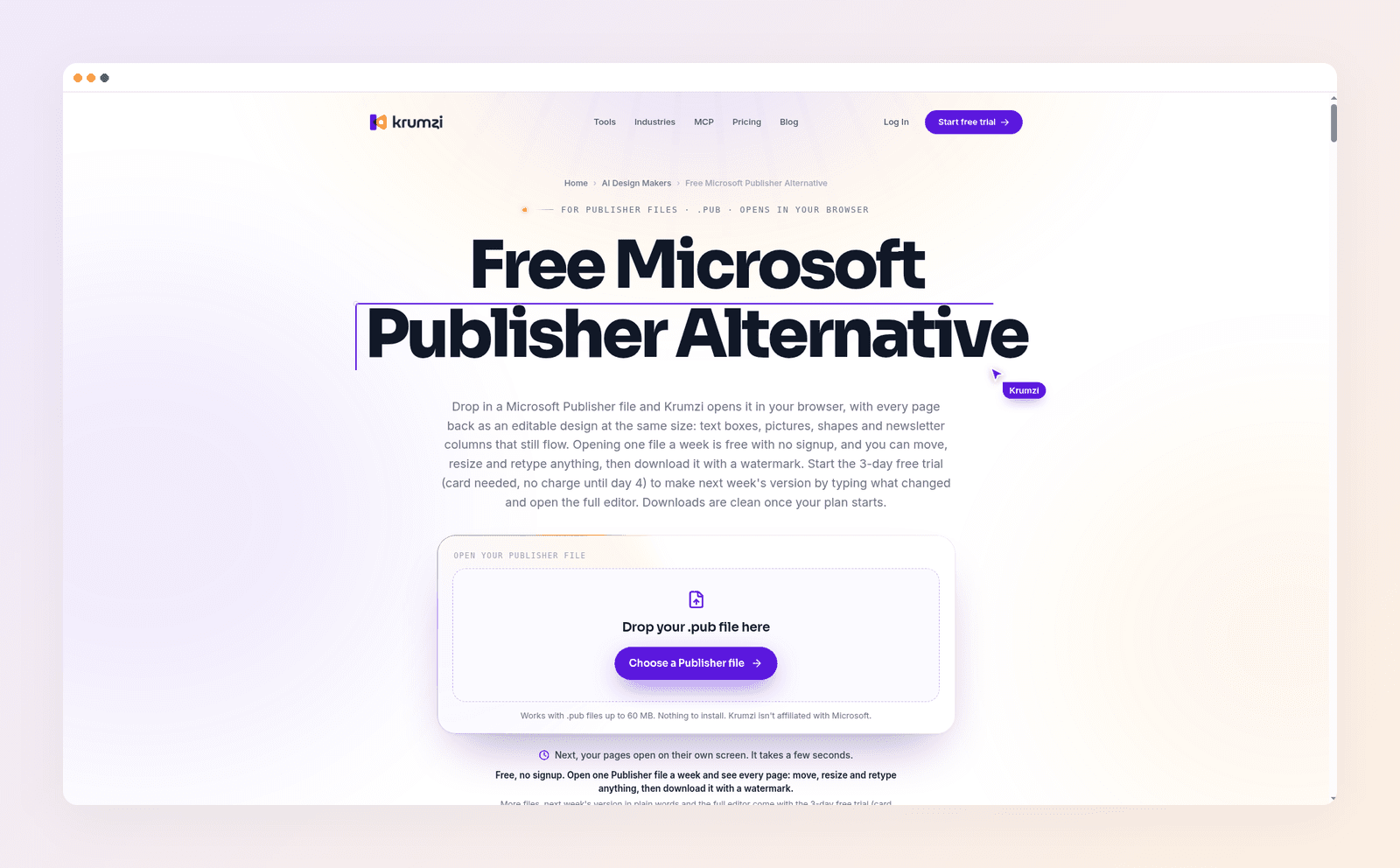
Drop in a .pub up to 60 MB. Krumzi opens it in the browser and rebuilds pages as an editable design: text boxes, pictures, shapes and newsletter columns that still flow. Opening costs 0 credits. You can restore the layout or ask for a redesign in plain words. Up to 12 pages per design. Details are in the help article Open a Microsoft Publisher file.
One file a week is free with no signup (watermarked download). The 3-day trial unlocks more files, chat edits for "next week's version," and clean exports once a plan starts. Starter is $19 a month. Pro, with Brand Kit and video, is $39. For the wider roundup, see 9 Microsoft Publisher alternatives.
Krumzi is not a mail-merge engine and it does not save back to .pub. Fonts remap to close Google Font matches. WordArt and some effects do not come through. Publisher 97 and 98 files may fail. For weekly bulletins and newsletters, that trade is usually fine.
A practical split works for many offices: keep Word for pure text memos, use Designer for social tiles and one-page digital flyers, and open the living .pub files in a layout tool that still reads them. Forcing every job into Designer is how print week breaks.
The verdict
Microsoft Designer vs Publisher is a category mismatch. Designer wins for quick AI graphics in the Microsoft ecosystem. Publisher won for multi-page print layout, and that job still needs a layout tool, not a prompt canvas. After October 2026, most Microsoft 365 users cannot open Publisher at all. Convert archives to PDF if you only need a static record. If you still edit the same bulletin every week, open the .pub in a tool built for that file.
Want last week's bulletin back as editable pages? Open a Publisher file free or start free trial.
3-day free trial, card needed. No charge until day 4. Cancel online anytime.
Frequently Asked Questions
Is Microsoft Designer a replacement for Publisher?
No for multi-page print layouts and .pub files. Yes for some one-page digital graphics and simple flyers. Microsoft's retirement notice points many Publisher jobs to Word and PowerPoint, not to Designer as a full successor.
When did Microsoft Publisher end?
Microsoft 365 access ended on or shortly after October 1, 2026. Support for the perpetual Publisher with Office 2021 ended October 13, 2026. Independent coverage in The Register, Windows Central and PCMag matches those October 2026 dates. The Register's October follow-up also notes that .pub files still need third-party tools because Word and PowerPoint do not open them cleanly.
Can Microsoft Designer open .pub files?
No. Designer does not import Publisher files as editable multi-page layouts. Convert to PDF for a static copy, or use a tool that opens .pub directly.
What should I do with old Publisher files?
Search your PC, OneDrive or SharePoint for .pub. Keep PDFs for archives. For files you still edit every week, open them in a .pub-capable editor so next week's changes do not mean rebuilding from scratch.
Is Word a good Publisher alternative?
For text-heavy bulletins and simple one-pagers, often yes. For folded multi-page layouts with linked text boxes and exact print sizes, Word fights you. Microsoft notes that PDF-to-Word conversions optimize for text editing and may change the layout.
Can Krumzi open Microsoft Publisher files?
Yes. Attach a .pub up to 60 MB. Krumzi rebuilds up to 12 pages as an editable design. Opening uses 0 credits. Rebuild or redesign uses credits like any other design. Try the free Publisher alternative maker.
A month of posts, designed before your coffee cools
Describe the post. Krumzi designs it from scratch, on your brand, fully editable.
Start free trial3-day free trial, card needed. No charge until day 4. Cancel online anytime.