

On this page
- The short version
- Etsy shop banner size (official, current)
- What makes an Etsy shop banner work
- How to make an Etsy shop banner with AI
- Listing photos and seasonal sale graphics
- The best design tools for Etsy sellers
- How to make Etsy graphics faster with Krumzi
- Mistakes that make a shop look unfinished
- Your next banner
- Frequently Asked Questions
You've listed the products. The photos are decent. Then you open your Etsy shop on a phone and the banner is a blurry crop of a logo, or a stock texture with your name in a script font nobody can read. That's the first thing a buyer sees, and it's often the last thing a seller finishes.
An Etsy shop banner is a thin strip. It has to carry your name and what you sell, at the official size, without falling apart on a phone. You don't need a designer for that. You need the current pixel sizes, a short brief, and a file Etsy will actually accept.
By the end of this guide, you'll know the official banner and listing-photo sizes, how to make a banner and a mini banner, what belongs in your listing images, and which tools help Etsy sellers without turning every graphic into the same template.
The short version
- Export the big shop banner at 1600 x 400 pixels, and the mini banner at 1600 x 213.
- Keep the shop name and what you sell in the middle third, large enough to read on a phone.
- Upload a JPG or a flattened PNG. Etsy does not support transparent PNGs, and they show up black.
- For listings, shoot at least 2000 pixels wide and high, and keep one unedited photo of the real item.
- Use a design tool for the banner and sale graphics, and a photo tool for clean product shots. They are different jobs.
Etsy shop banner size (official, current)
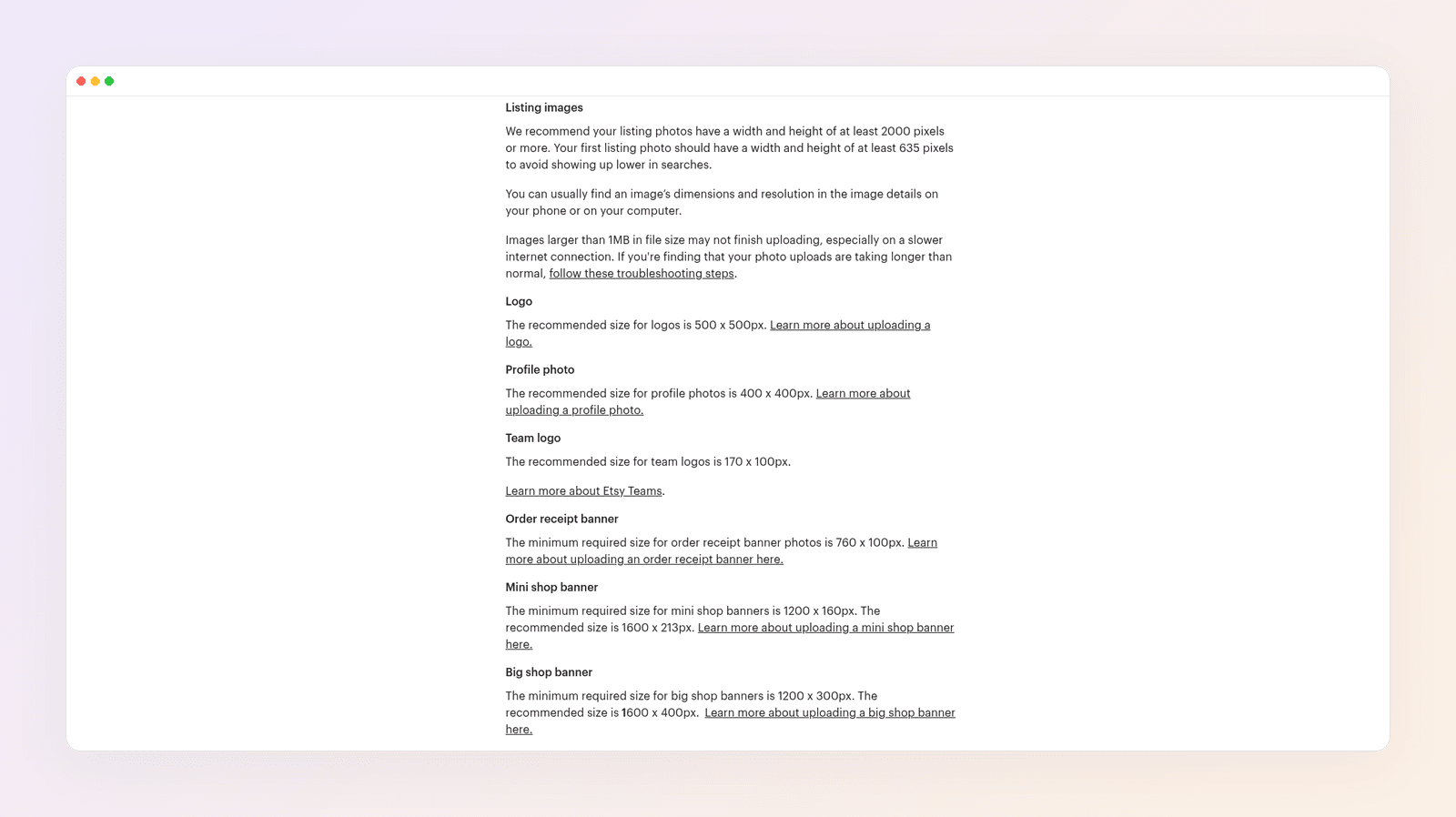
For a big Etsy shop banner, export 1600 x 400 pixels. That is the size Etsy's image requirements call recommended. The minimum is 1200 x 300. Both pairs are a 4:1 rectangle. For a mini shop banner, export 1600 x 213. The minimum is 1200 x 160.
Don't upsample a 800-pixel-wide graphic to those sizes. Etsy notes that enlarging an image can go soft. Start the design at the recommended size, or larger, and export from there.
Etsy also lets you run the shop with no banner at all, which pushes your listings higher on the page. That's a fair choice if you don't have a clean graphic yet. A weak banner is worse than none.
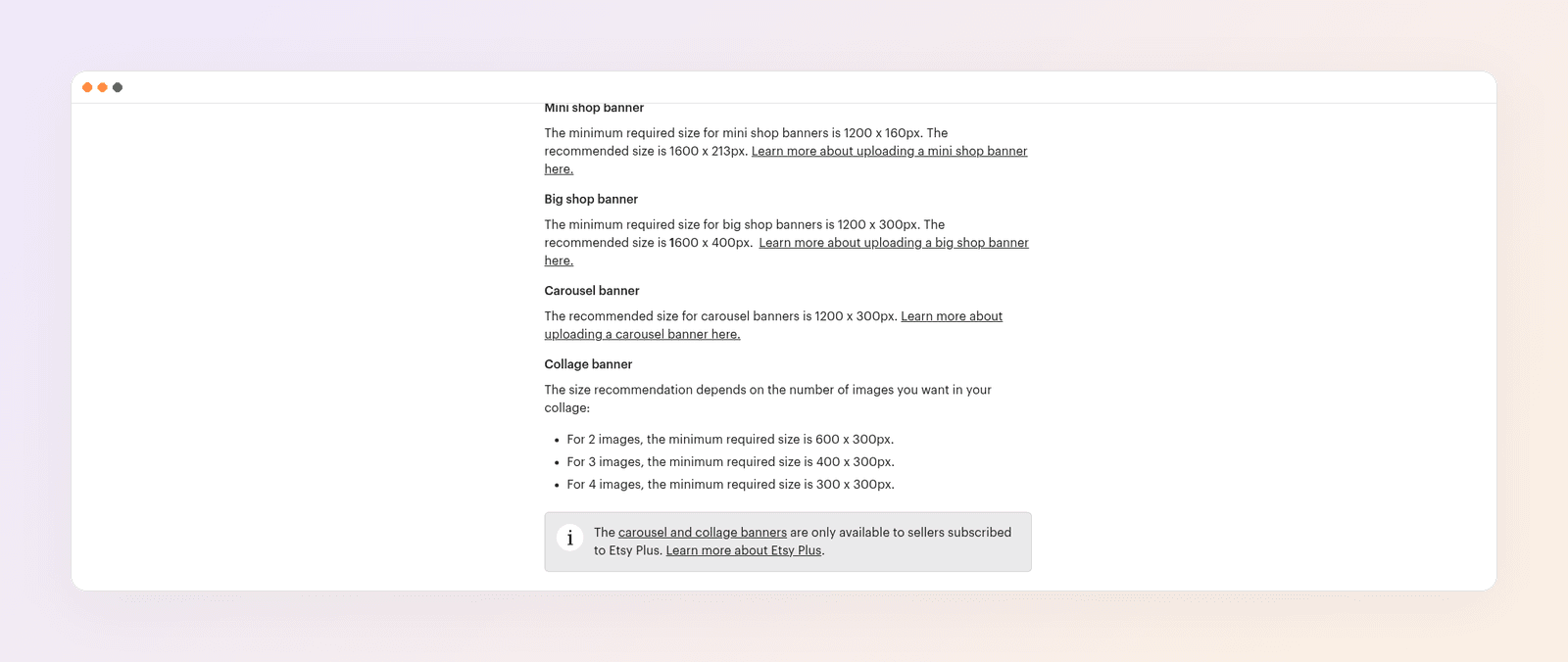
Here's every shop-image size from that same help article, in one table you can copy.
| Image | Minimum | Recommended | Notes |
|---|---|---|---|
| Mini shop banner | 1200 x 160 px | 1600 x 213 px | Narrow strip above the shop |
| Big shop banner | 1200 x 300 px | 1600 x 400 px | The standard shop banner |
| Carousel banner | 1200 x 300 px | 1200 x 300 px | Etsy Plus only, up to four images |
| Collage banner, 2 images | 600 x 300 px | 600 x 300 px min | Etsy Plus only |
| Collage banner, 3 images | 400 x 300 px | 400 x 300 px min | Etsy Plus only |
| Collage banner, 4 images | 300 x 300 px | 300 x 300 px min | Etsy Plus only |
| Order receipt banner | 760 x 100 px | not listed | Emails and receipts |
| Logo | 500 x 500 px | Shop logo | |
| Profile photo | 400 x 400 px | Your seller photo | |
| Team logo | 170 x 100 px | Etsy Teams | |
| Listing photos | first photo at least 635 px wide and high | at least 2000 px wide and high | See the listing section below |
Carousel and collage banners are only available on Etsy Plus. If you're not on Plus, make the big banner and the mini banner. That's enough.
Etsy's shop appearance article repeats the same minimums for the mini banner (1200 x 160) and the big banner (1200 x 300). Use the image-requirements page when you need the recommended sizes as well.
A few file rules from that page are easy to miss and will waste an upload:
- Use .jpg, .gif, .png, .svg, or .heic. Those are the only types Etsy supports.
- Animated GIFs and transparent PNGs are not supported. Transparent areas render black. Flatten the file before you upload.
- Files over 1MB may fail, especially on a slow connection. If the upload stalls, compress the JPG and try again.
- Convert the file to sRGB if the colors on Etsy don't match what you designed.
What makes an Etsy shop banner work
The banner is not a billboard, and it is not a collage of your whole catalog. It has one job: in a second, tell a new visitor whose shop this is and what you sell.
Name and category, not a slogan. "Willow & Grain, handmade ceramic planters" beats a line of script type that says "beautiful things for beautiful homes." Willow & Grain is the made-up shop we'll design below.
Type you can read at a glance. One strong font for the name, a smaller plain font for the category. If it fails on a phone, it fails.
Keep the important words away from the edges. Etsy shows this strip on desktops and phones, and the crop is unforgiving. Put the name and the category in the center, with space on the left and right.
Match the photos, not a random texture. If your listings are warm clay and linen, the banner should feel like that, not like a neon sale template.
Don't pack it with products. A row of twelve thumbnails turns into noise at this height. One object, or a simple color field and your name, is enough.
A mini banner is even tighter, about 7.5:1. Put only the shop name on it, or the name and a two-word category. Save the longer line for the big banner.
How to make an Etsy shop banner with AI
We'll make both banners for Willow & Grain, a made-up shop that sells handmade ceramic planters. The steps are the same for jewelry, prints, or a print-on-demand shop.
Step 1: Pick the banner type
Start with the big banner at 1600 x 400. Add a mini banner at 1600 x 213 if you want the narrower shop layout. Skip carousel and collage unless you pay for Etsy Plus and have a reason to rotate several images.
If you already have a 500 x 500 logo, keep it as the logo. Don't stretch it into a 4:1 banner. The logo and the banner are different files, and they sit next to each other on the shop home.
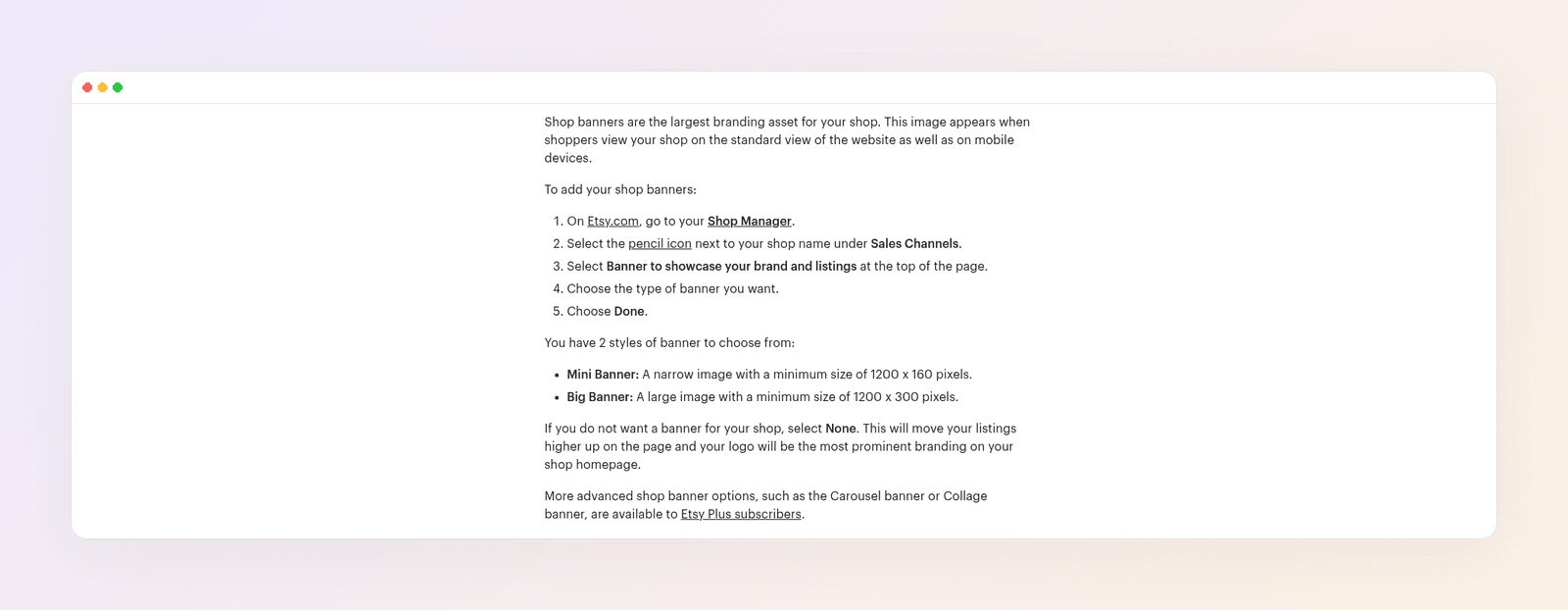
Step 2: Set the canvas to the recommended size
Create a 1600 x 400 file for the big banner, and a 1600 x 213 file for the mini banner. Starting at the minimum and hoping it scales up is how banners go soft.
Step 3: Write one sentence with the words that have to appear
Don't start by browsing "Etsy banner" templates. Write the job, and include the exact name.
For the big banner:
"A shop banner for Willow & Grain, a handmade ceramic planters shop. 1600 by 400 pixels. Warm clay, linen, and cream, with the shop name in the center and the words handmade ceramic planters underneath. Plenty of space on the left and right. No tiny script, no product grid."
For the mini banner:
"Same shop, same colors, 1600 by 213 pixels. Only the name Willow & Grain, large and centered, cream type on a clay-colored field."
Step 4: Generate the design, then fix the type
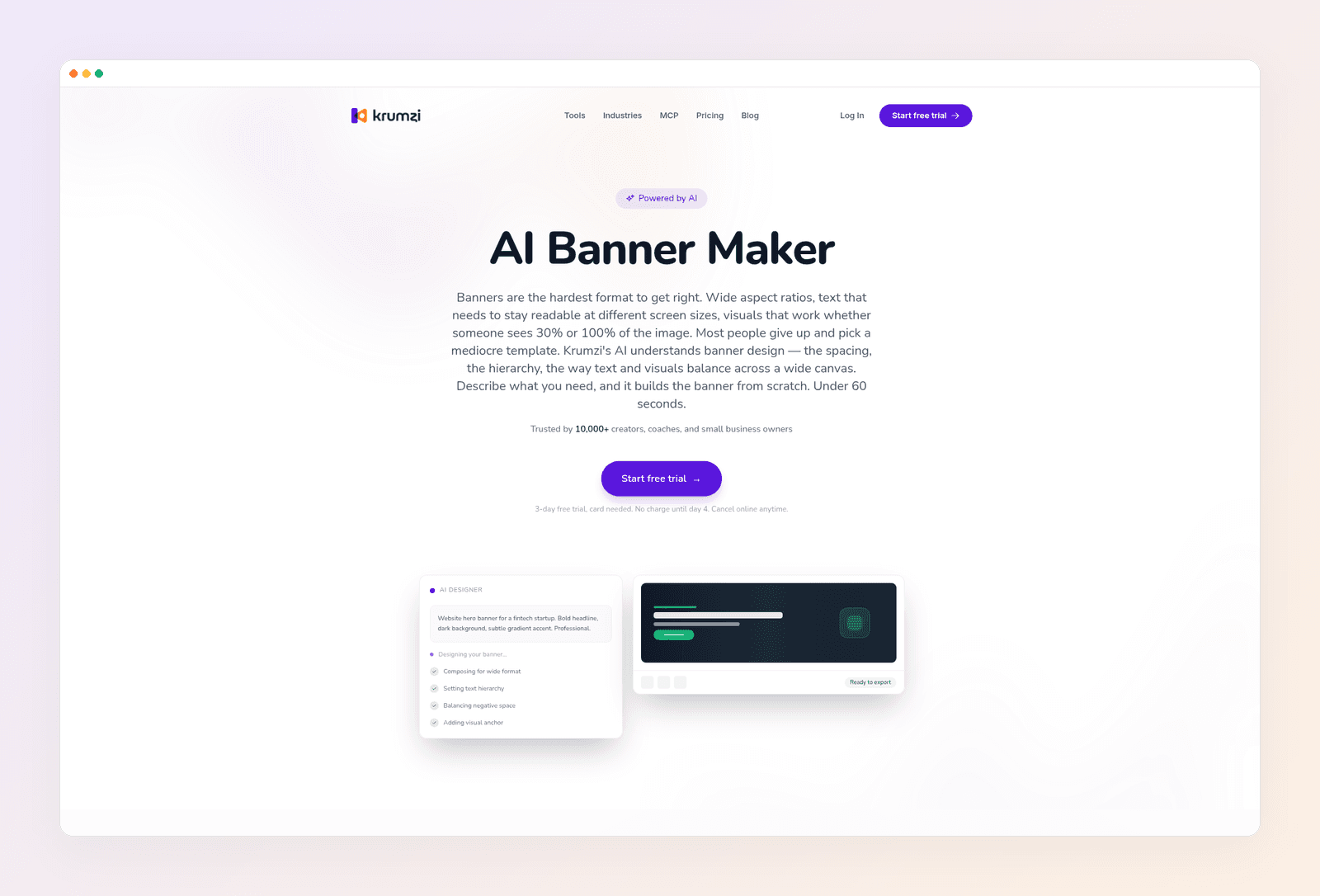
If you'd rather not build the layout by hand, Krumzi turns that brief into an editable banner. You get real type you can click, not letters stuck in a flat picture. Move the name to the center, change a word, and export again at 1600 x 400.
Check it at roughly the width of a phone screen. If you have to pinch to read the category line, it's too small. If the name sits on the far left, move it in.
Save this file. A seasonal banner later should start from this one, not from a new template, so the shop still looks like one brand in December.
Step 5: Export a file Etsy will accept
Export a JPG, or a PNG with no transparency, in sRGB. If the file is well over 1MB and the upload fails, export a slightly more compressed JPG and try again. Upload it in your shop's appearance settings, then open the shop on your phone and on a laptop before you walk away.
For a wider look at banner tools, not only Etsy, see our guide to the best AI banner makers.
Listing photos and seasonal sale graphics
The banner gets people into the shop. The listing photos are what they buy from. Etsy's rules for those photos are stricter than the banner rules, and they're worth getting right before you spend a weekend on graphics.
Size. Etsy recommends listing photos at least 2000 pixels wide and at least 2000 pixels high. The first photo in a listing should be at least 635 pixels wide and 635 pixels high, or it can show up lower in search.
Shape. The first photo should be horizontal (landscape) or square. That first photo also sets the shape of the photos that follow, so keep the set consistent. Leave a little space around the object, because Etsy crops thumbnails to more than one shape.
Authenticity. Every listing needs at least one unedited photo of the actual item against a real background. You may crop, resize, add a watermark, or change the file type on that photo. You may not use editing to hide flaws or to make the item look different from what the buyer will receive. On your other photos, Etsy allows photo-editing tools, including AI, to adjust lighting or color, crop or resize, or change backgrounds, as long as the images don't create false expectations. If you use AI on listing photos, Etsy asks you to note that in the listing description. If you sell patterns or instructions, you also need a photo of a real result, not an AI-generated one.
That's the line. A clean background on a second photo is fine. A generated object that isn't the thing you ship is not.
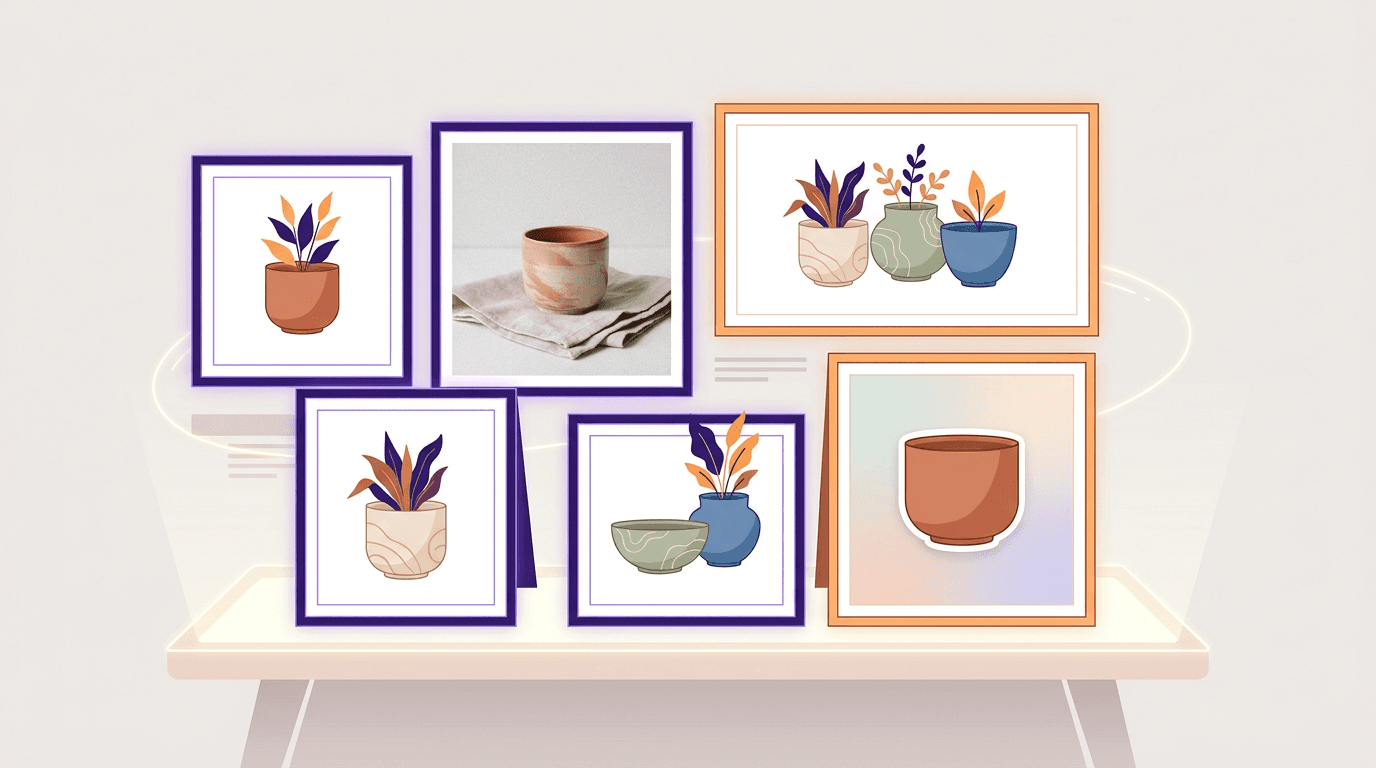
Seasonal sale graphics are a third job: a 1080 x 1350 post, a sale badge you can add to a listing, or a short-run banner for a holiday weekend. Keep the same fonts and colors as the shop banner, and put the dates in type you can edit. A sale banner maker is useful when you want that graphic from a sentence, then want to change "through Sunday" without starting over.

The best design tools for Etsy sellers
Sellers often look for a Canva alternative because they want banners, listing images, and mockups in one place. That's three jobs, and no single tool is equally good at all three. Pick for the job you do most.
Krumzi. Best when you want an editable shop banner, a mini banner, and sale graphics in the same look, from a short brief. Brand Mind is on every plan. The Brand Kit (logo, colors, fonts) is on Pro and up. Starter is $19 a month. Pro is $39 a month. Starter, Pro, and Studio include a 3-day trial, card needed, with 500 credits and watermarked exports. Agency is priced with you and has no trial. See current prices. Krumzi is a design tool, not a product-photo studio and not a 3D mockup library. Use it for the banner and the sale graphics. Use a photo or mockup tool for the rest.
Photoroom. Best for product photos: background removal, clean backdrops, and batch exports. It has a free plan, but that plan is for personal, non-commercial use, so an Etsy shop should budget for a paid plan. Pro is about $12.99 a month, or about $7.50 a month when you pay yearly. Remember Etsy's rule: at least one unedited photo of the real item still has to be in the listing.
Kittl. Best for type-heavy merch, print-on-demand files, and lettering. Pro is $15 a month, or $144 a year. If SVG and print files are most of the work, it's a stronger fit than a general banner tool. See our Kittl alternative if you're weighing it against a from-scratch design tool.
Placeit. Best for mockups: a shirt on a hanger, a print in a frame, a mug on a table. The Unlimited plan is about $14.95 a month, or about $89.69 a year. There's a one-month minimum once you've downloaded a template. Mockups still have to be honest about what the buyer receives, especially for print-on-demand. If you're comparing mockup tools, see our Placeit alternative.
Adobe Express. A capable template app, and Etsy's own help pages sometimes point sellers to a trial of Express Premium. Premium is about $9.99 a month. It's a reasonable pick if you already pay for Creative Cloud, or if you want a ready-made layout and you're willing to customize it so it doesn't look like three other shops in your category.
Canva. The default for a lot of sellers, with a huge template library and an easy editor. Canva Pro is $18 a month, or $144 a year for one person, in Style Factory's 2026 Canva pricing guide. If your shop already looks consistent in Canva, keep it. If every banner starts with a template that also shows up in a dozen competing shops, it's worth trying a tool that starts from your brief instead. Our Canva alternatives guide covers a wider set of options.
Prices as of November 2026.
| Tool | Best for | Paid plan, from |
|---|---|---|
| Krumzi | Editable shop banners and sale graphics, from a brief | $19/mo |
| Photoroom | Product photos and background removal | about $12.99/mo, or about $7.50/mo yearly |
| Kittl | Lettering, merch, and print files | $15/mo |
| Placeit | Product mockups | about $14.95/mo, or about $89.69/yr |
| Adobe Express | Template banners, especially with Creative Cloud | about $9.99/mo |
| Canva | Template banners and everyday shop graphics | $18/mo, or $144/yr |
How to make Etsy graphics faster with Krumzi
Once the shop colors are set, most of the time should go into the photo of the actual pot, not into rebuilding the banner.
Once per shop. Add the logo, the colors, and the fonts to the Brand Kit on Pro and up. Brand Mind, on every plan, learns from the designs you keep.
For the banner. Paste the brief, set 1600 x 400, and generate. Click the name to fix a typo. Export a flattened PNG or a JPG in sRGB. Then generate the mini banner at 1600 x 213 from the same look.
For a sale. Start from the shop banner, change the line to the dates of the sale, and export a feed post or a short-run banner. Don't invent a new color palette for a three-day weekend.
What not to ask it to do. Don't use it as your only listing photo, and don't treat a generated object as the item you ship. Keep the unedited photo of the real piece in the listing.
Mistakes that make a shop look unfinished
Uploading a logo as the banner. A 500 x 500 logo stretched to 4:1 looks thin and soft. Make a real 1600 x 400 file.
Putting the name on the far left. Phone layouts crop this strip hard. Center the words, then check the live shop on a phone.
Leaving a transparent background. On Etsy, that transparency turns black. Flatten the file.
Starting at a size that's too small. You can't invent detail that was never in the file. Design at 1600 x 400, not at 800 x 200.
Decorating the listing with AI and skipping the real photo. Etsy requires at least one unedited photo of the actual item. A pretty background on photo two does not replace that.
A new look for every holiday. Seasonal graphics should feel like the same shop in a different week, not like a different seller.
Your next banner
Open a 1600 x 400 canvas. Write one sentence with your shop name and what you sell. Keep the type in the center, export a flattened JPG or PNG in sRGB, and check it on your phone after you upload it. Then make the 1600 x 213 mini banner from the same look, and leave your listing photos a separate job, with one unedited shot of the real item in every listing.
Want the design part done for you? Start a free trial and describe your shop banner.
3-day free trial, card needed. No charge until day 4. Cancel online anytime.
Frequently Asked Questions
What size should an Etsy shop banner be?
Export 1600 x 400 pixels for the big shop banner, and 1600 x 213 for the mini banner. Those are the recommended sizes in Etsy's image requirements. The minimums are 1200 x 300 and 1200 x 160. Start at the recommended size so you aren't enlarging a small file.
What's the difference between a mini banner and a big banner?
A big banner is the standard 4:1 shop header, recommended at 1600 x 400. A mini banner is a much thinner strip, recommended at 1600 x 213, so it only has room for the shop name or a very short line. You choose one layout in your shop appearance settings. Carousel and collage banners are separate, and they require Etsy Plus.
How do I make an Etsy shop banner?
Set a 1600 x 400 canvas, write a short brief with your shop name and what you sell, and design the type in the center with space on both sides. Generate the layout, edit the words, and export a JPG or a flattened PNG in sRGB. Then check the live shop on a phone. A design tool that keeps the type editable is faster than a flat image you have to regenerate for a typo.
What size should Etsy listing photos be?
Etsy recommends at least 2000 pixels wide and 2000 pixels high. The first photo should be at least 635 pixels in both directions, and it should be landscape or square. Every listing also needs at least one unedited photo of the actual item against a real background.
Can I use AI on my Etsy listing photos?
Yes, on photos other than the required unedited shot, as long as the images still show what the buyer will receive. Etsy allows editing tools, including AI, to adjust lighting or color, crop or resize, or change backgrounds. You can't use editing to hide flaws or to invent a product that isn't the one you ship. If you use AI, Etsy asks you to note it in the listing description.
What's the best Canva alternative for Etsy sellers?
It depends on the job. For an editable shop banner and sale graphics, a from-scratch design tool like Krumzi is a better fit than another template library. For product photos, Photoroom is the specialist. For mockups, Placeit is the specialist. For merch lettering and print files, Kittl is the specialist. Canva still works if you already have a consistent shop look and you just need to update type.
A month of posts, designed before your coffee cools
Describe the post. Krumzi designs it from scratch, on your brand, fully editable.
Start free trial3-day free trial, card needed. No charge until day 4. Cancel online anytime.


