On this page
Someone on your team asked for Canva. Someone else asked for Figma. Both live in a browser and both say design, so Canva vs Figma sounds like a brand fight. It isn't. Canva is for people who need finished marketing content fast. Figma is for people who design products, systems and prototypes that developers build. Pick by who is drawing and what ships next, not by which tool is more popular on Twitter.
The overlap is thinner than the comparison posts suggest. Canva is a template editor with Brand Kits and AI for posts, decks and light video. Figma is a product design tool with components, variables, prototypes and developer handoff. Use the wrong one and you'll either fight auto layout for a flyer, or fight templates for an app screen.
Below, you'll see where each wins, what each costs, and which of three typical buyers you are.
Canva vs Figma: the short answer
Canva is the better choice for non-designers and marketing teams in 2026. It turns templates into social posts, presentations, documents and simple sites with almost no learning curve. Figma is the better choice for design teams shipping websites, apps and design systems, with real prototyping and Dev Mode for engineering.
If your week is "one sentence, one branded post," and you're tired of templates, neither tool is the full answer. More on that below.
What the two tools share
Both are collaborative and browser-first. Both have free plans. Both let several people comment on a file. Both have added AI features and light marketing-adjacent products around the edges.
That is about where the sameness ends. Canva's free plan is built around templates and stock. Figma's Starter plan is built around draft files and UI kits, with tight limits on shared design files. Canva charges most team members the same seat price. Figma splits Full, Dev and Collab seats, and lets viewers comment free on paid plans. Those two pricing shapes alone change who each tool is for.
Software Advice rates both at 4.7 overall in its Canva vs Figma comparison, with Canva ahead on ease of use, 4.7 to 4.5. The ratings don't settle the job split. The job does. A marketer rating "ease of use" and a product designer rating "components" are not scoring the same product.
Where Canva wins
Speed for non-designers. You open a template, drop in a photo, change the words and export. Most marketers are productive in under an hour, and PCMag's Canva review lists "doesn't require a design background" among its pros. Figma asks for days if you've never used auto layout or components. That gap is the whole reason Canva owns marketing teams.
Marketing formats. Social sizes, presentations, docs, print and a usable video editor are Canva's home turf. The stock and template libraries are built for volume content, not for a single product screen. If your week is posts, Stories, a deck and a flyer, Canva covers it without switching apps.
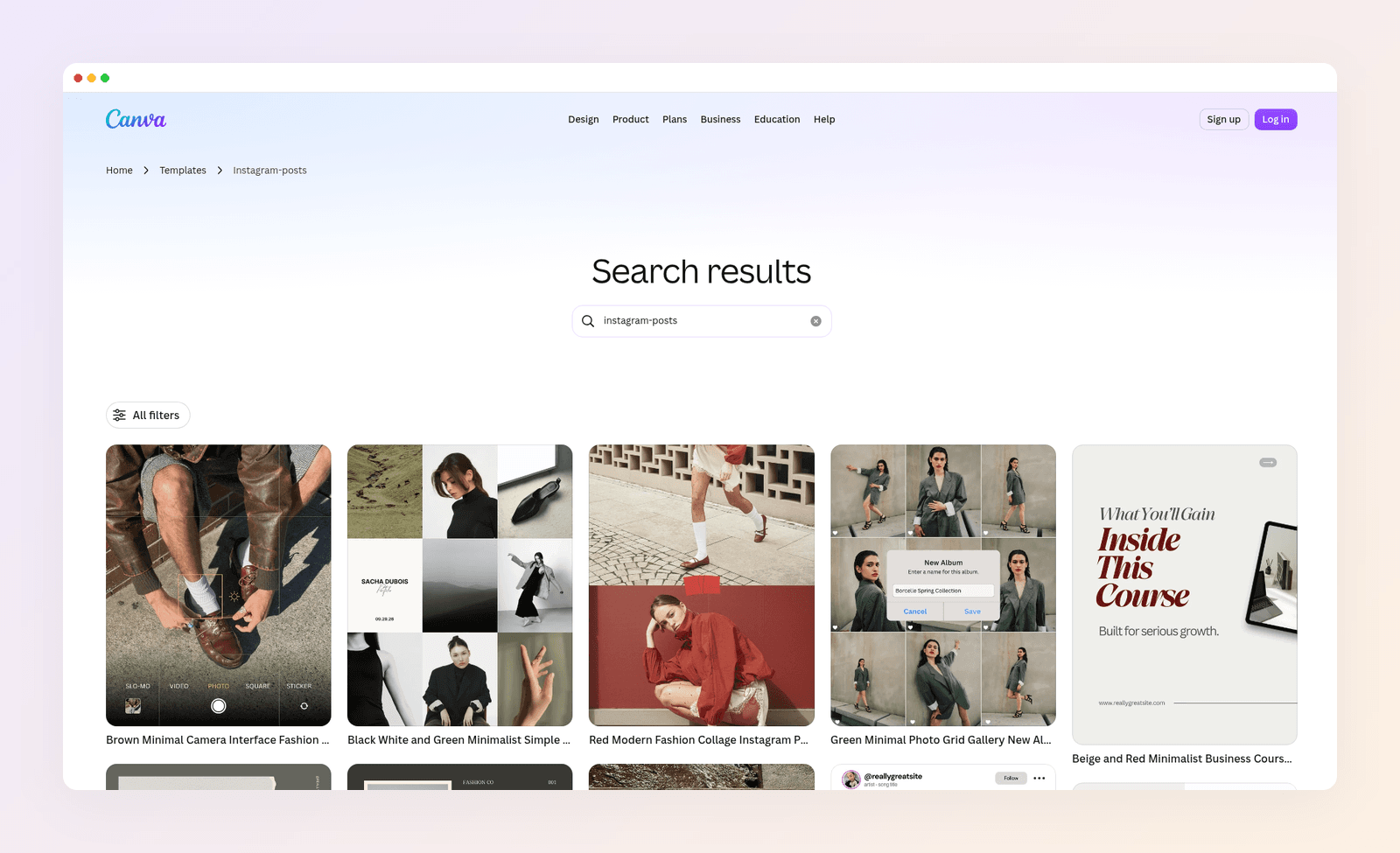
Brand Kits for content teams. Logo, colors and fonts apply across posts without a design system ceremony. Business adds more kits and team controls for agencies and multi-brand shops. You get consistency for content without teaching everyone components and variables.
AI for content volume. Magic Studio and Magic Write help fill and resize posts when you already have a layout. That is useful for throughput. It is not the same as designing a UI system, and it is not the same as inventing a new layout from a one-line brief.
Mobile. Canva's apps let you generate and edit on a phone. Figma's mobile experience is much thinner for real production work. If the social calendar lives on someone's phone between meetings, Canva wins by default.
Where Figma wins
Product UI and systems. Frames, components, variants, variables and shared libraries are why product teams standardize on Figma. Canva has nothing in that league for app and web interface design. If the file is going into a design system, the shared set of reusable components and patterns a product team builds from, Figma is the workspace.
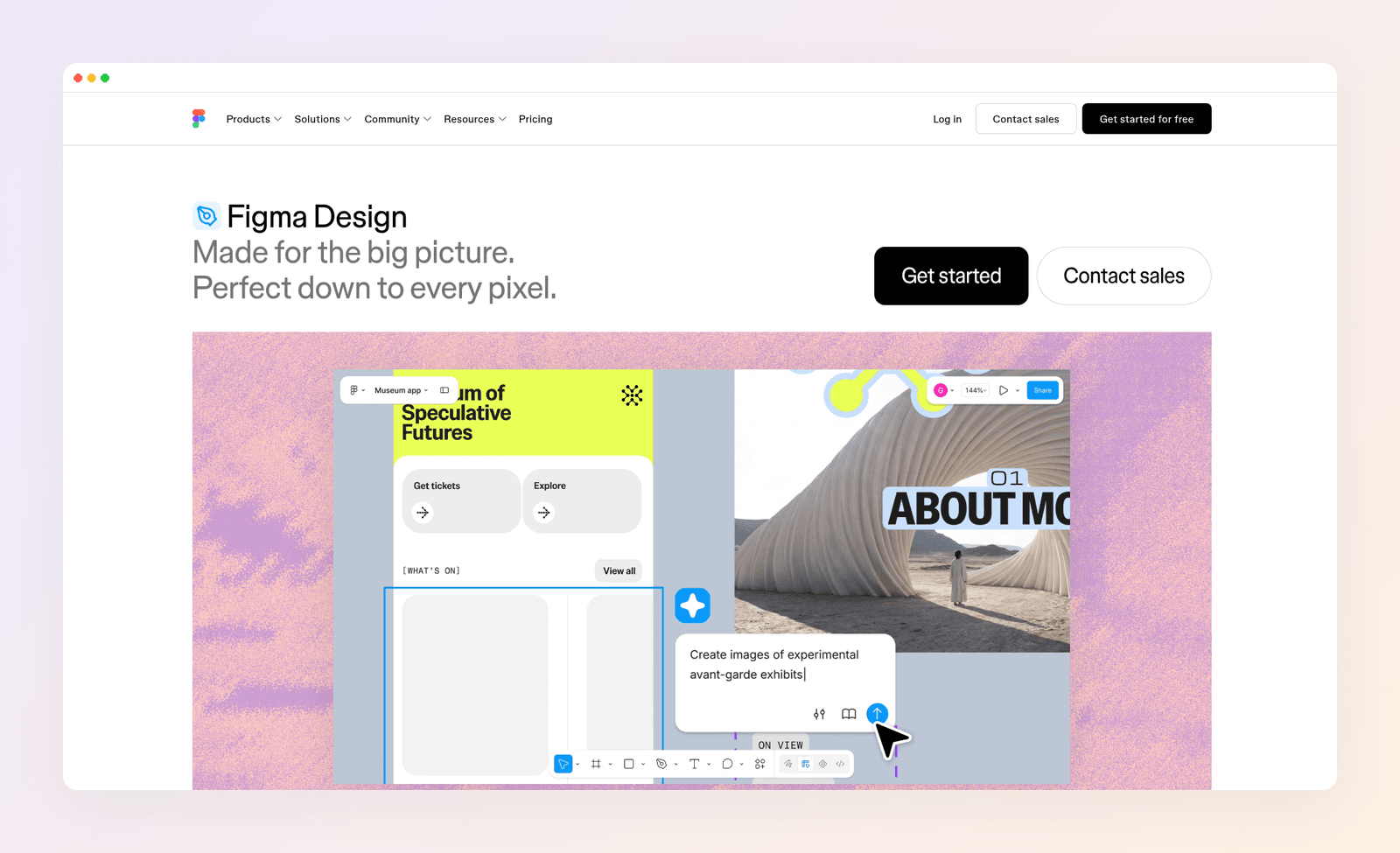
Prototyping and handoff. Advanced interactions, Dev Mode inspection and developer-facing workflows exist so engineering can build what you drew. PCMag's Figma review singles out code handoff to developers as a strength. Canva is not a handoff tool for software. Asking a developer to "just check the Canva file" is how specs get lost.
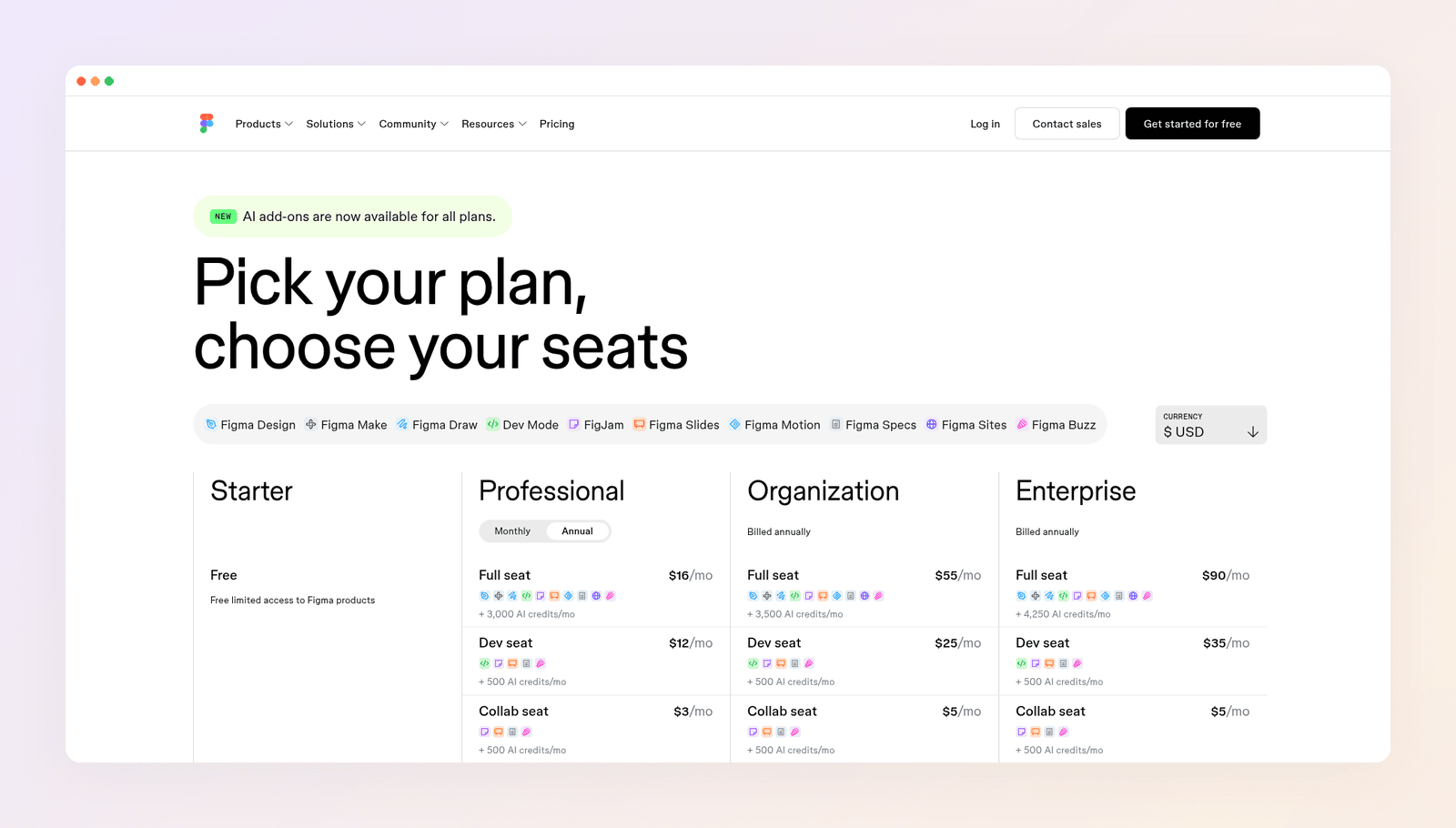
Seat math for mixed teams. Full seats for designers, Dev seats for engineers, Collab seats for FigJam and slides, and free viewers on paid plans. A product org often pays less than the same headcount on Canva Business, where every person is a full-price seat. Count roles before you compare the sticker price.
Precision. Pixel-level layout, constraints and vector control matter when the file becomes code. Canva optimizes for "good enough, fast." That is a feature for content. It is a bug for product UI.
FigJam and multiplayer. Whiteboarding, workshops and dense real-time collaboration around a product file are stronger in Figma's world than in Canva's marketing canvas. Keep that in mind if design critique is part of the weekly rhythm.
Canva vs Figma pricing in 2026
Both free plans are good enough to learn the difference. Here's what the paid plans cost:
| Plan | Canva | Figma |
|---|---|---|
| Free | $0 | Starter: $0, limited shared files |
| Entry paid | Pro: $18 a month, or $144 a year | Professional Full: $16 a month (annual), plus AI credits |
| Other seats | Business: $25 a month per person, or $250 a year | Dev: $12 a month; Collab: $3 a month |
| Larger orgs | Enterprise: custom | Organization Full: $55 a month; Enterprise Full: $90 a month |
Prices as of November 2026.
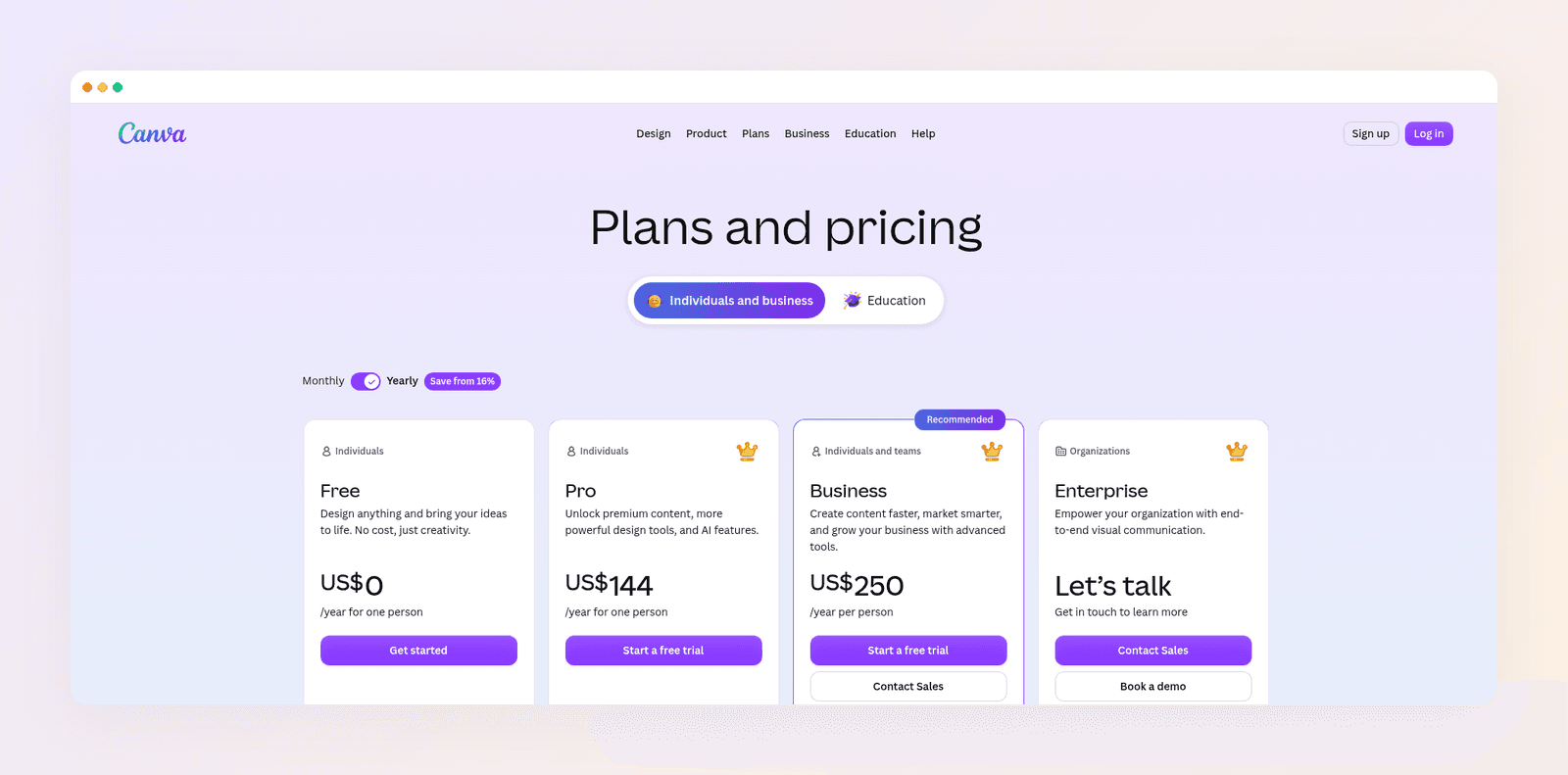
Canva Pro looks cheaper for one marketer paying yearly. Figma looks cheaper for a design-plus-dev team once you use Dev and free viewers. Don't compare sticker prices without counting who needs which seat.
If you sign up for Canva, here's how to cancel your Canva subscription when billing paths get messy.
Three buyers, three picks
Here's how the choice plays out for three made-up but typical people.
Nina markets a SaaS product alone. She needs LinkedIn carousels, a monthly webinar deck and ad variants. She does not design the product UI. Canva is her pick. Figma would slow her down for no gain.
Omar leads a three-person product design team. They ship a mobile app, keep a design system and hand files to two engineers. Figma is his pick. Canva cannot replace components, prototypes or Dev Mode.
Elena runs social for five local clients. She has used Canva for years. Clients keep asking for posts that don't look like Canva. Moving those same templates into Figma won't help. Her bottleneck is starting from a shared layout, not missing auto layout.
Most readers are Nina or Omar. If you're Elena, read on.
When neither tool is the answer
Canva is the right marketing content tool until the feed looks generic. Figma is the right product design tool until someone tries to force the social calendar through it because "we only pay for one design tool." That saves a subscription and wastes hours.

For Elena's job, the missing piece isn't a better template or a better component. It's a design built from the brief. That's why we built Krumzi. You describe the post in one sentence, and the AI designs layout, type, colors and imagery from scratch, with no template underneath. Every layer stays editable, so a date change takes seconds instead of a full regenerate. Brand Mind steers each client's look on every plan. Brand Kit on Pro and up applies logos, colors and fonts automatically.
Starter costs $19 a month. Pro, which adds video and Brand Kit, costs $39. Weigh it against Canva on Krumzi vs Canva. There is no Figma compare page on our site, because Krumzi is not a UI design tool.
Keep Figma for product. Keep Canva for docs and decks if you still need them. Use a from-scratch tool when the weekly posts are the pain. We map that pattern in AI vs template design tools and in our guide for social media managers.
The verdict
Canva is the better tool for non-designers and marketing content in 2026. Figma is the better tool for design teams and product UI. Many companies end up with both, owned by different people, with the logo living in one master place so Brand Kits don't fork. Forcing one tool to do both jobs is how you get slow posts or weak interfaces.
If the person drawing is you, the brief is a sentence, and the output is a post, you don't need Figma's UI kit or another Canva template. Want posts designed from scratch in your brand? Start free trial and describe your first post.
3-day free trial, card needed. No charge until day 4. Cancel online anytime.
Frequently Asked Questions
Is Canva or Figma better in 2026?
Canva is better for marketing content by non-designers. Figma is better for product design by design teams. Better depends on who is drawing and what ships next.
Can Figma replace Canva?
Not for most social teams. Figma has added Slides and Buzz for brand templates inside a design org, but those don't match Canva's template and stock depth for high-volume marketing. Treat them as extras, not a full Canva replacement.
Can Canva replace Figma?
No for serious UI systems, prototyping and developer handoff. Use Canva for content. Keep Figma, or a similar product tool, for the interface.
How much does Figma Professional cost?
A Professional Full seat costs $16 a month on annual billing, with AI credits included. Dev seats cost $12 a month. Collab seats cost $3 a month. Viewers can comment free on paid plans. Prices as of November 2026.
How much does Canva Pro cost?
Canva Pro costs $18 a month, or $144 a year for one person. Canva Business costs $25 a month per person, or $250 a year.
Should a solopreneur buy both?
Usually no. If you only ship posts and decks, buy Canva or a from-scratch content tool. If you only ship product UI, buy Figma. Add the second tool when a second role appears, not before. For more content-tool options, see our 15 best Canva alternatives.
A month of posts, designed before your coffee cools
Describe the post. Krumzi designs it from scratch, on your brand, fully editable.
Start free trial3-day free trial, card needed. No charge until day 4. Cancel online anytime.