On this page
- What Is AI Graphic Design?
- The 3 Types of AI Graphic Design Tools (and Why Your Posts Look Generic)
- AI Graphic Design Tools by Job
- How to Start: AI Graphic Design for Beginners in 6 Steps
- What You Can Make with AI Graphic Design
- How to Avoid the "AI Look"
- Keeping a Week of Posts on Brand
- A Real Example: A Week of Posts for Krumzi's Instagram
- What AI Still Can't Do (and What Stays Human)
- Start This Week's Posts
- Frequently Asked Questions
Picture a Monday with five posts due for three clients. You tried AI last week, and every image came back with the same purple gradient and the same centered layout. So you opened a template tool instead, and your posts started to look like everyone else's.
AI graphic design means getting a finished visual from a written description, with the layout, type and colour done for you. The catch is that the term covers three very different kinds of tool, and picking the wrong one for a weekly posting job is why so much AI work looks generic. This guide covers the 3 types, how to fix the "AI look" and 6 steps to this week's posts.
What Is AI Graphic Design?
AI graphic design is using artificial intelligence to make finished visuals from a written description. The AI handles layout, type, colour and imagery, so you start by editing a draft instead of facing a blank canvas. You still decide what the design says and whether it's good enough to post.
How it works
You write a brief: what the post is for, the exact words it has to carry, and the size. The tool picks a layout, sets the type and colours, and generates or places images. You get a draft back and edit it like any other design.
One distinction matters from the start. Image generators stop at the picture. Design tools also handle the layout and the text, which is most of what makes a social post work.
What it's good at
- Speed. A first draft takes about a minute, depending on the brief.
- Iteration. You can see several directions side by side before you commit to one.
- No blank canvas. Reacting to a draft is far easier than inventing one from nothing.
With traditional design, you place every element yourself. With AI graphic design, the tool places them and your time goes into the brief and the final call.
Working designers already lean on it. In Figma's State of the Designer 2026 survey of 906 digital designers, "91% say that new AI tools improve their designs" and "89% say they're working faster." Those are people with years of training, which is exactly why the edit step still matters when you're new. If you want the wider background on the field, Coursera's overview of AI in graphic design is a good neutral primer.
The 3 Types of AI Graphic Design Tools (and Why Your Posts Look Generic)
Most "best AI tools" lists skip this: these tools don't all make the same kind of thing.
| Type | What you get | Best for | Watch out for |
|---|---|---|---|
| Image generators (Midjourney, ChatGPT image generation, Adobe Firefly text-to-image) | A picture, not a post | Art, backgrounds, concepts | Text gets mangled, no layout, no brand |
| Template tools with AI (Canva Magic Design, Adobe Express) | A template picked and filled in for you | Quick one-offs | Layouts come from a shared library, so other accounts post similar ones |
| From-scratch design tools (Krumzi) | Layout, type and colour composed for this brief, fully editable | A weekly post rhythm in one brand | The brief does the work, so a lazy brief gets a generic post |
Image generators
Image generators turn a prompt into a single picture. They're excellent at mood, illustration and backgrounds, and the style range is huge. The limit is that you get a flat image. There's no layout, the lettering is unreliable, and nothing about it knows your brand. You'll still need another tool to turn that picture into a post.
Template tools with AI
Template tools add AI on top of a template library. Canva's own help article is titled "Use Magic Design to generate design templates," and Adobe's is "Create templates with generative AI." That's honest about what you get: a ready-made layout, chosen and filled in quickly. It's great for a one-off. The catch is that many other accounts are choosing from the same layouts.
From-scratch design tools
From-scratch tools compose the layout itself for your brief: where the headline sits, how big it is, which colours carry it. You get an editable design rather than a filled-in template. The honest limit is that the output can only be as specific as your brief. Give it "make a post about our sale" and you'll get something generic.
Most "my AI posts look generic" complaints come from using type 1 or type 2 for a type 3 job.
AI Graphic Design Tools by Job
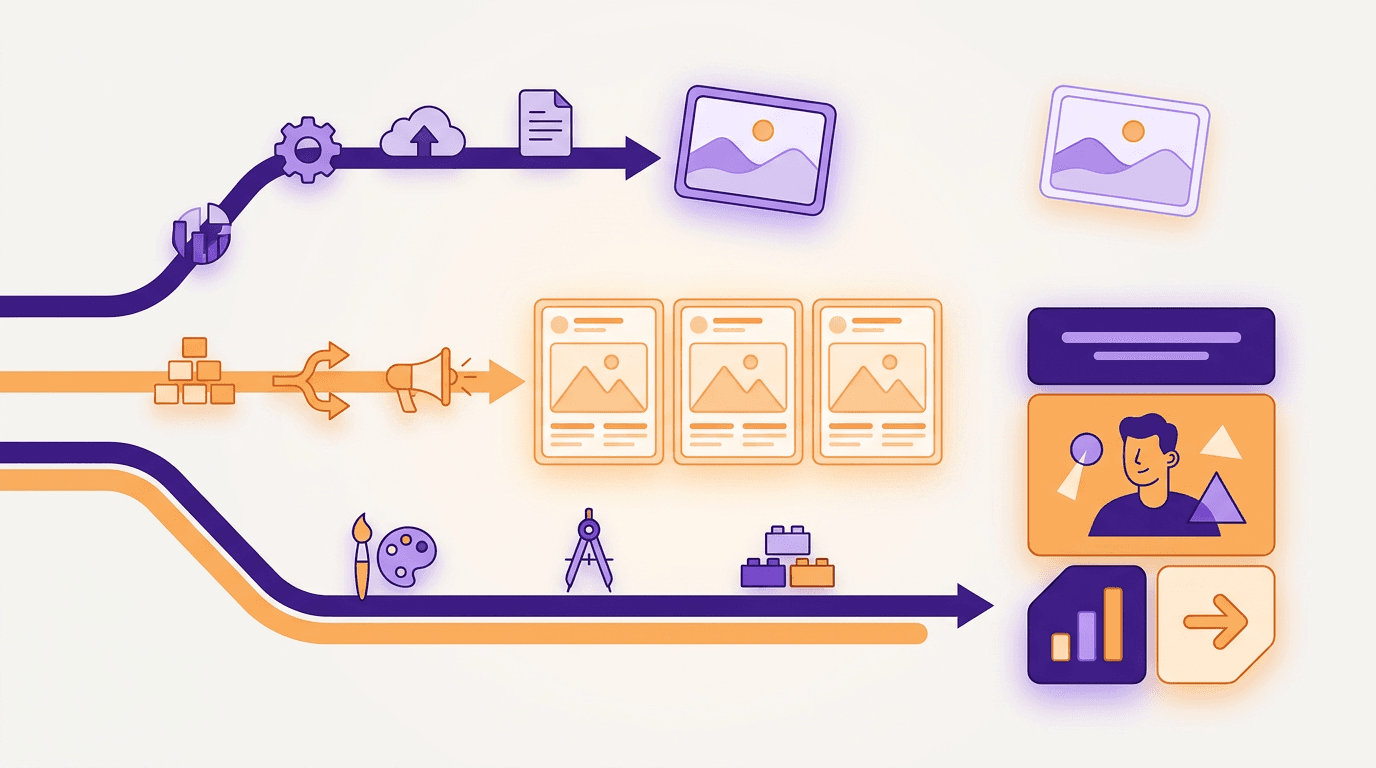
No single piece of AI graphic design software does every job well. Whether you call it a generator, an editor or an assistant, it's built for something specific, so start with the job and pick the tool second. Rows are ordered by what a weekly posting job needs first.
| Job | Pick this type or tool | Why | Where it falls short |
|---|---|---|---|
| Weekly social posts and carousels in one brand (yours or a client's) | From-scratch design tool (Krumzi) | It composes each post for the brief, keeps the brand and stays editable | Output is only as good as the brief. Not built for photo retouching or app UI |
| A quick one-off from a layout you like | Template tool with AI (Canva Magic Design, Adobe Express) | Fast, with a huge library | Layouts are shared, so posts start to look like everyone else's. Brand fit is manual |
| Art, illustrations, backgrounds | Image generator (Midjourney, ChatGPT images) | Strong imagery and style range | A flat picture with no layout or editable text. Lettering is unreliable |
| Editing photos you already have (remove objects, extend a background) | Adobe Firefly in Photoshop | Generative fill works on your real photo | It edits images, it doesn't lay out posts. Needs Photoshop skills |
| App and website screens | Figma Make | Built for prototypes, web apps and interactive UI | Not made for social posts or print |
Most people need two of these, not five. A social media manager might pair a from-scratch tool for the weekly posts with an image generator for the odd illustration.
How to choose
Before you commit to any tool, ask four questions:
- Is the output a post or a picture? If you need a post, an image generator is only half the job.
- Will it match my brand without fixing it every time? Test it with your real colours and fonts, not the demo.
- Can I edit every element? Headlines, images and shapes should all be separate and changeable.
- Does it handle the sizes I post? Check the formats you actually use, like 4:5 feed posts and 9:16 stories.
For a longer comparison with hands-on notes, see our roundup of the best AI design tools in 2026.
How to Start: AI Graphic Design for Beginners in 6 Steps
You don't need design training to start. You need a repeatable process. Here's the one that works for a weekly posting rhythm.
Step 1: Write down your brand once
Put your colours (hex codes), fonts, logo, one line on your voice, and a short list of do's and don'ts in one place. Every brief after this gets better because the tool, and anyone helping you, starts from the same rules. If you don't have this yet, here's how to create a brand kit with AI.
Step 2: Plan the week before you prompt
Decide on 3-5 posts and give each one a single job: teach, prove, promote, or show the people behind the brand. Group them by content pillar. Prompting without a plan is how you end up with five versions of the same post.
Step 3: Write a brief, not a prompt
A prompt says what you want to see. A brief says what the post has to do. Compare these:
- Weak: "Make a post about our new menu."
- Strong: "Instagram post, 1080x1350, for local office workers. One message: our new lunch menu is out this week. Headline: 'Lunch, sorted.' Subline: 'New menu from Monday, 11:30 to 2:30.' Warm and simple, lots of whitespace, our brand colours."
Who it's for, one message, the exact words and the size. You can also point the tool at a source URL, like a blog post or product page, so it pulls the facts from there.
Step 4: Generate a few distinct options
Don't settle for the first draft. Ask for two or three different directions, such as a type-led version, an image-led version and a list version. Picking between real options is faster than fixing a single weak one.
Step 5: Edit like an editor
Fix things in this order. First the text: is every word correct and needed? Then the hierarchy: does the eye land on the headline first? Then the image: does it support the message or distract from it? Small changes here are what turn a decent draft into something you'd sign off on.
Step 6: Export at the right size, then schedule or send for approval
Export at the exact size the platform wants, then schedule it or send it to your client for sign-off. For a deeper walkthrough of this stage, see how to create social media graphics with AI.
What You Can Make with AI Graphic Design
Social posts and carousels are where AI graphic design pays off fastest, because you make so many of them. After that come story and reel covers, YouTube thumbnails, LinkedIn posts, ads and simple infographics. Logos are a different matter: use AI for logo concepts, then have a human refine the final mark.
Here are the sizes to set in your brief:
| Format | Size (pixels) |
|---|---|
| Instagram post (portrait) | 1080 x 1350 |
| Square post | 1080 x 1080 |
| Carousel slide | 1080 x 1350 |
| Story or reel cover | 1080 x 1920 |
| LinkedIn post | 1200 x 1200 |
| YouTube thumbnail | 1280 x 720 |
How to Avoid the "AI Look"
You can spot AI-made graphics from across the feed. The good news: every tell has a fix, and most of the fixes happen in the brief.
| The tell | The fix |
|---|---|
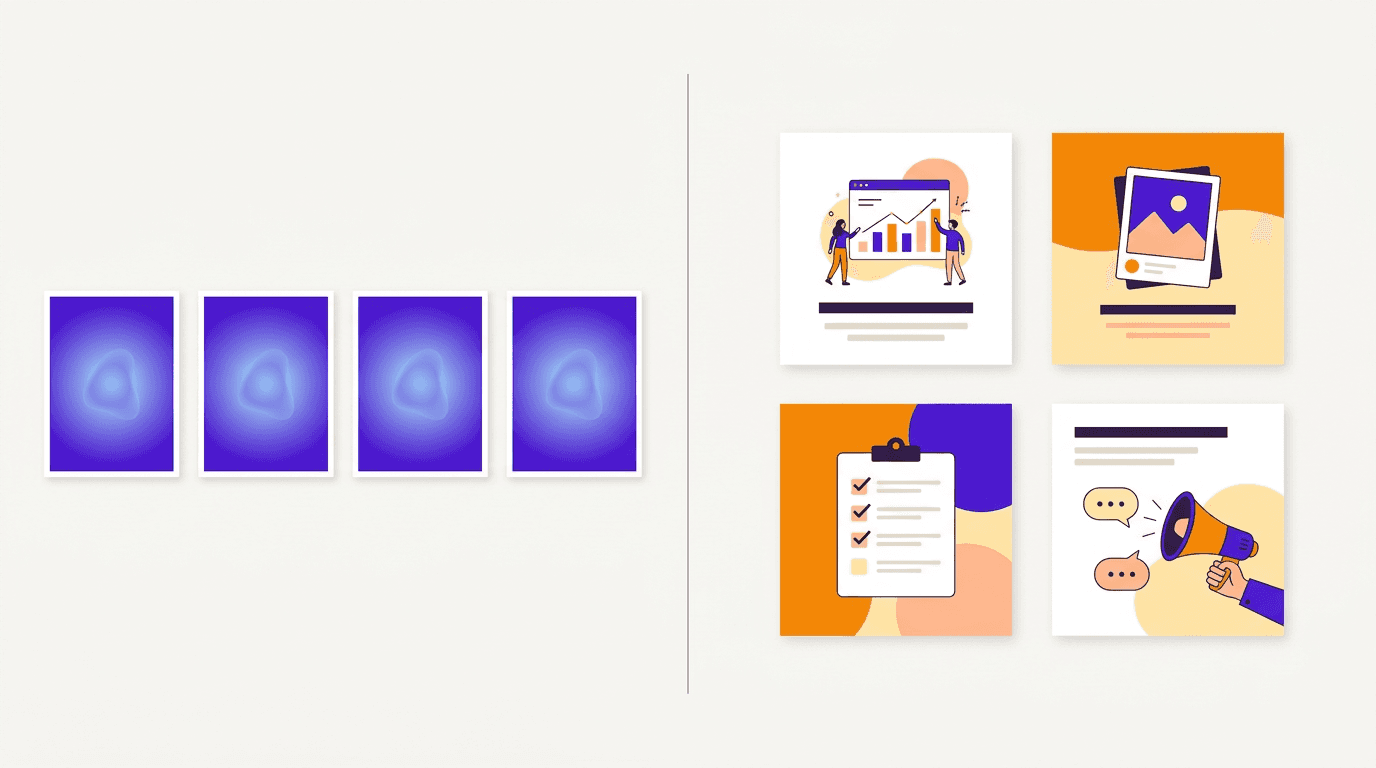
| The default purple-blue gradient and glow | Put your brand colours in the brief, or set them once in your brand kit |
| The same stock-poster layout every time | Ask for a specific structure: "headline top left, numbered list, logo bottom" |
| Mangled text inside the image | Keep headlines as real, editable type, never baked into a generated picture |
| The same composition on every post | Use distinct angles, and keep 2-3 layout families per content pillar |
| Invented details (fake logos, extra fingers, made-up numbers) | Check every fact and use real product photos |
The last one matters most. AI will happily invent a statistic or a product detail. Nothing goes out until a human has read every word.
Keeping a Week of Posts on Brand
Consistency is what makes a feed look professional, and it's easier to protect with a few fixed rules:
- One kit. Colours, fonts and logo live in one place and every brief points to it.
- One voice line. A single sentence on how the brand sounds, pasted into every brief.
- A fixed type pairing. One heading font, one body font. No exceptions mid-week.
- 2-3 layout families per pillar. Enough variety to stay interesting, few enough to be recognisable.
- An approval checklist. Spelling, facts, brand colours, size and logo, checked before anything ships.
If you manage a client roster, you'd keep one brand per client and never mix kits. When a client wraps up, you can archive their brand and keep everything, so nothing is lost if they come back.
A Real Example: A Week of Posts for Krumzi's Instagram
Here's what this looks like in practice. These are three posts for Krumzi's own Instagram, not a client's, aimed at social media managers. I'm showing the process and the output only. I'm not claiming any reach or engagement numbers.
I wrote one short brief per post, each with a different angle: a tip, a checklist and a statement. Each brief named the audience, the exact text and the 1080x1350 size, and I sent them to Krumzi with our brand selected.
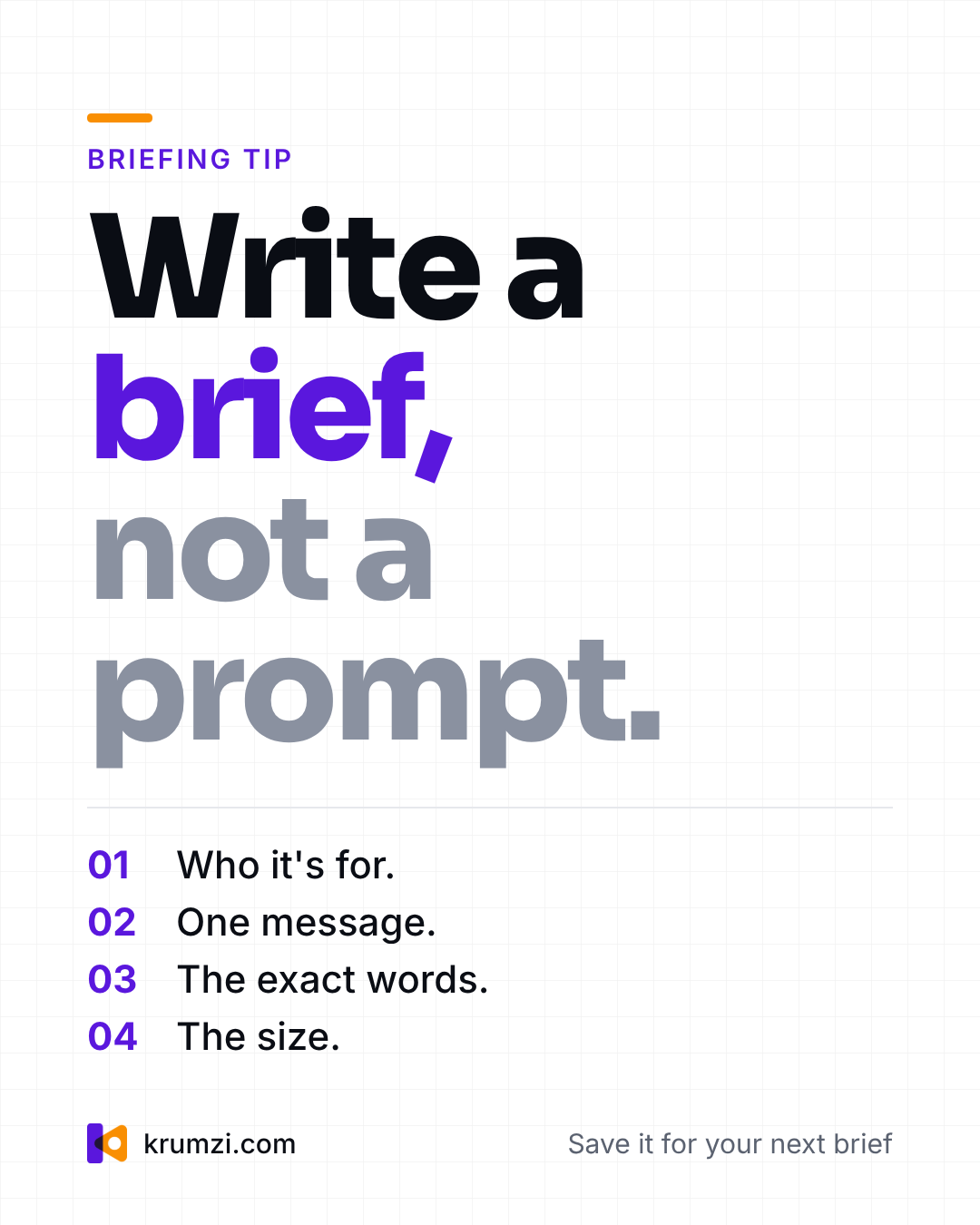
The tip post came back with a numbered list and a "Briefing tip" label I didn't ask for. I kept the label because it fits.
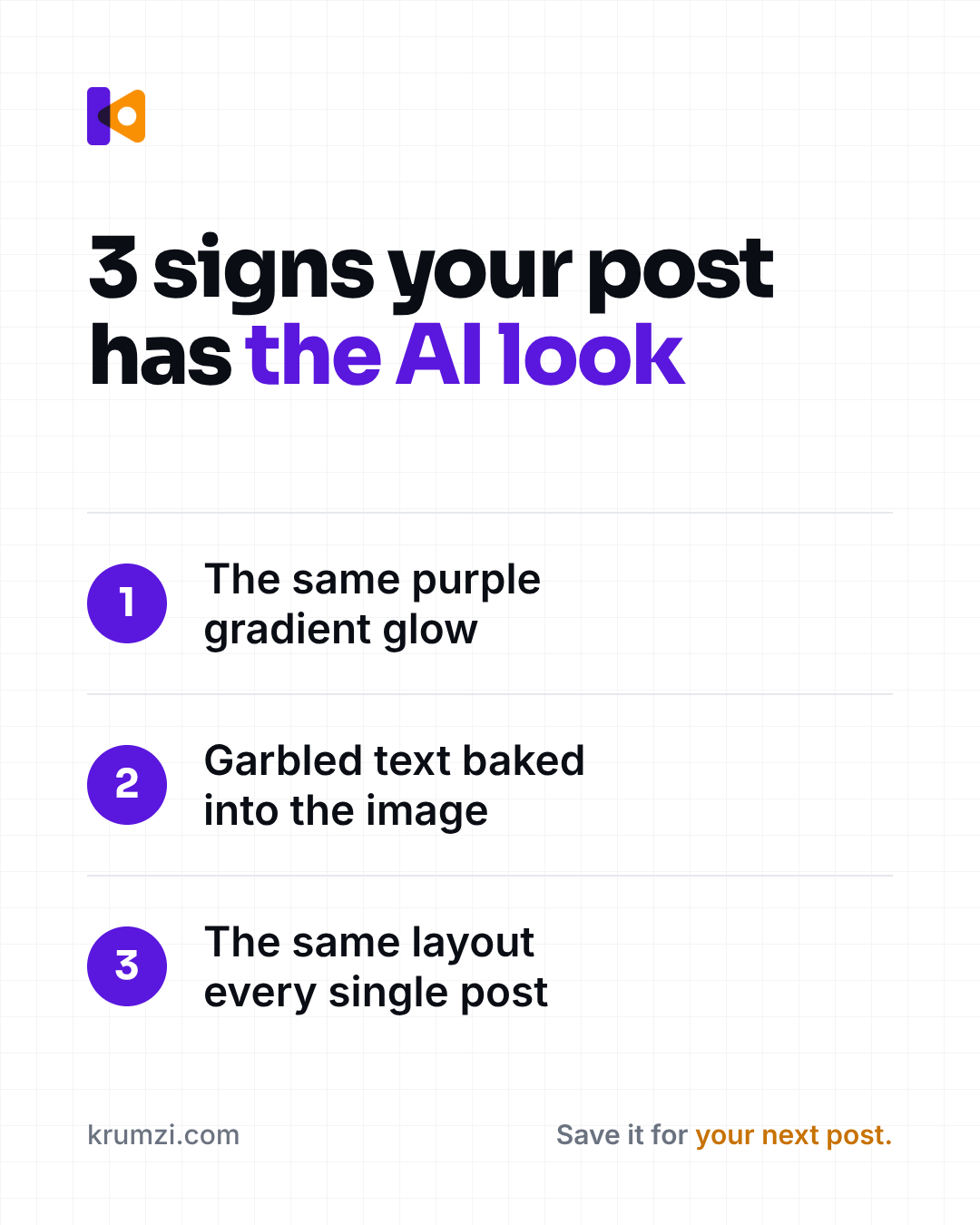
The checklist post needed one fix. It added a footer that read "Save it for round 3.", which made no sense. I asked Krumzi's AI, in one sentence, to change it to "Save it for your next post." and it rewrote that line.
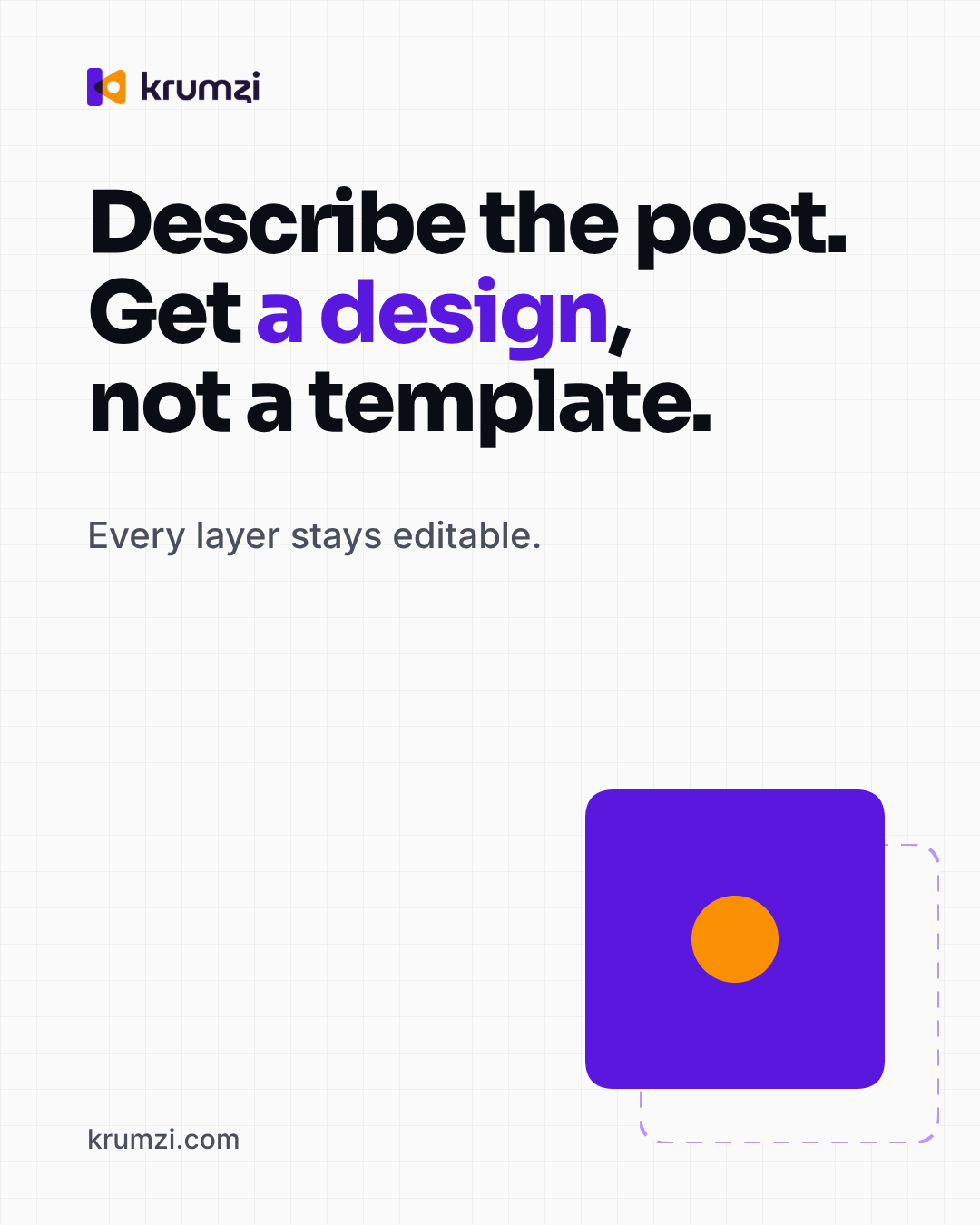
The statement post came out clean. It leaves a lot of empty space in the middle, which I'd keep for a feed that already has busy posts around it. I didn't open the editor by hand on any of the three. All three use our colours, font and logo without me restating them.
What's happening under the hood: you describe the post and Krumzi designs it from scratch for that brief, not from a template. Every element stays editable. A design takes about a minute, depending on the brief. Batch mode turns one brief into up to 10 distinct designs, and you can paste an article URL so it reads the text and images. When you're happy, you can schedule straight to Instagram and Facebook.
Brand Mind works on every plan. It learns from the designs you export, the changes you ask for and the designs you rate. Editing the Brand Kit page is on Pro and up.
For an agency, you'd keep one brand per client, each with its own kit and Brand Mind. That keeps every client's posts separate and recognisable.
What AI Still Can't Do (and What Stays Human)
AI is quick at drafts. It isn't responsible for any of them. These parts stay with you:
- Strategy. What to post, for whom, and why this week.
- Taste. Knowing when a draft is good enough and when it's off.
- The brief. The tool can only be as specific as you are.
- Final judgement. Facts, tone, and whether it's right for this client today.
- Identity work. Logos and full brand systems still need a designer's hand.
- Legal calls. Rights, claims and anything regulated.
On copyright, the US Copyright Office's Part 2 report on copyrightability (January 2025) says protection requires human authorship. Prompts alone usually aren't enough, but the human selection, arrangement and edits in a work can be protected. That's general information, not legal advice.
If you're wondering where this leaves professional designers, read will AI replace graphic designers?
Start This Week's Posts
AI graphic design works best when you choose the tool by the job, write a real brief and edit like an editor. Do that and your posts look like your brand, not like AI.
If weekly posts in one brand are your job, try Krumzi. Starter, Pro and Studio start with a 3-day free trial. A card is needed, the first charge comes on day 4, and you pay nothing if you cancel before then. Trial exports carry a watermark until your plan starts.
Want to see it on a single post first? Start with the AI social media post generator.
Frequently Asked Questions
What is AI graphic design?
AI graphic design is using artificial intelligence to create finished visuals from a written description. The tool handles layout, type, colour and imagery, and you edit the draft. It covers image generators, template tools with AI, and design tools that build layouts from scratch.
Can ChatGPT do graphic design?
ChatGPT can generate images and help you draft ideas, headlines and briefs. What you get is a flat picture, though, not an editable post in your brand. For social posts you'll usually still need a design tool to handle the layout, real text and sizes.
Is there a free AI graphic design tool?
Some tools offer free usage with limits. Adobe Firefly's plans page lists free daily generations, for example. Free allowances change often, so check each tool's current pricing page. Krumzi isn't a free tool, but Starter, Pro and Studio start with a 3-day free trial. A card is needed, the first charge comes on day 4, and you pay nothing if you cancel before then. Trial exports carry a watermark until your plan starts.
Do you need design skills to use AI graphic design tools?
No. You need a clear brief and a good eye for the final check. Knowing a few basics helps a lot, like hierarchy, contrast and keeping text short, but the AI handles the layout work you'd otherwise learn over years.
Can you copyright AI-generated designs?
In the US, copyright requires human authorship. According to the US Copyright Office, prompts alone usually aren't enough, but your own selection, arrangement and edits can be protected. For anything that matters commercially, ask a lawyer.
Will AI replace graphic designers?
Not in the way people fear. AI takes over repetitive production work, while strategy, taste, identity design and final judgement stay with humans. Designers who use AI well are getting faster, not disappearing.
A month of posts, designed before your coffee cools
Describe the post. Krumzi designs it from scratch, on your brand, fully editable.
Start free trial3-day free trial, card needed. No charge until day 4. Cancel online anytime.