On this page
You've just finished Monday's post and you're about to export it. So you look up the Facebook post size, and the top results disagree. One says 1200 x 630. Another says 1080 x 1350. A third lists 1080 x 566. They can't all be the best size.
Here's the short answer: for a single image, use 1080 x 1350 pixels, a 4:5 portrait. Below you'll find one size for every type of feed post, the reason behind each, and how to set the size once and export the whole week's posts at it.
Facebook Post Size: The Short Answer
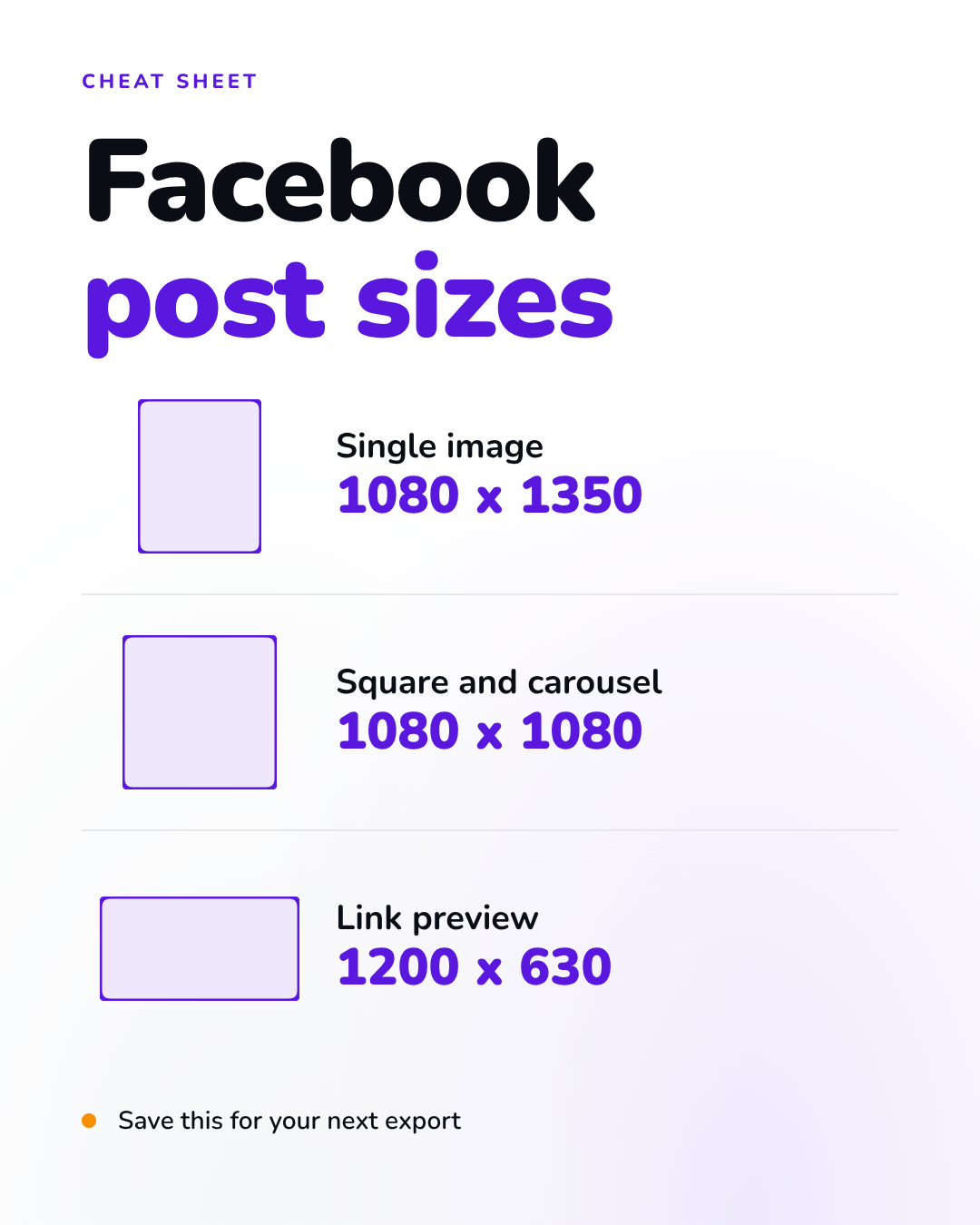
The best Facebook post size in pixels for a single image is 1080 x 1350, a 4:5 ratio. It's the tallest shape Meta recommends for the Feed, so it fills more of a phone screen than square or landscape. Use 1080 x 1080 for square posts, multi-photo posts and carousels, and 1200 x 630 for link previews and wide photos.
| Post type | Pick this size | Ratio | Why |
|---|---|---|---|
| Single image (photo or graphic) | 1080 x 1350 px | 4:5 | The tallest shape Meta recommends for the Feed |
| Square post | 1080 x 1080 px | 1:1 | One design you also post on other networks |
| Landscape photo | 1200 x 630 px | 1.91:1 | Only when the photo itself is wide |
| Link share (preview image) | 1200 x 630 px | 1.91:1 | Set on your web page, not uploaded |
| Multiple images in one post | 1080 x 1080 px each | 1:1 | Facebook shows them as a grid of tiles |
| Carousel cards | 1080 x 1080 px each | 1:1 | One shape across every card |
Checked on 20 October 2026. Meta doesn't publish a size spec for organic feed posts, so these numbers come from its business and ads pages: the Meta Ads Guide, the Meta Business Help Center and Meta's developer docs on link previews. Running it as a single-image Facebook Feed ad in 4:5? The Ads Guide recommends 1440 x 1800, the same shape at a higher resolution.
The Best Size for a Facebook Post (and Why 4:5 Wins on a Phone)
So what size is a Facebook post supposed to be? Meta's own advice starts from the phone: when you design for mobile, your image should take up as much of the screen as possible. On a phone the width is fixed, so the only thing your post can gain is height.
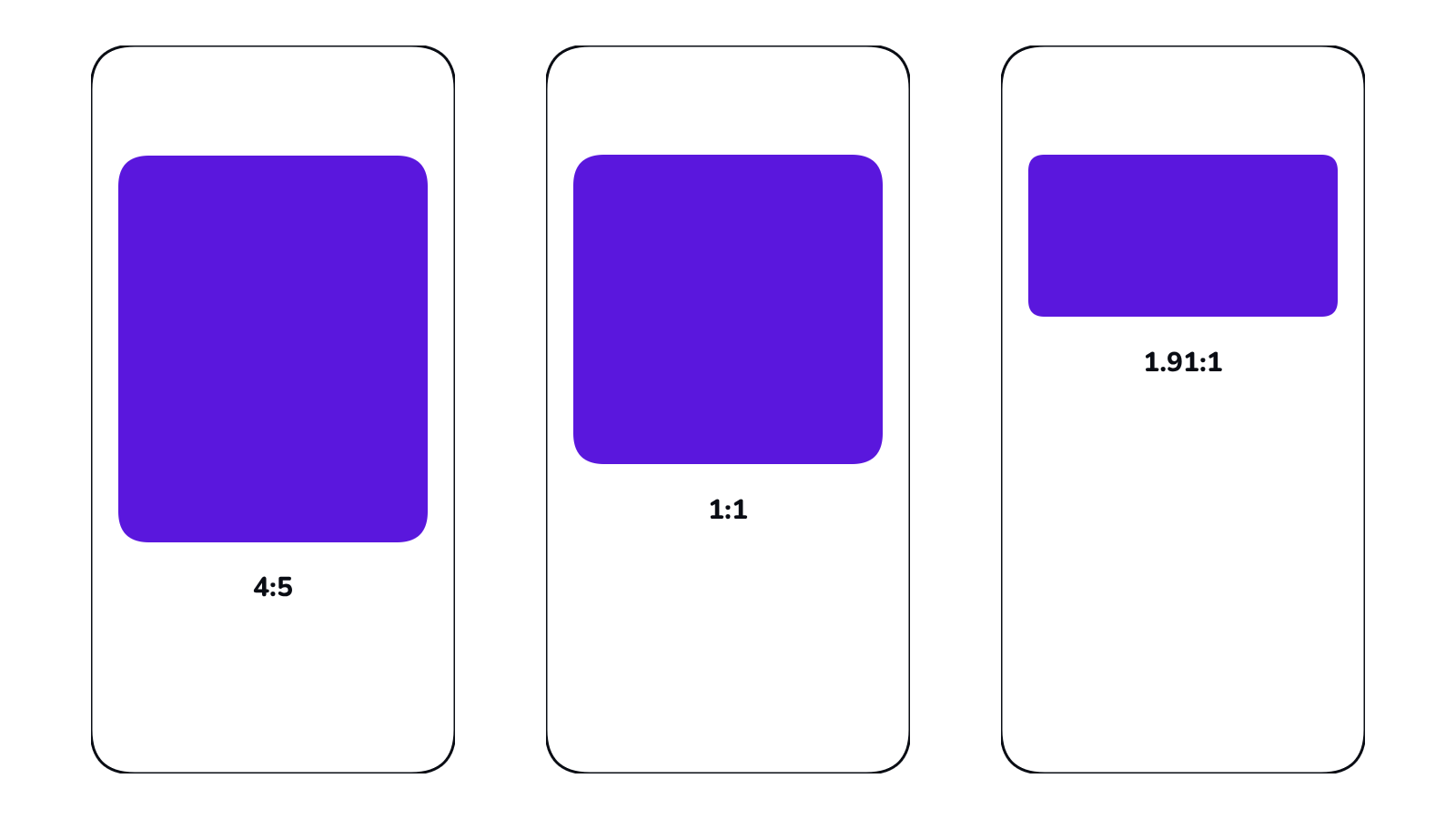
That's where the shapes split. At the same width, a 4:5 image is 2.4 times as tall as a 1.91:1 image. A wide landscape post sits as a thin strip between the caption and the comments. A 4:5 post fills most of the screen. The Meta Ads Guide recommends 4:5 for Feed images too.
Portrait isn't always the answer, though.
Pick square (1080 x 1080) when:
- You post the same design on several networks and want one file that fits them all.
- You're posting several photos at once, or a carousel.
- The design is built around one centered thing, like a logo, a quote or a product.
Pick landscape (1200 x 630) when:
- The photo is wide and cropping it would lose the point, like a team photo or a shop front.
- It's the preview image for a link.
Facebook Post Dimensions by Post Type
Here are the Facebook post dimensions in pixels for each type of feed post, and what to watch with each one.
Single image posts
Three shapes work for a single image: 4:5 portrait at 1080 x 1350, 1:1 square at 1080 x 1080, and 1.91:1 landscape at 1200 x 630. Decide what the image needs, then export it at exactly that size. The right Facebook post image size is the one that matches your design's shape, so you start with the right proportions.
Link share posts
When you share a link, the image doesn't come from an upload. Facebook pulls it from the page you're linking to, from its share image (the og:image tag). Meta's developer docs ask for at least 1200 x 630 pixels for the best display on high-resolution screens, and say to keep it as close to 1.91:1 as you can so the whole image shows without cropping. If it's smaller than 600 x 315, Meta says it will still display, but the size will be much smaller. The file has to be under 8 MB.
So if you run the website, set the share image there, once, at 1200 x 630.
Multiple images in one post
When you add several photos to one post, Facebook shows them as a grid and crops each one into a tile. That's what you see when you post, not a size rule Meta publishes. Tapping a tile opens the full image. To keep the grid tidy:
- Use the same size for every image. 1080 x 1080 is the safe choice.
- Keep the subject in the middle of each one.
- Put your strongest image first.
Carousel cards
Carousels are cards people swipe through, and Meta documents them for ads. Its advice is to use the same ratio on every card so nothing gets adjusted automatically, and 4:5 cards are limited to catalog ads. So for a carousel, use 1080 x 1080 on every card.
Stories, Reels, covers and ads
Stories, Reels, covers and ads need separate guidance. Stories and Reels use the tall 9:16 shape, and our guide to social media image sizes for every platform has those numbers. For your Page header, see Facebook cover photo size. For a single-image Facebook Feed ad in 4:5, Meta recommends 1440 x 1800.
How to Keep Text From Getting Cropped
Most cropping comes from the wrong shape, not the wrong pixel count. Use the sizes in the table, then check the preview for cropping before you post.
Still, give your design room:
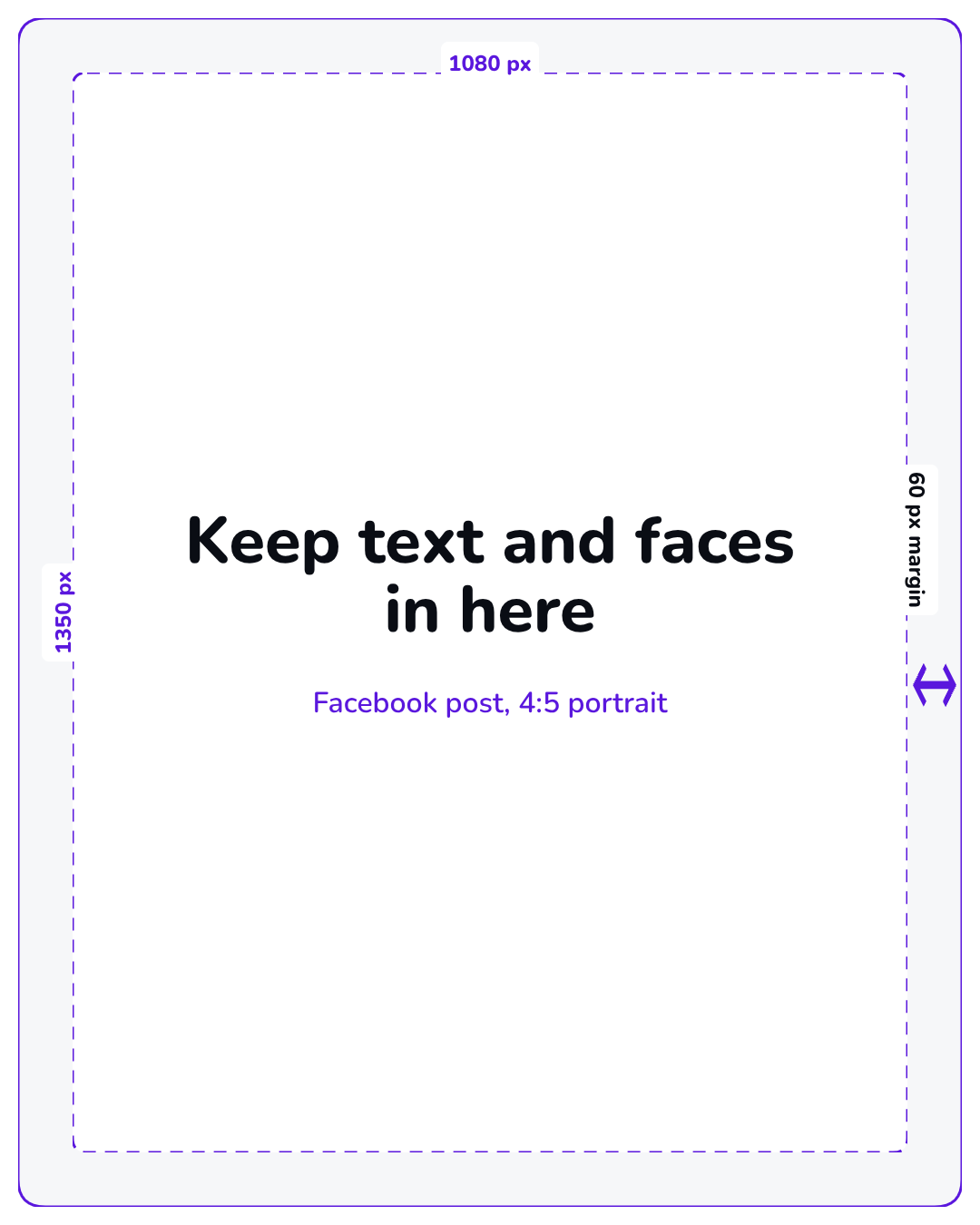
- Keep text, logos and faces at least 60 px in from every edge of a 1080-wide post. That's our rule of thumb, not a Meta spec, since Meta doesn't publish a safe zone for feed posts. It keeps words off the edge and survives a slightly off crop.
- Design grids and carousels to the middle. The center of each tile is the part that always shows.
- Check it on your phone before you post. If you have to zoom in to read the text, it's too small.
File Format and File Size So Your Post Doesn't Blur
A blurry post usually comes down to one of three things: the image was too small, it was stretched to fit, or the export squeezed it too hard.
- Format: the Meta Ads Guide accepts JPG or PNG. Use PNG for anything with text, logos or flat color, and JPG for photos. JPG compression softens sharp edges, which is why text in a JPG can look fuzzy.
- Pixel size: export at exactly the size in the table. Don't enlarge a small image to fit. Upscaling adds pixels, not detail.
- File size: the Ads Guide caps image files at 30 MB, and link preview images have to stay under 8 MB. A 1080 x 1350 graphic is nowhere near either.
- Export, don't screenshot. A screenshot of your design saves your screen's pixels, not the design's.

Set the Size Once, Then Export the Week's Posts
Most size guides stop at the numbers. But if you post every week, the slow part isn't knowing the size. It's setting it up again for every single post. Set it once instead:
- Pick one size per post type for the week. For most Pages that's 1080 x 1350 for single posts and 1080 x 1080 for carousels.
- Make the canvas at that size once, then duplicate it for each post instead of starting from a blank file.
- Design the week in one sitting. Same fonts, same margins, same spot for your logo.
- Export the set together, named by day (mon-offer.png, wed-tip.png), so scheduling is just dragging files in.
Posting for more than one Page? Run this once per Page. Our guide to managing multiple social media accounts covers the rest of that week.
Doing it in Krumzi
Here's that set-up step in Krumzi. Open the size picker. It has 44 preset sizes across 10 platforms, plus a custom size bar where you can type any width and height from 50 to 8000 pixels. Type 1080 x 1350 for portrait posts. The Facebook news feed preset is 1200 x 1200, which is fine for square posts and wrong for portrait.
Then describe the post in a sentence. Krumzi designs it from scratch at that size, and you can change anything in the editor afterwards.
For the week, turn on Batch. Choose a maximum of 2 to 10 designs, then submit one brief. Krumzi decides how many designs to make, up to that limit, all at the size you picked. Brand Mind keeps them looking like your brand. When they're ready, Download all gives you the whole set as one zip.
Design your first Facebook post. Your first design is free to make in the full editor, no card needed. You only pay if you download it.
Frequently Asked Questions
What is the best size for a post on Facebook?
For a single image, 1080 x 1350 pixels, a 4:5 portrait. It's the tallest shape Meta recommends for the Feed, so it takes up the most room on a phone. Use 1080 x 1080 for square, multi-photo and carousel posts, and 1200 x 630 for link previews.
What is the size of a Facebook post in 2026?
A Facebook feed post in 2026 works at three sizes: 1080 x 1350 (4:5), 1080 x 1080 (1:1) and 1200 x 630 (1.91:1). Portrait is the one to default to for single images. For a single-image Facebook Feed ad in 4:5, the Meta Ads Guide recommends 1440 x 1800.
Are Facebook posts 4x5?
They can be, and for single images they should be. 4:5 is the ratio the Meta Ads Guide recommends for Feed images, and 1080 x 1350 is the standard 4:5 size. Square and landscape posts work too, they just take up less of the screen.
Is 1080x1350 4x5 or 3x4?
1080 x 1350 is 4:5. Divide both sides by 270 and you get 4 and 5. A 3:4 image at the same width would be 1080 x 1440, which is taller than the 4:5 shape Meta recommends.
A month of posts, designed before your coffee cools
Describe the post. Krumzi designs it from scratch, on your brand, fully editable.
Make your first design freeFree to make, no card. Only pay if you download it.