On this page
- A Weekly Mix You Can Actually Keep
- How Many Posts Should Ask for Money? (And the "33% Rule")
- 27 Nonprofit Social Media Post Ideas, by Job
- Impact Posts That Use Real Numbers
- Photos and Consent
- Facebook and Instagram Basics for Nonprofits
- How Often Should a Nonprofit Post?
- Keep It Sounding Like You
- A Week of Posts Without a Designer
- Frequently Asked Questions
You run the programs, answer the phone and order the supplies. You also "do social". Monday comes, the Facebook Page hasn't moved since the last event, and you have twenty minutes. Good nonprofit social media posts don't start with a strategy deck. They start with knowing what today's post is for.
This guide is for the one person who does nonprofit social media on top of a real job: a weekly mix, 27 post ideas sorted by job with wording you can copy, and a way to make the week's posts in one sitting.
Every example uses one made-up organization: Harbor Lane Community Pantry, a small food pantry with one part-time coordinator and a crew of volunteers. Swap in your own name, dates and numbers.
A Weekly Mix You Can Actually Keep
A nonprofit should post six kinds of things on social media: posts that show impact, recruit volunteers, teach people about the cause, ask for gifts, promote events and thank donors and volunteers. Give each weekday one job and you always know what to post.
| Day | Job | Example post |
|---|---|---|
| Monday | Show impact | One number or one story from last month |
| Tuesday | Recruit volunteers | One shift, one date, one sign-up link |
| Wednesday | Teach about the cause, or promote an event | A myth vs fact post, or a save the date |
| Thursday | Ask for gifts | One ask, one link, what the gift pays for |
| Friday | Thank donors and volunteers | A thank-you graphic or a volunteer spotlight |
That's one ask in every five posts. When an event is coming up, it takes Wednesday's slot for the two weeks before it.
Short on time? Post three times: Monday impact, Thursday ask, Friday thank-you. That's still one ask a week, now one post in three, and the thank-you keeps it from feeling like all you do is ask.
During a campaign like Giving Tuesday or year-end giving, move the ask up to every other day for that week or two, then go back to the regular mix. The six jobs also make good content pillars: the few themes everything you post comes back to.
How Many Posts Should Ask for Money? (And the "33% Rule")
If you've searched for this, you've probably seen "the 33% rule for nonprofits". It has nothing to do with social media. It's the IRS public support test. To be treated as a public charity, many 501(c)(3)s have to show that enough of their support comes from the public, and a third or more generally passes. An organization that gets between 10% and a third from the public can still qualify under the IRS "facts and circumstances" test. It's about where your money comes from, not what you post.
For posting, you'll also see ratios like the "rule of thirds" or "80/20". We found no study behind any of them for nonprofits. So treat the mix above as a starting point: one ask a week, surrounded by stories and thank-yous, then adjust from your own results.
27 Nonprofit Social Media Post Ideas, by Job
Pick from the group that matches today's job.
Thank donors
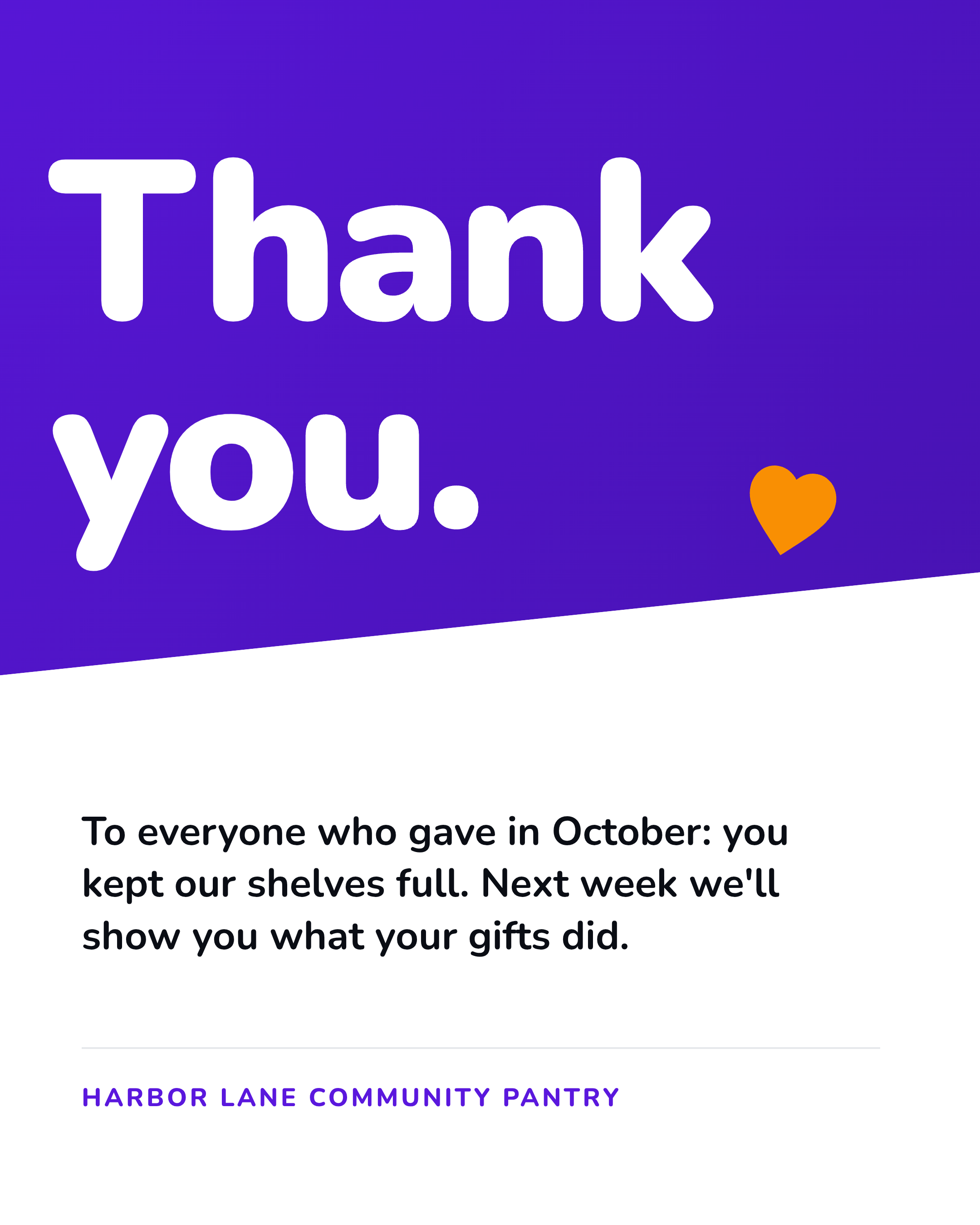
1. Donor thank-you graphic
A public thank-you shows donors they were seen. Name people only if they've said yes. Donor thank-you graphics work best kept short.
Example: "Thank you to everyone who gave in October. You kept our shelves full."
2. "Your gift did this" follow-up
A month after a campaign, show what the money bought. It's the post donors remember when you ask again.
Example: "In September you asked what your gifts would do. Here's the new freezer they paid for."
3. Welcome new monthly donors
Monthly donors keep the lights on. Welcome them as a group, without names unless they've agreed.
Example: "[Number] new monthly donors joined us this month. Welcome to the Harbor Lane family."
4. Sponsor or business thank-you
Thank a local business and tag them. They'll often share it with their own followers.
Example: "Thanks to Bayside Grocers for donating fresh produce every Friday this fall."
5. A thank-you in someone else's words
A short quote or video from a volunteer or someone you serve, with their OK, means more than a thank-you from the organization.
Example: “I come every Saturday because this place feels like a neighbor.” Linda, volunteer since 2021.
Show impact
6. One-number impact post
Take one number from your annual report or program records, name the period, and say what it means for a person.
Example: "[Number] families picked up groceries from Harbor Lane last month. That's [number] kitchens with dinner on the table."
7. One person's story
One story beats ten statistics. Get written consent, and let the person tell it in their words.
Example: "When Ana lost her second job, she came to us for three months. Now she volunteers on Tuesdays."
8. Before and after
A bare shelf and a full one. An empty lot and a garden. Two photos, one line.
Example: "Monday at 8 AM vs Monday at noon. Thank you, Saturday sorting crew."
9. A day behind the scenes
Show the work nobody sees: deliveries, sorting, the coordinator's to-do list.
Example: "6:45 AM: the truck arrives. Here's what happens before our doors open at 10."
10. Annual report highlights carousel
Turn your annual report into five slides: one number, one story, one photo, one thank-you, one link to the full report.
Example: Slide 1: "Our year in five slides."
11. "What a gift does" post
Only use amounts your budget really supports. If you don't know, skip the dollar figure.
Example: "[$ amount] covers [what it really buys, from your budget]."
Recruit volunteers
12. One specific ask
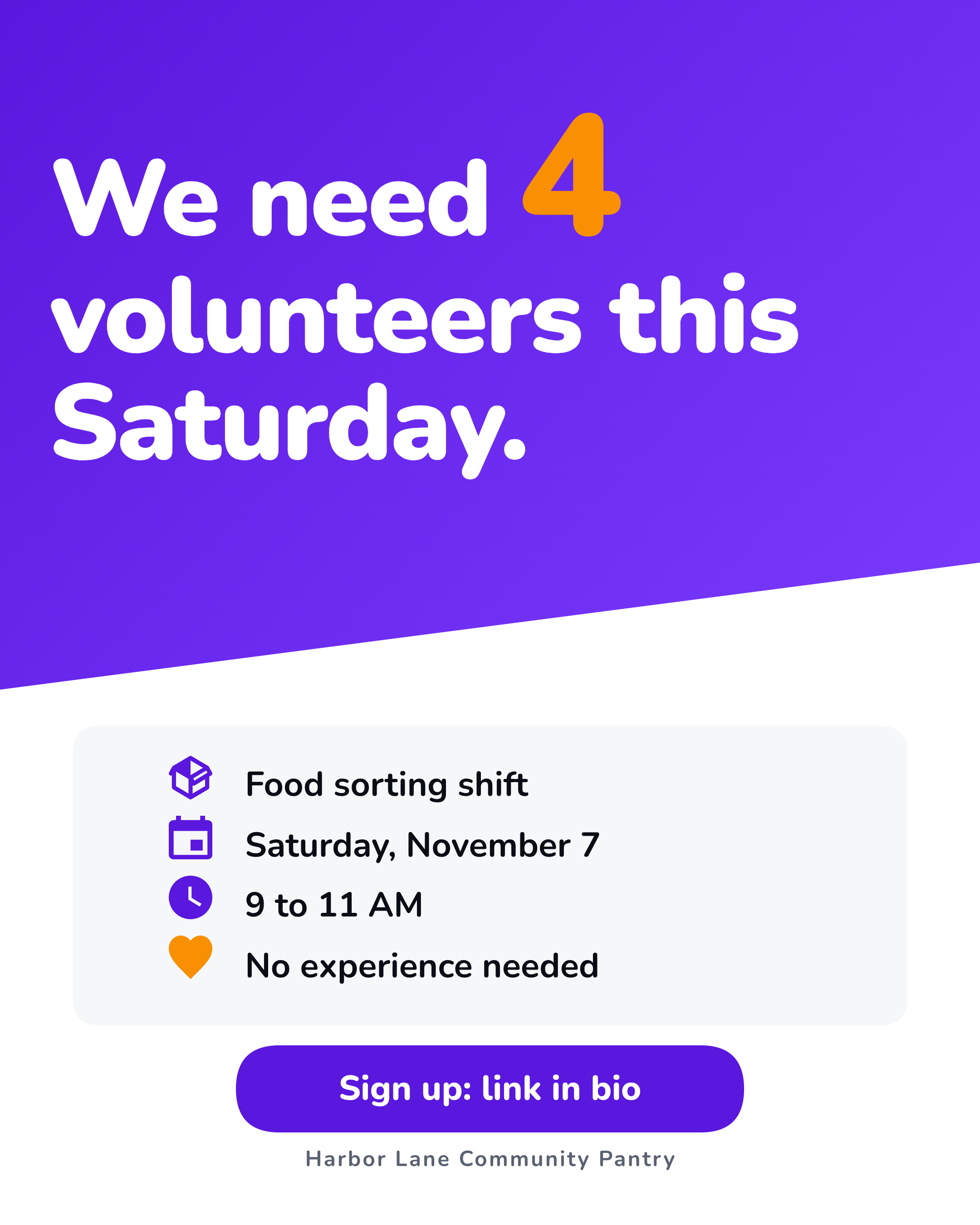
"We need volunteers" gets scrolled past. One shift, one date and one link gets sign-ups.
Example: "We need 4 volunteers this Saturday, 9 to 11 AM, to sort food. No experience needed. Sign up: link in bio."
13. Volunteer spotlight
A photo, a name (with their OK) and three lines on why they show up.
Example: "Meet Dev. He drives our Thursday deliveries and knows every dog on the route."
14. "Your first shift: what to expect"
Nerves keep people away. Tell them where to park, what to wear and how long it takes.
Example: "First shift? Park behind the hall, wear closed-toe shoes, and we'll have coffee ready."
15. Skills ask
Some help isn't a shift. Ask for the photographer, the bookkeeper or the driver you need.
Example: "Good with spreadsheets? We need two hours a month of help with our inventory."
16. Volunteer thank-you after an event
Post it within a day, while people still remember being there.
Example: "[Number] of you showed up for Saturday's food drive. Thank you."
Ask for gifts
17. The direct ask
One sentence on the need, one on what a gift pays for, one link. No guilt.
Example: "Winter is our busiest season. Your gift this week helps us stock the shelves. Give: link in bio."
18. Matching gift deadline
If a donor or business is matching gifts, the deadline is the reason to give today.
Example: "Every gift is matched until Friday at midnight, up to [the match amount]."
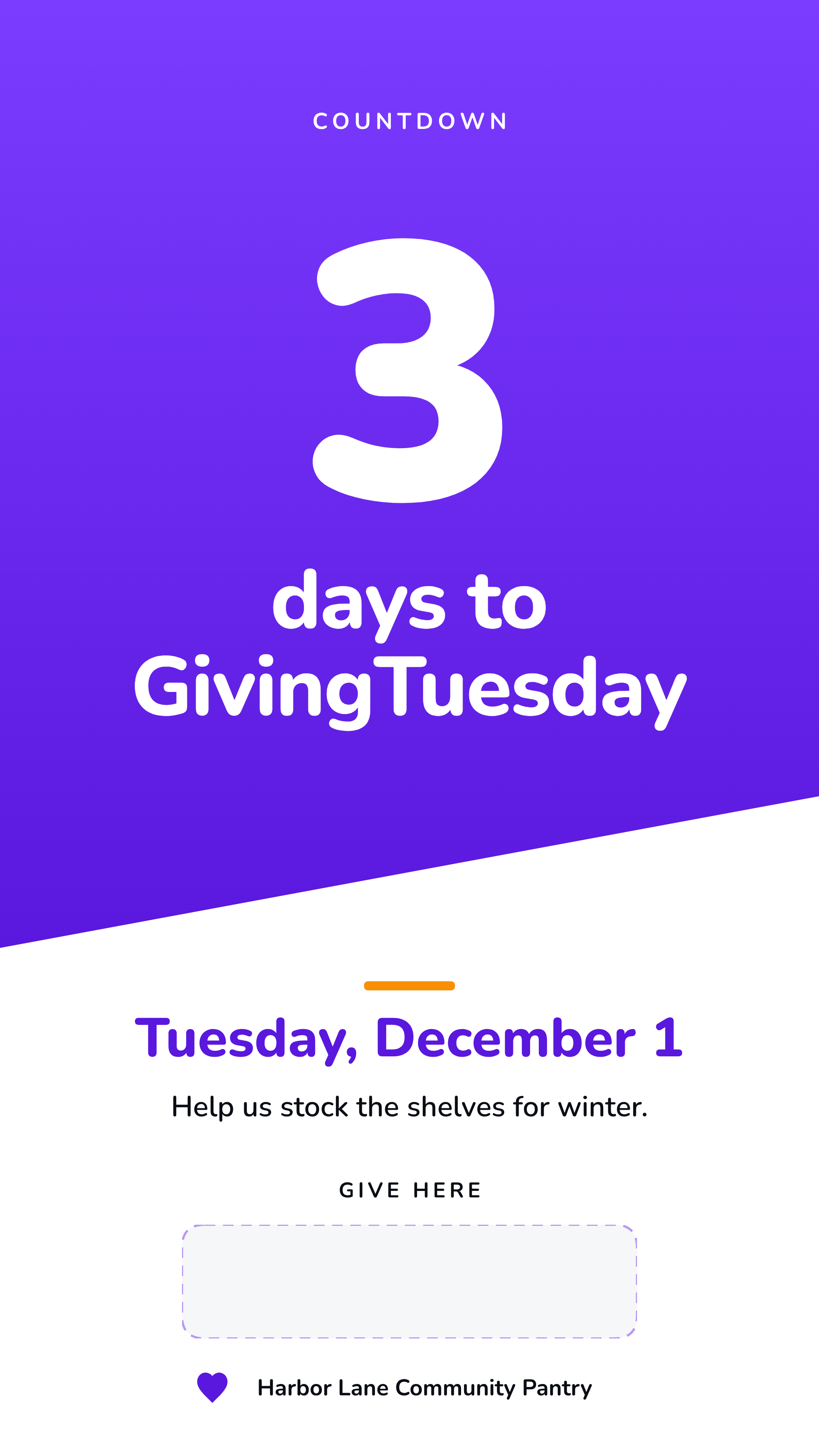
19. Giving Tuesday countdown
GivingTuesday is the Tuesday after US Thanksgiving: December 1 in 2026. Post a countdown in Stories the week before.
Example: "3 days to GivingTuesday. Help us stock the shelves for winter."
20. Giving Tuesday day-of progress
On the day, post your progress toward a real goal, morning and evening.
Example: "We're halfway to our GivingTuesday goal. Thank you to everyone who's given so far."
21. Year-end ask
Many people give in the last days of December. Keep it to "gifts made by December 31" and leave tax advice to their accountant.
Example: "Two days left in 2026. Your gift helps us start the new year with full shelves."
Promote events
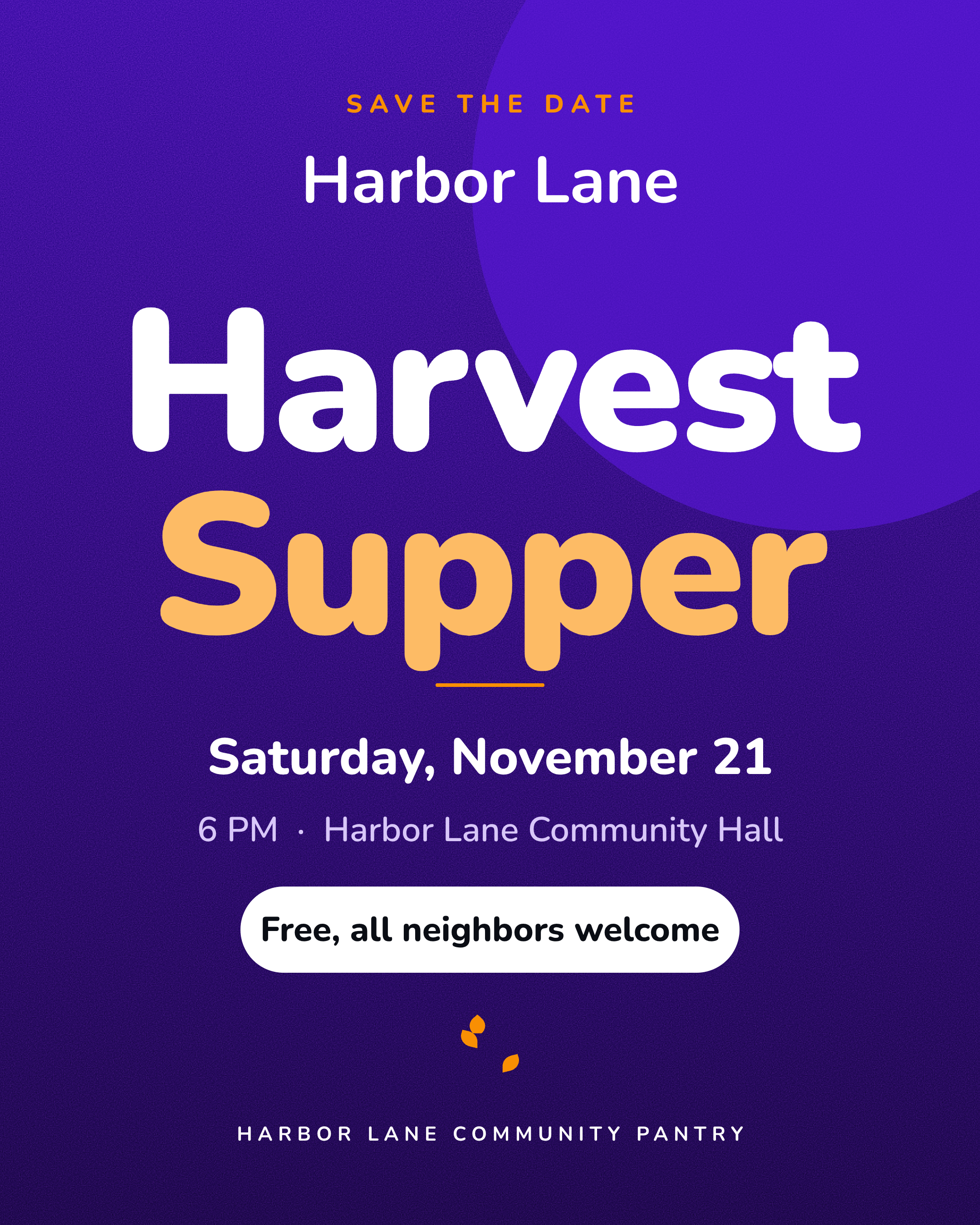
22. Save the date
Post it four to six weeks out with the date, time, place and who it's for.
Example: "Save the date: Harbor Lane Harvest Supper, Saturday, November 21, 6 PM. Free, all neighbors welcome."
23. Event countdown Story
Stories suit countdowns. Post one a day for the last three days.
Example: "2 days to the Harvest Supper. Bring a neighbor."
24. Live from the event
A few photos or a short video while it's happening, with people's OK.
Example: "The hall is full and the soup is hot. Come by until 8."
25. Event recap
Thank everyone who came and show one result, if you have a real one.
Example: "Thank you to the [number] neighbors who came to supper and the [number] volunteers who served it."
Teach about the cause
26. Myth vs fact
Pick one thing people get wrong about the issue you work on and correct it in two lines.
Example: "Myth: food pantries only help people without jobs. Fact: many of our neighbors work and still come up short."
27. Awareness day tie-in
Only use days that fit your mission, and add something local to the national message.
Example: "It's World Food Day. Here's what hunger looks like in our town."
Impact Posts That Use Real Numbers
- Take them from your own records: the annual report, program logs, last month's sign-in sheet.
- One number per post. Five numbers on one graphic means nobody remembers any of them.
- Say what it means for a person. "4,000 pounds of food" is abstract. "Dinner for 300 families" is not.
- Name the period ("last month", "in 2025") and never round up.
Photos and Consent
This isn't legal advice, and if you work with children or people in crisis, ask your board or a lawyer what your organization's policy should be. These habits cover most everyday posts:
- Ask before posting anyone who can be recognized. Use a written release for the people you serve, and get a parent or guardian to sign for anyone under 18.
- Take extra care with people in hard moments. At a food line or a shelter, shoot hands, boxes and backs unless someone has clearly said yes.
- Never pair a child's face with a full name or school.
- Keep the forms on file and take a photo down quickly when someone asks.
Facebook and Instagram Basics for Nonprofits
Most social media for nonprofits happens on Facebook and Instagram, and you don't need anything fancy on either.
Facebook for nonprofits
Create a Facebook Page for the organization rather than posting from a personal profile. Meta's help page on creating a Page walks through it: choose a name and category, add a profile picture and cover photo, then fill in your contact details and hours. Use Page events for anything people attend, and check which fundraising tools Meta offers nonprofits in your country.
Instagram for nonprofits
Switch the account to a professional account so you can see insights and schedule posts. Use Stories for countdowns and day-of updates, carousels for impact numbers and annual report highlights, and single posts for asks and thank-yous.
Make each post once and use it on both. A square or 4:5 portrait post fits both feeds.
How Often Should a Nonprofit Post?
There are benchmarks for how often nonprofits post. Rival IQ's 2025 Social Media Industry Benchmark Report puts nonprofits at about 5.5 posts a week on Facebook and 4.2 on Instagram. That's what tracked organizations do, mostly bigger ones with staff, not proof of what works.
For a small team, the right number is the one you can keep up for months: the five-post week above, or the three-post version. People learn when to expect you. If you want to see a month at a glance, a posting calendar helps.
Keep It Sounding Like You
- Two colors, one or two fonts, and the logo in the same corner every time.
- One layout per job. Thank-yous always look like thank-yous. Asks always look like asks.
- A three-line voice note ("warm, plain, never guilt-trips") so whoever posts sounds like your organization's voice.
A Week of Posts Without a Designer
Here's how to make the week's posts in one sitting with Krumzi.
-
Set up once. Brand Mind learns your organization's look and voice from your website or a short interview, and every design after that follows it.
-
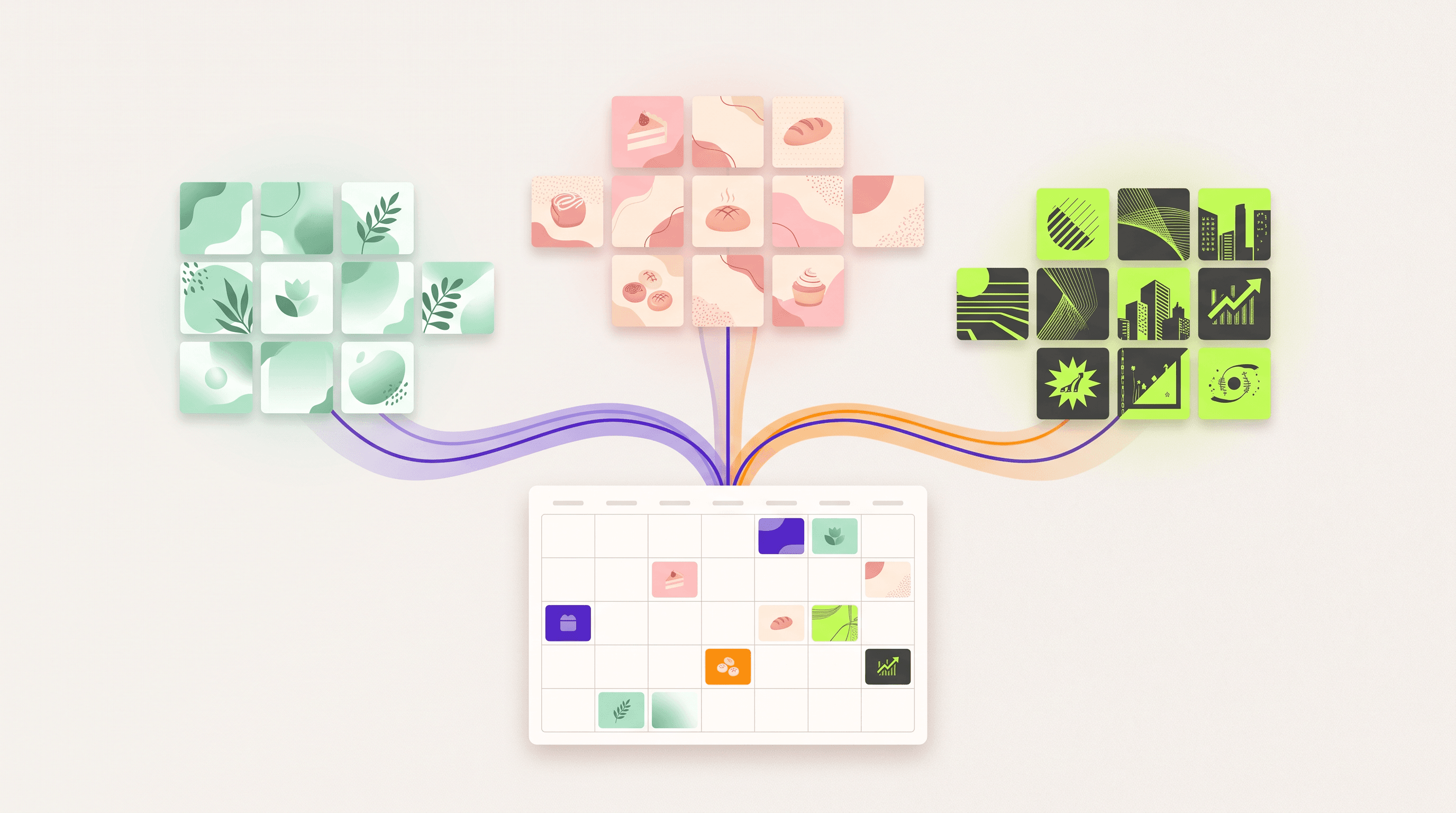
Get the week's ideas. Post Ideas suggests content pillars and on-brand post ideas from your Brand Mind. Pick the idea that fits each day's job, and turn it into a design.
-
Use your real facts. Paste a link to an impact page or the web version of your annual report. Krumzi reads the page so you can ask it to use your published numbers. Check them against the source before posting. Some sites block automated reads, so it won't work with every page. When it doesn't, paste the facts into your request yourself.
-
Change anything. Keep chatting to adjust a design ("make the date bigger", "warmer colors"), and every design stays fully editable.
-
Schedule the week. Connect your Instagram professional account and your Facebook Page, and schedule the posts from the same place.
You can make nonprofit social media posts for the whole week this way, and they'll all look like they came from the same organization.
Start free trial. Card needed, no charge until day 4.
Frequently Asked Questions
What should a nonprofit post on social media?
Impact stories, volunteer asks, posts about your cause, asks for gifts, events and thank-yous. Give each weekday one of those jobs.
What is the 33% rule for nonprofits?
It's the IRS public support test: a third or more of support from the public generally keeps a 501(c)(3) a public charity, and between 10% and a third can still qualify under the "facts and circumstances" test. It isn't a rule about social media.
How often should a nonprofit post on social media?
As often as you can keep up for months. Five posts a week, one per job, works for many small teams. Three a week (impact, an ask and a thank-you) is a solid minimum.
How do you create a Facebook Page for a nonprofit?
Create a Page from your personal account, pick a name and nonprofit category, and add photos and contact details. Meta's help page on creating a Page has the current steps.
Do you need permission to post photos of the people you serve?
Yes, ask first. Use a written release for the people you serve and a parent or guardian's signature for anyone under 18.
A month of posts, designed before your coffee cools
Describe the post. Krumzi designs it from scratch, on your brand, fully editable.
Start free trial3-day free trial, card needed. No charge until day 4. Cancel online anytime.